Submitting requests through our ticket system is reserved exclusively for users with an account on the Helpdesk Portal of IQA.
Accounts are created by IQA upon client request. Each entity can have up to three user accounts to use the ticket system.
If you do not yet have an account, see the section "I don't have an account" at the end of this tutorial to find out how to proceed.
If you want to learn how to properly request a new development or changes to AGIR, click here.
TIP Our Helpdesk Portal has a Learning Center with dozens of tutorials and articles about the features of AGIR. This content is public, that is, it is accessible to anyone (with or without an account).
I already have an account. How can I create a ticket?
If you already have an account on the Helpdesk Portal, follow the steps below:
1. Access the Portal
Visit: https://agirsupport.freshdesk.com/support/home
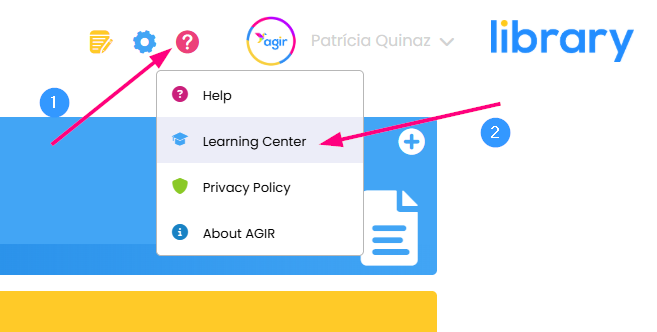
You can also access the Portal directly via the Help button in AGIR, by clicking on Learning Center.
2. Log in
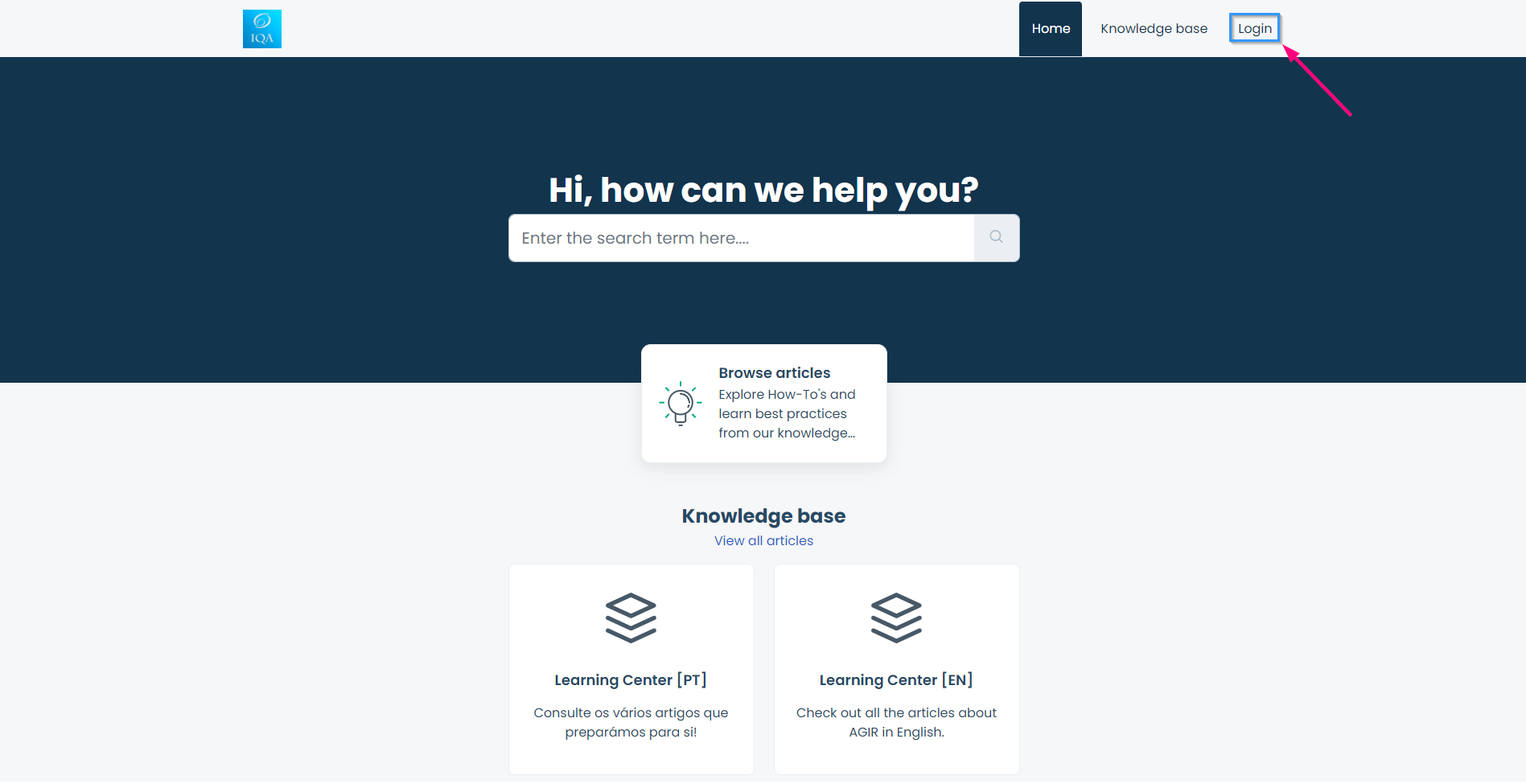
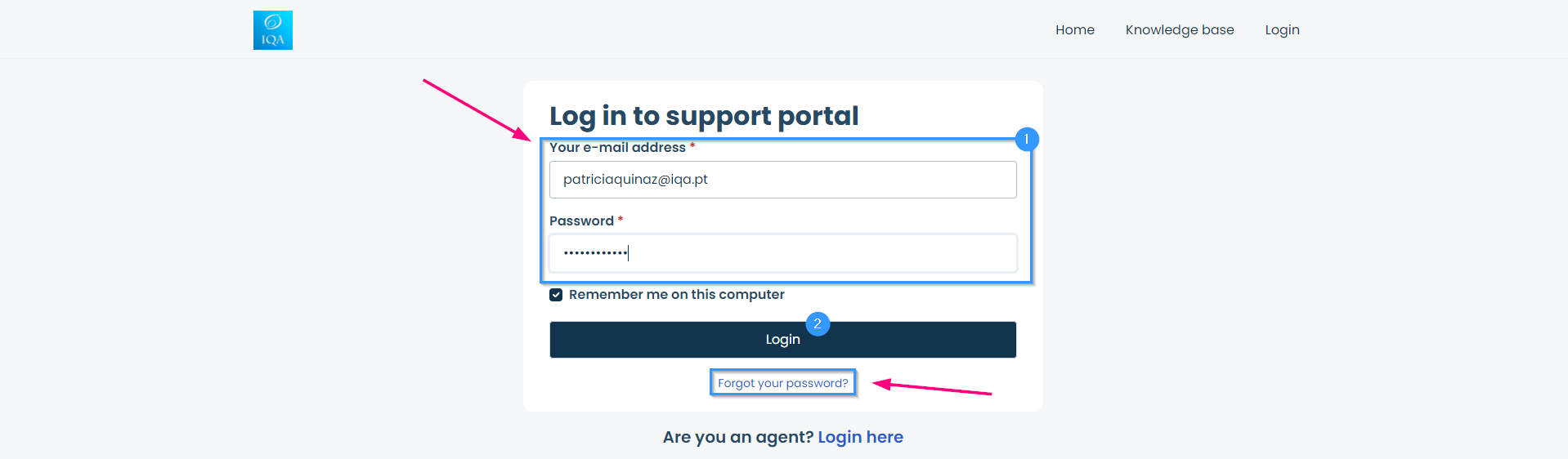
Click on Login in the top right corner, and enter your email and the password associated with your account.
If you don't remember your details, select Forgot your password? to recover access.
3. Submit the ticket
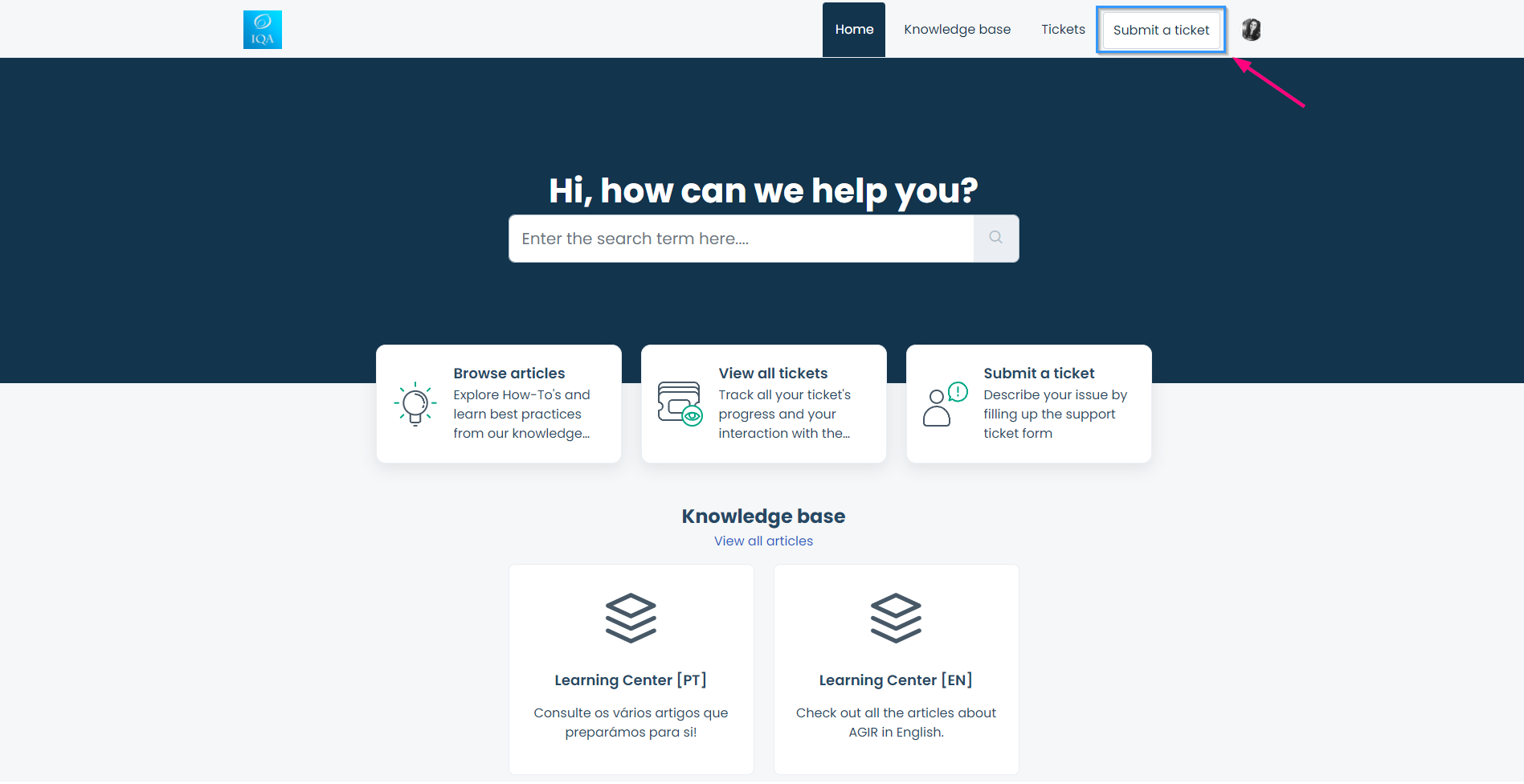
After logging in, click on Submit a ticket.
4. Fill out the form in detail
In the form, describe the situation clearly and completely. To make it easier for the support team to analyze, follow the following best practices:
Attach images or videos that help illustrate the problem
Clearly identify the records or documents involved, if applicable
Whenever possible, share links that point to the documents, records or processes mentioned
The clearer and more complete the description, the more quickly the team can help you.
After filling out the form, click on Submit and the ticket will be created.
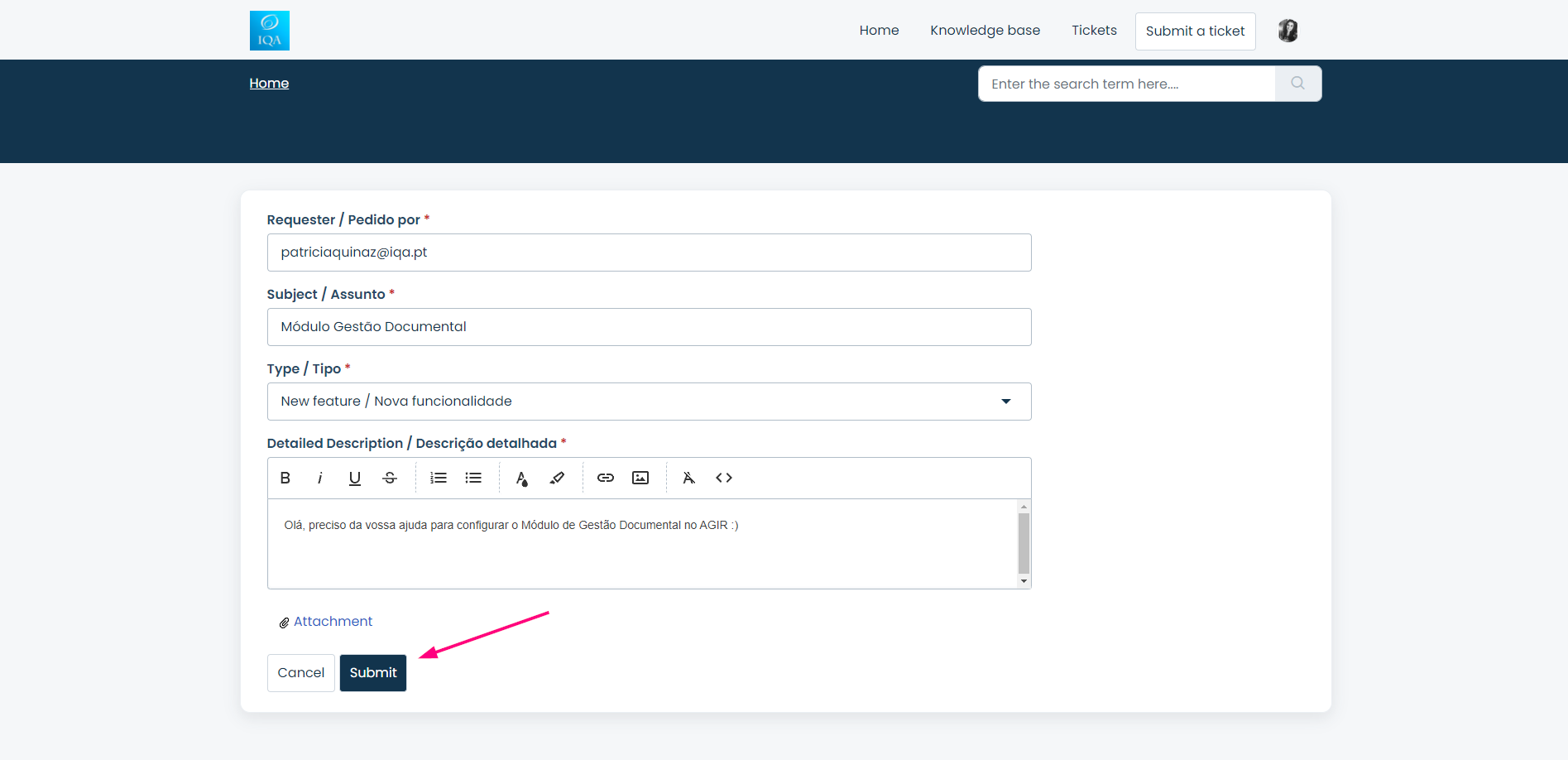
5. Track your tickets
You can view the tickets submitted by you (or by colleagues from your organization) through the Tickets option in the top menu.
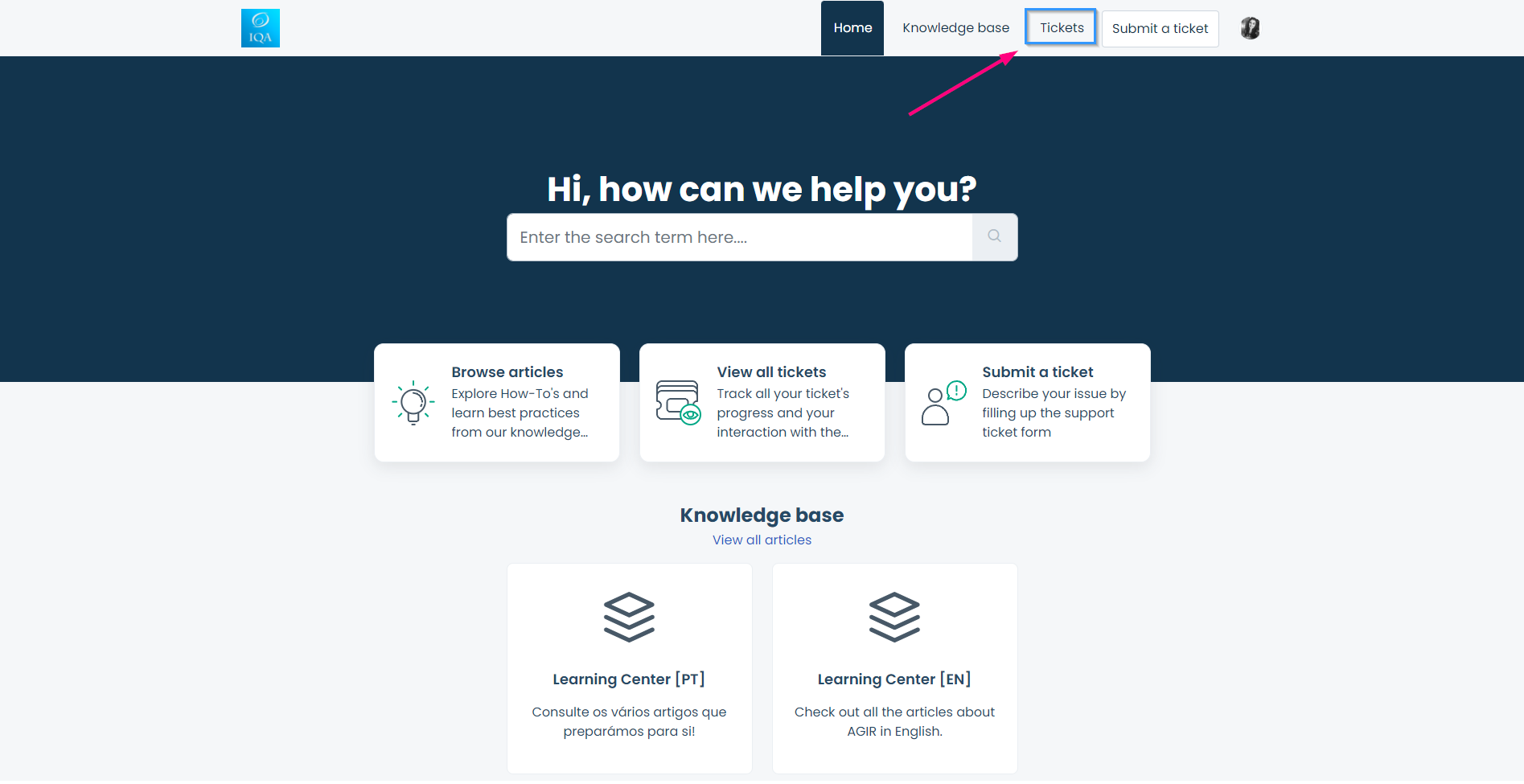
6. Receive notifications and reply through the portal
You will be notified by email whenever you receive a reply to a ticket.
IMPORTANT Do not reply directly to the received email, as the reply will not be recorded in the system. Instead, click the link included in the notification to reply directly in the Portal.
I don't have an account
To create a ticket, you must have an account on our Helpdesk Portal.
If you do not yet have access, you should:
Contact your organization's AGIR Administrator and request authorization to create a Helpdesk account;
The Administrator should open a ticket on behalf of the organization requesting the account creation, indicating:
Full name of the person to be registered
Associated email address
The IQA team will create the account and send an email with the activation link. Each organization can have up to three user accounts to use the ticket system. If the limit has already been reached, you should indicate which account we should delete so we can proceed with creating a new account.
It is essential that the user clicks the sent link to complete the activation process and gain access to the Portal.
Final note
The proper use of the ticket system — with clear descriptions, relevant attachments and correct identification of documents or processes — contributes to a faster and more effective resolution of requests. We appreciate your cooperation in ensuring more agile and efficient support.
Thank you :)
Was this article helpful?
That’s Great!
Thank you for your feedback
Sorry! We couldn't be helpful
Thank you for your feedback
Feedback sent
We appreciate your effort and will try to fix the article