AGIR now offers a new, modern login page with a revamped, intuitive design. Beyond its fresh look, this new page includes helpful links that make it easier to access important information and resources.
In this article, we’ll walk you through how to activate this new feature and explain the available links so you can make the most of this update.
PERMISSIONS This type of configuration can only be done by an AGIR Administrator.
TIP If you want to activate other new pages, like the new dashboard or workflow dashboard, click on the respective links
ATTENTION By making this change, you are applying it to all users with access to AGIR.
How to activate?
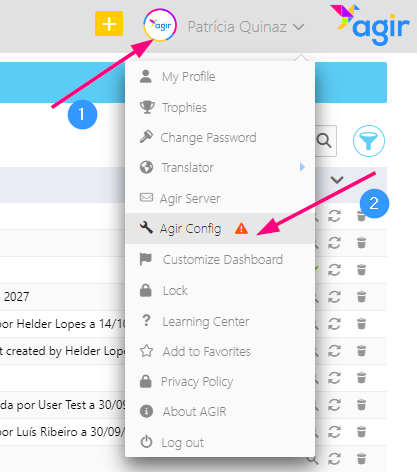
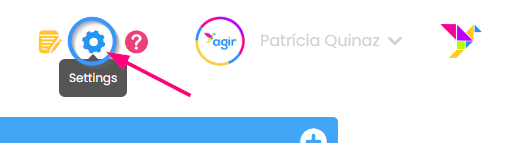
To activate the new login page, click on your username and go to AGIR Config. If you already have the new dashboard active, simply click on the blue icon next to your username to access AGIR settings.
Legacy Dashboard
New Dashboard
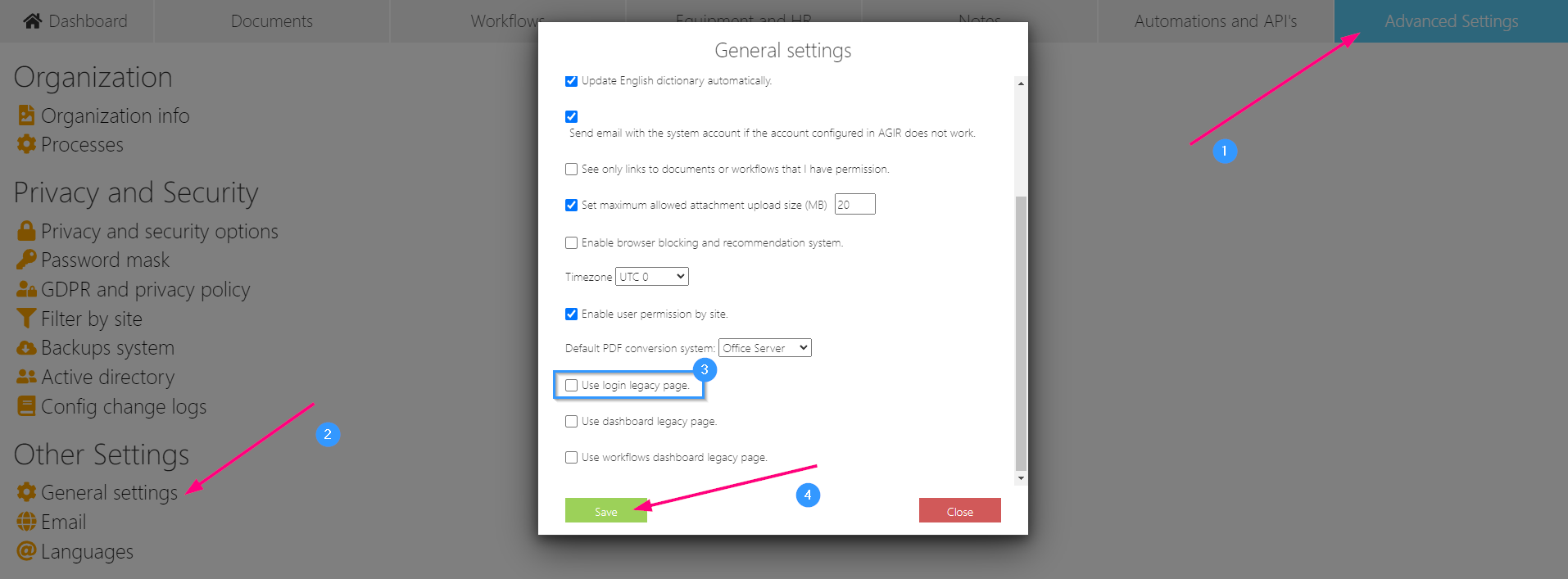
Go to the Advanced Settings tab, select General settings from the list, uncheck the option Use login legacy page, and click Save.
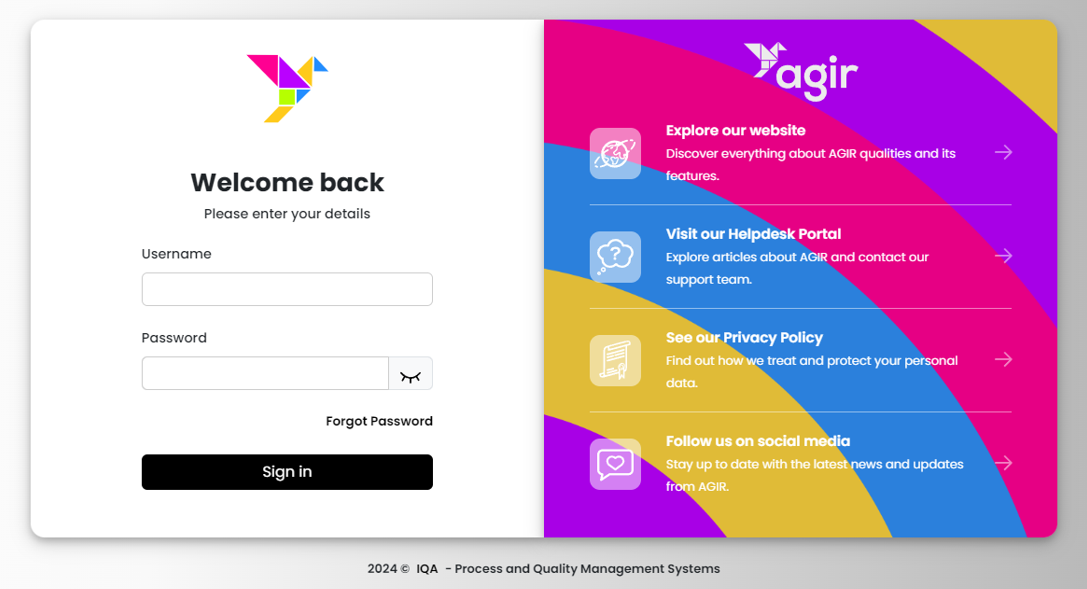
Now, all users will log in through the new page.
Useful links on the login page
On the new AGIR login page, you’ll find links that provide easy access to useful information. Each one has a specific purpose, designed to enhance your experience with AGIR. Here's a brief explanation of each link:
Visit our website
This link directs users to the official AGIR website, where they can explore our solutions in depth and access contact details. It’s the perfect place to learn more about AGIR's features and benefits.
Visit our client portal
Through this link, users can access our Learning Center, a comprehensive knowledge base with dozens of articles explaining AGIR’s various functionalities. Users can also submit tickets via the Helpdesk Portal to report issues or request changes, ensuring fast and efficient support.
View our Terms and Conditions
Here, users can review the terms and conditions that govern AGIR usage. Being familiar with these guidelines ensures proper use within the established norms, enhancing the experience for all users.
Follow us on Social Media
This link allows users to follow our official social media pages, where we share updates, new features, and tips on how to use AGIR effectively.
These links were carefully selected to ensure that, in addition to quick access to AGIR, users can easily find the information and support they need, whenever necessary.
Was this article helpful?
That’s Great!
Thank you for your feedback
Sorry! We couldn't be helpful
Thank you for your feedback
Feedback sent
We appreciate your effort and will try to fix the article