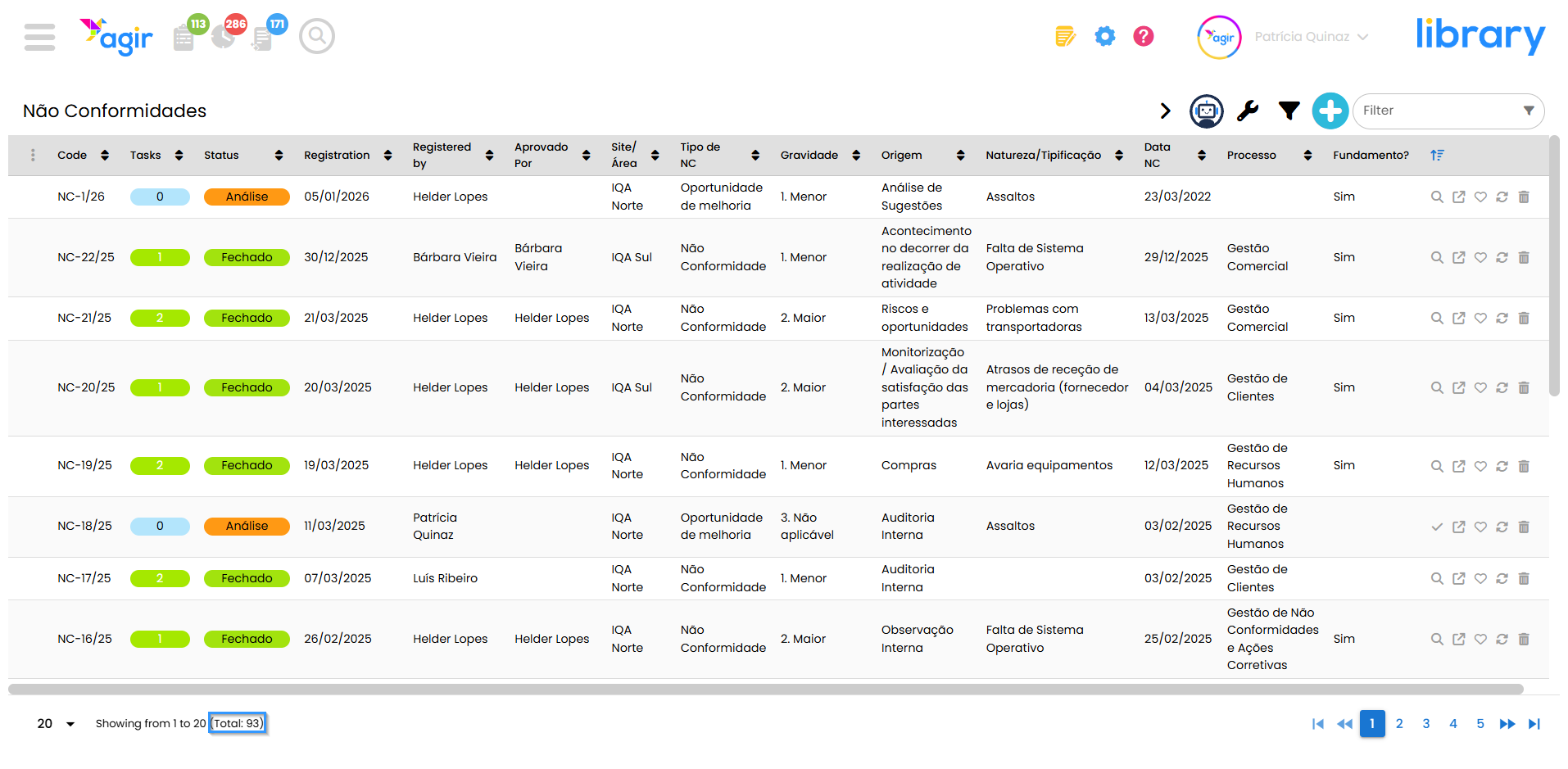
The new listing of Workflow records has improved the way you organize your records.
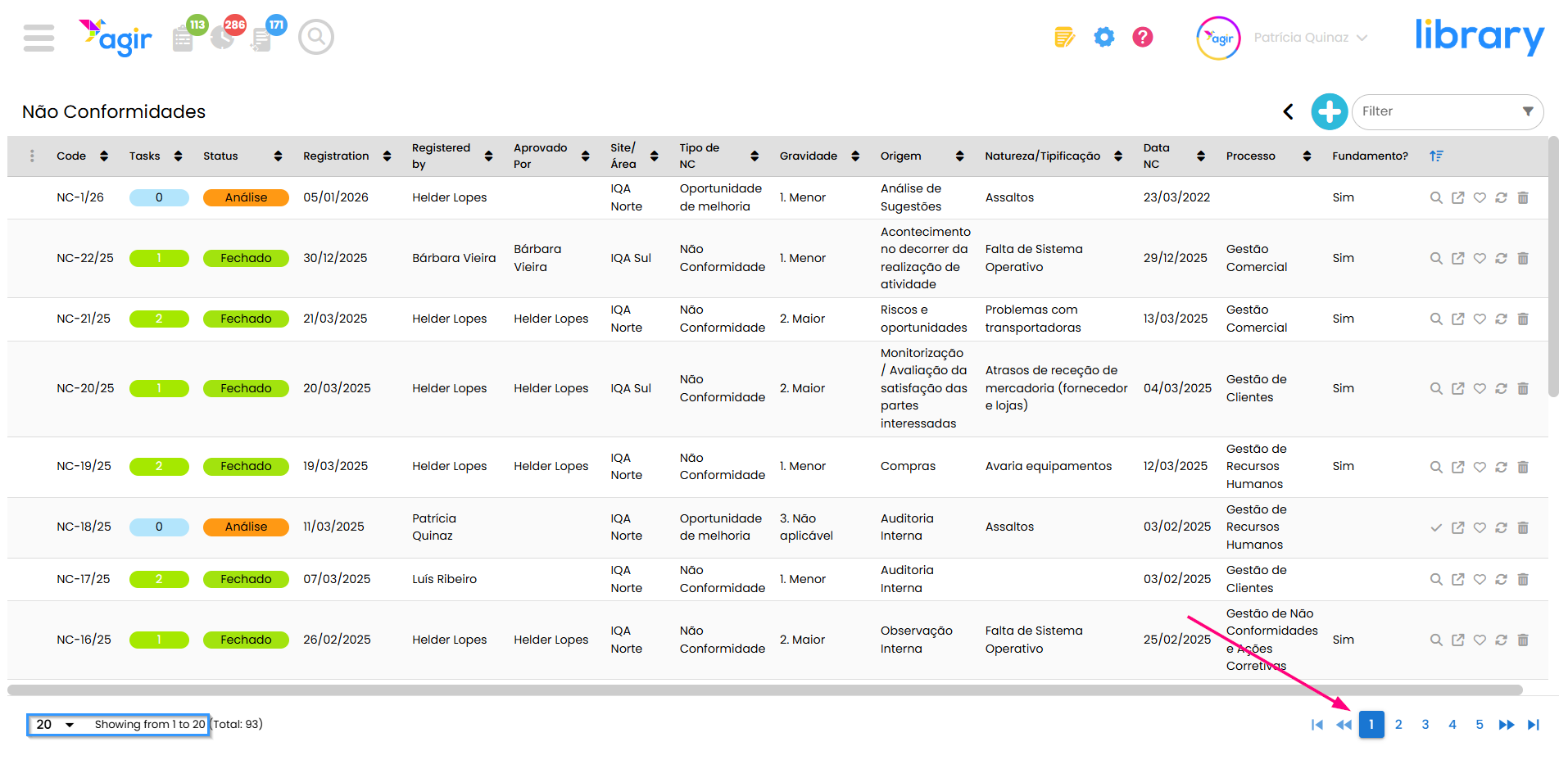
More modern and intuitive, this new listing allows you to reorder columns freely and apply filters in a simpler, faster and more direct way.
Request the update of your AGIR to activate the new listing and start enjoying all its features.
To activate the new Workflows datagrid, follow the steps in this tutorial: How to activate the new Workflows datagrid(Version 3)
See below the features of this new listing and how to make the most of it:
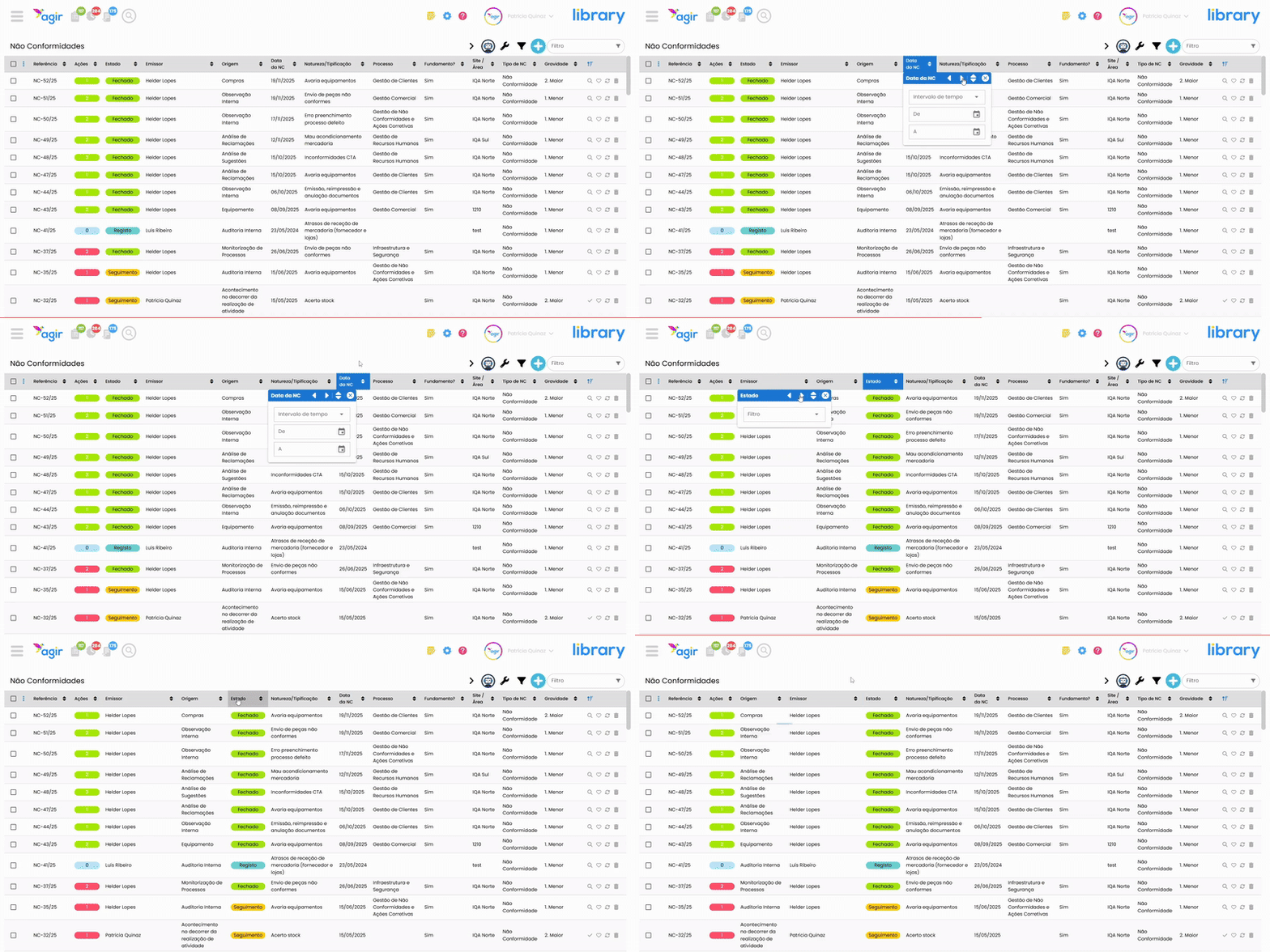
Column sorting
Something our customers were longing for: a quick and free way to sort the listing columns.
PERMISSIONS All users can use column sorting; however, only the sorting performed by AGIR Administrators or Workflow Administrators is saved for all users as the default sorting.
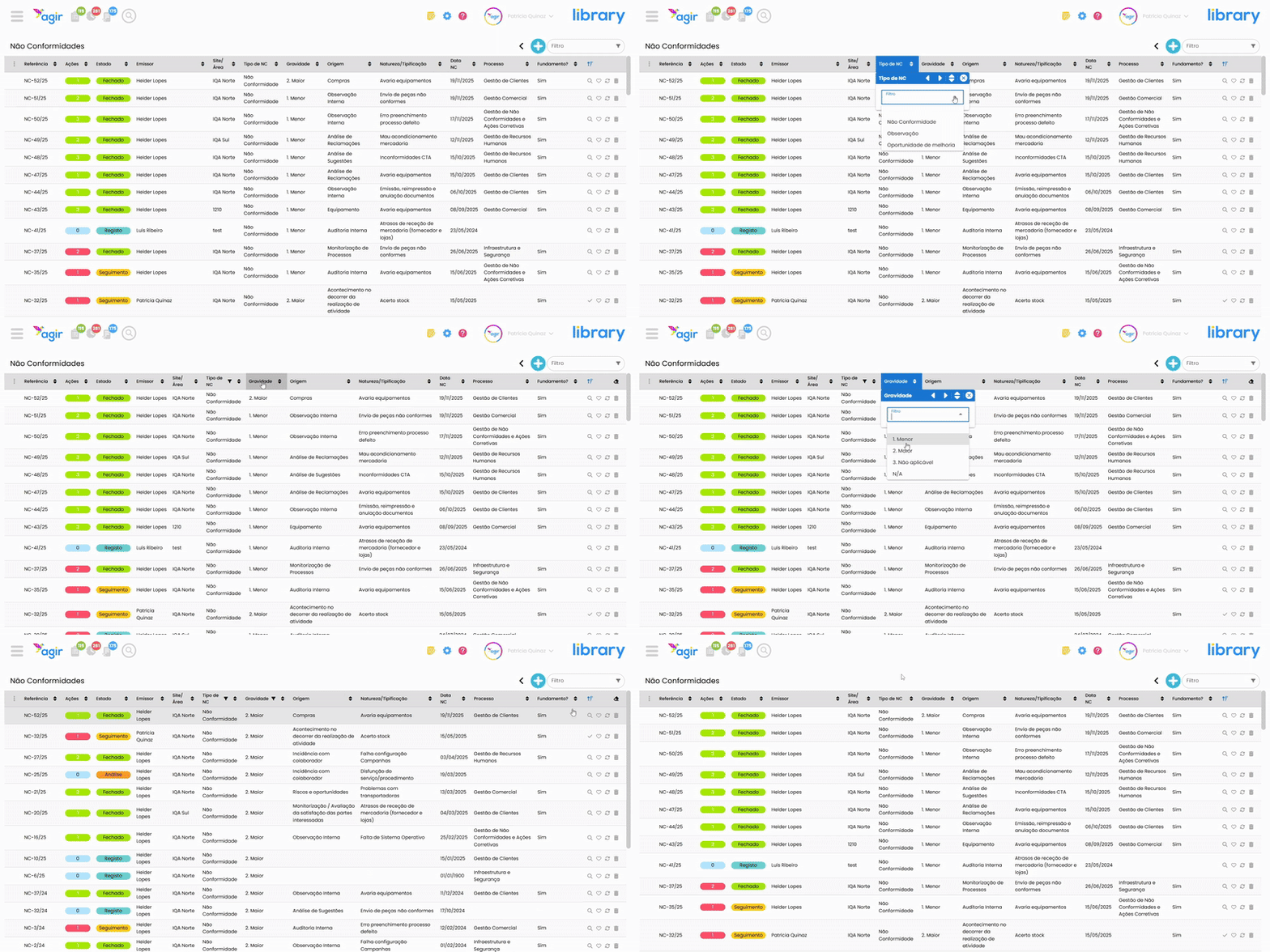
Applying filters to the datagrid
You can filter the listing by selecting data in each column.
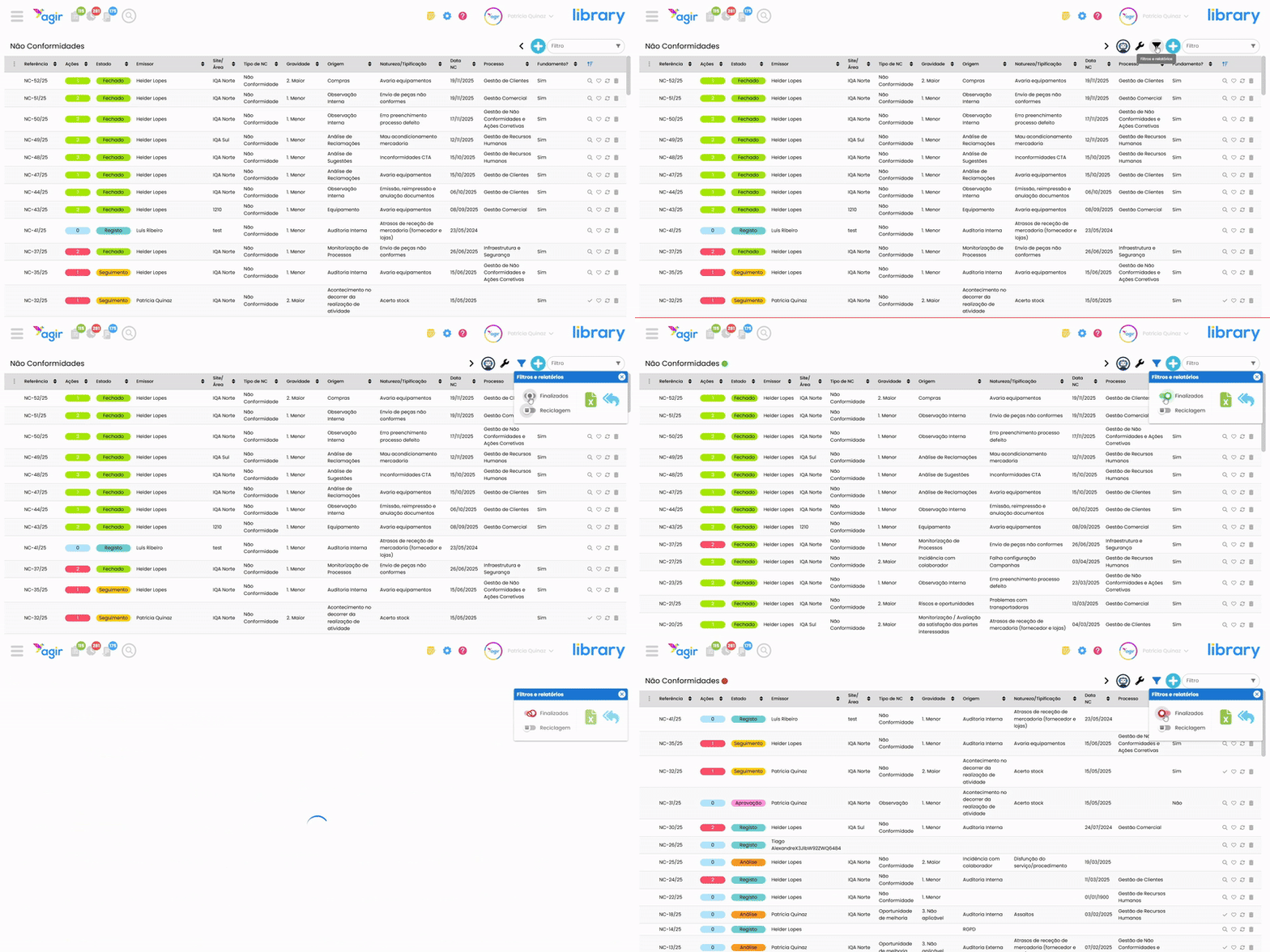
Filter by finalized or on going records
Allowing you to focus on records that are already finished, or in progress.
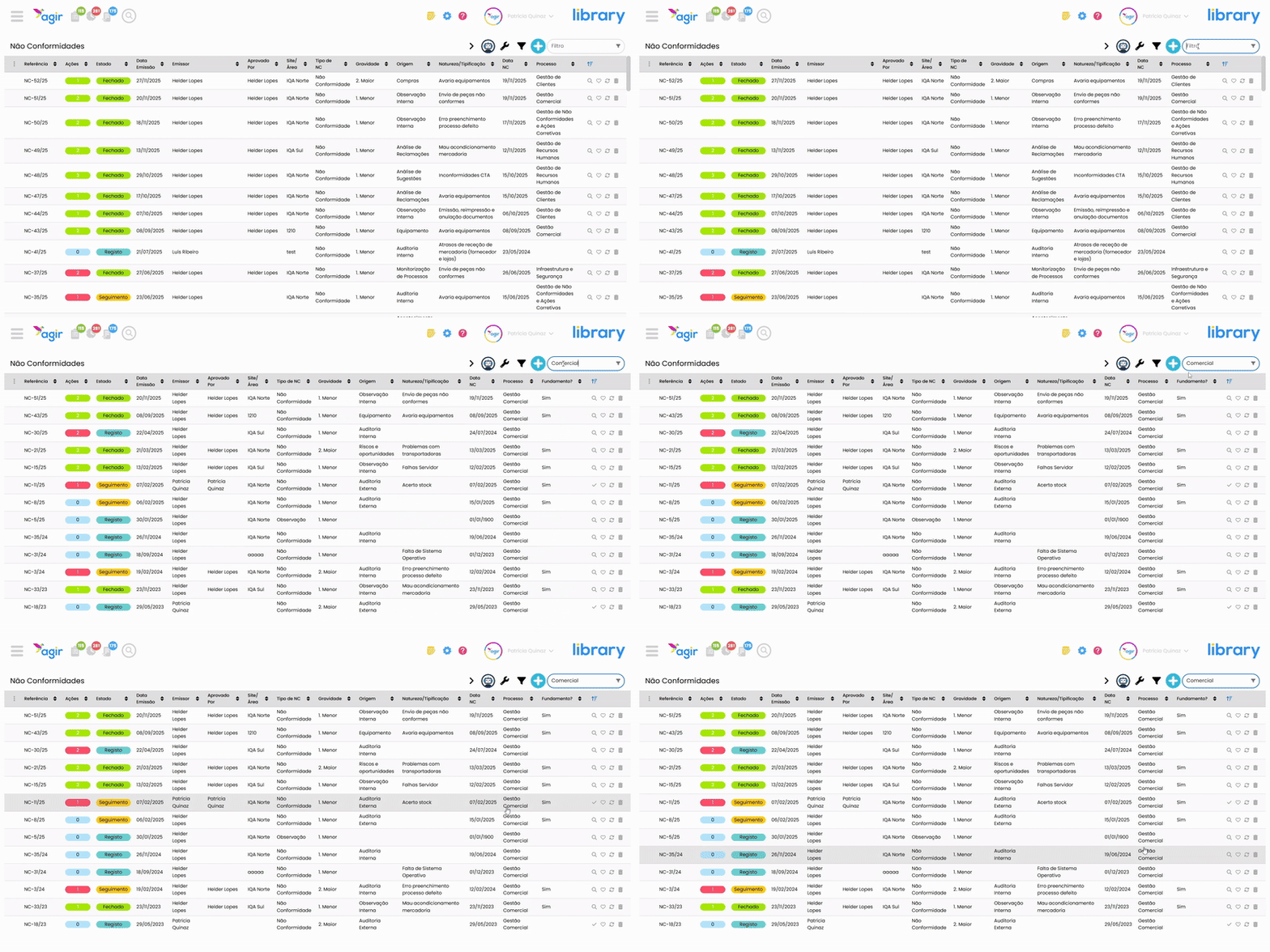
Free Filter/Search
You can also use the Filter field on the right, above the listing, which serves to filter records by terms/data present in any of the columns.
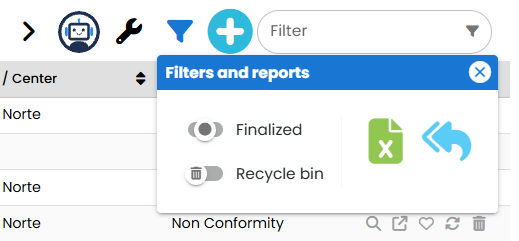
Exporting the records datagrid to Excel
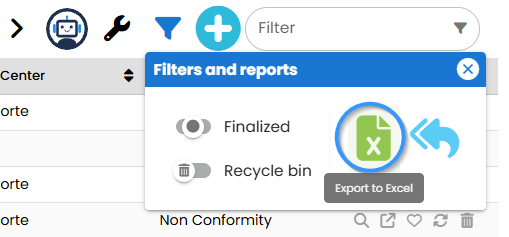
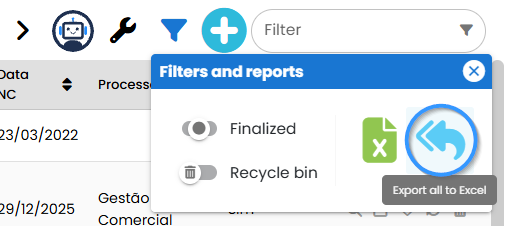
Apply the filters you want to the record datagrid and export the selection to Excel using the two buttons in the Filters and reports menu.
The green icon allows exporting the records on the page you are on.
The blue icon allows exporting all records that are currently filtered, ignoring the division between pages.
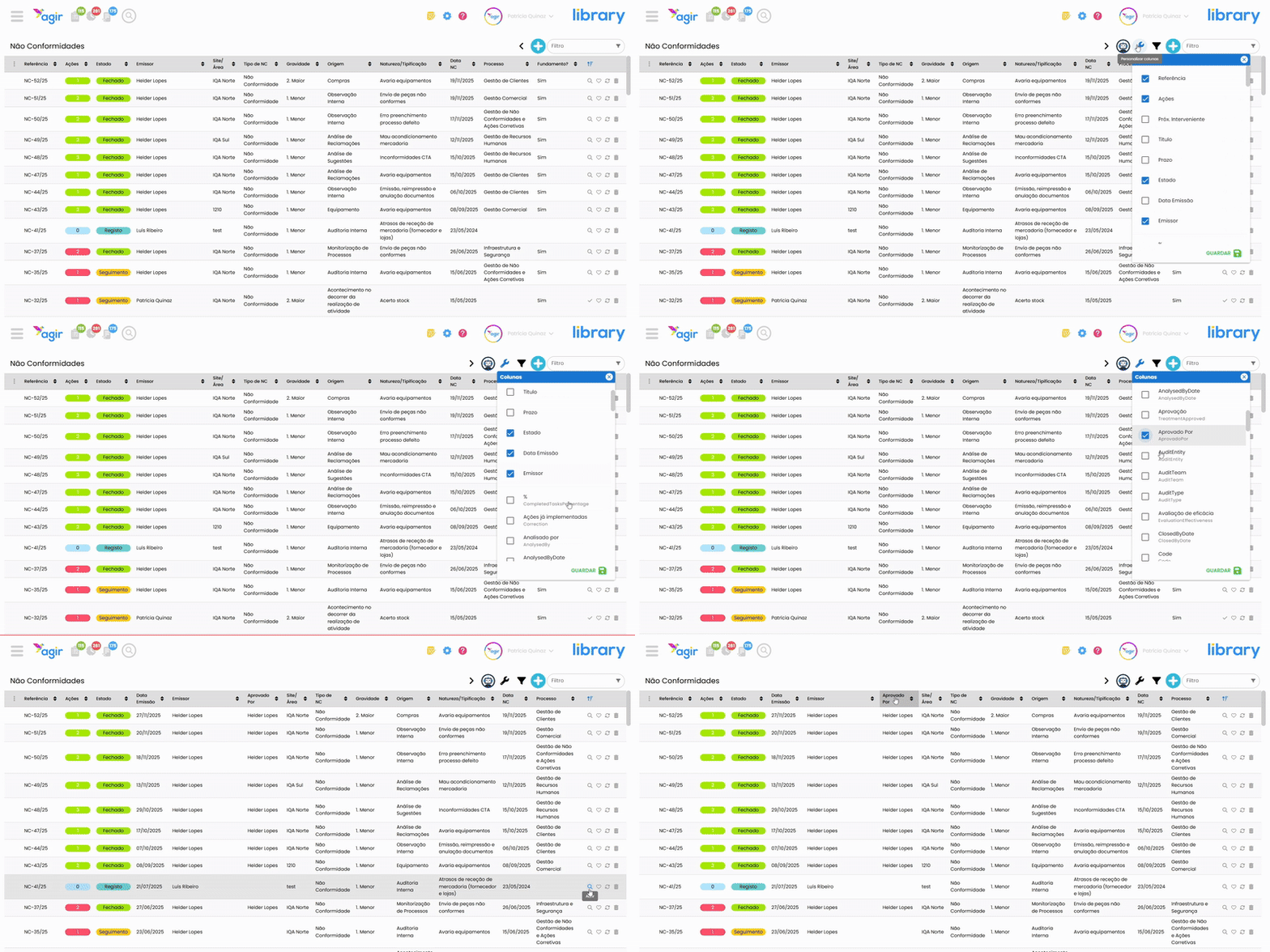
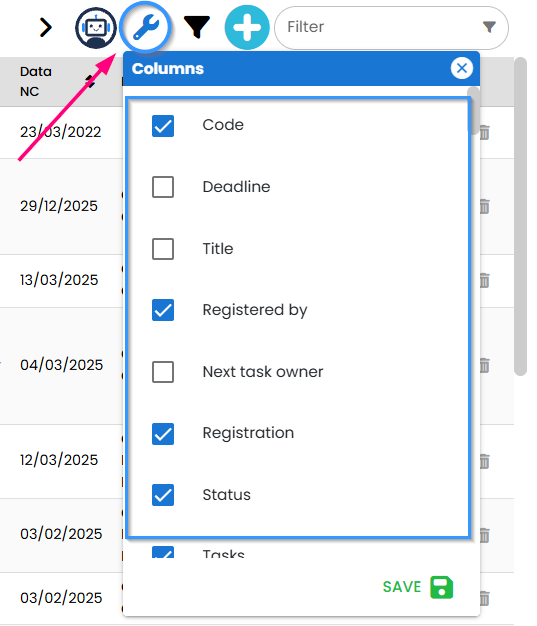
Customize columns
This feature is already known to our customers: the ability to choose which columns/data to show in the record datagrid. Now, it is possible to perform this customization in a simpler and more direct way.
PERMISSIONS This feature is only accessible to AGIR Administrators or Workflow Administrators.
Access to AGIR AI
You can chat with AGIR AI from the new Workflows datagrid and ask questions about any topic or AGIR feature. AGIR AI answers your questions and directs you to the tutorials available in our Learning Center.
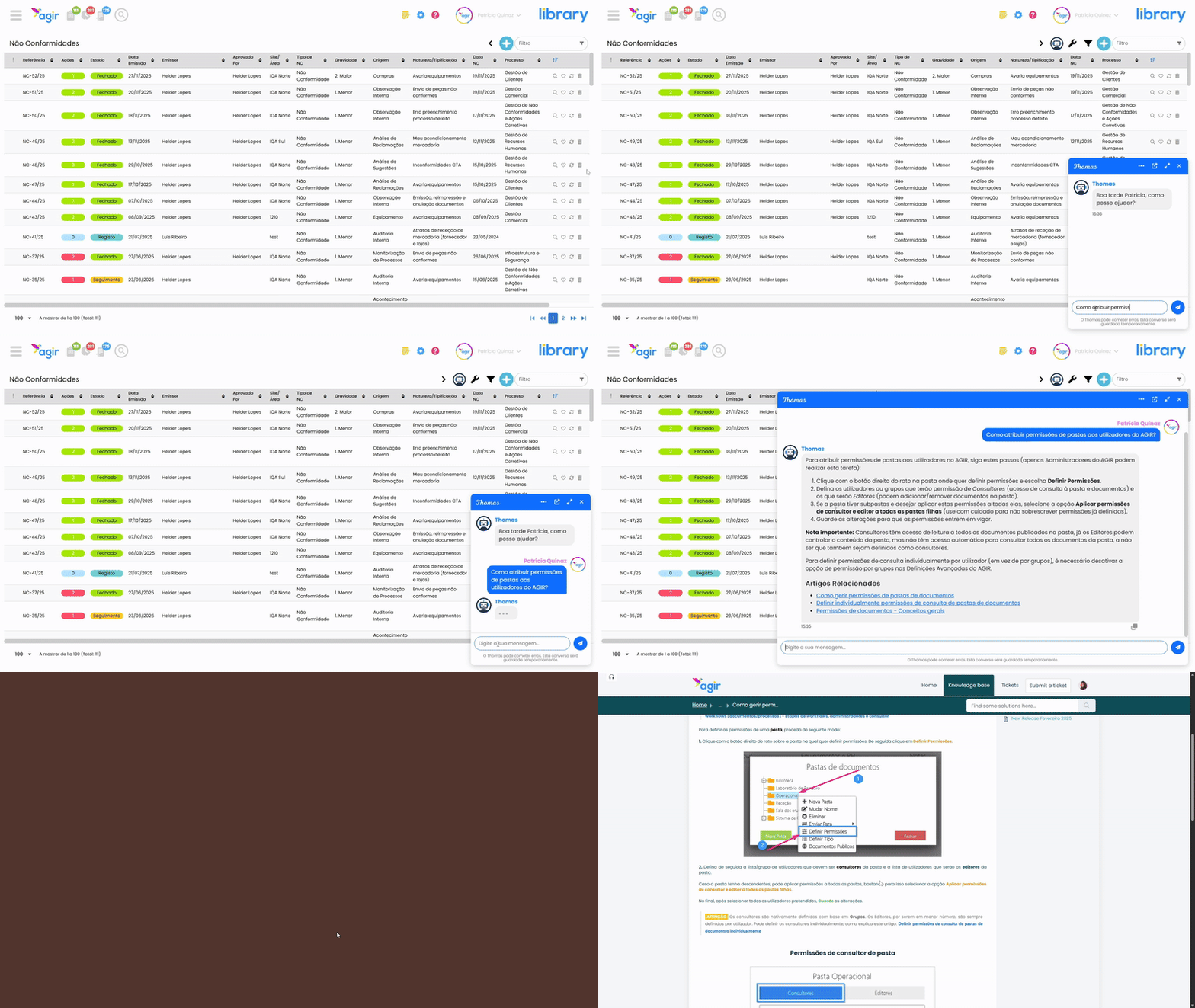
To learn more about the AGIR AI Helpdesk, consult the following article: AGIR AI Helpdesk – Get answers about AGIR in seconds
Choose your favorite records
It is now possible to mark a record as a favorite, allowing you to access it in the Favorites category in the Workflows Module.
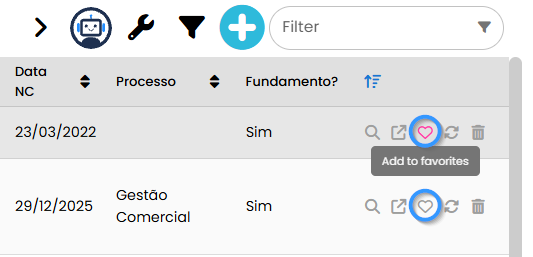
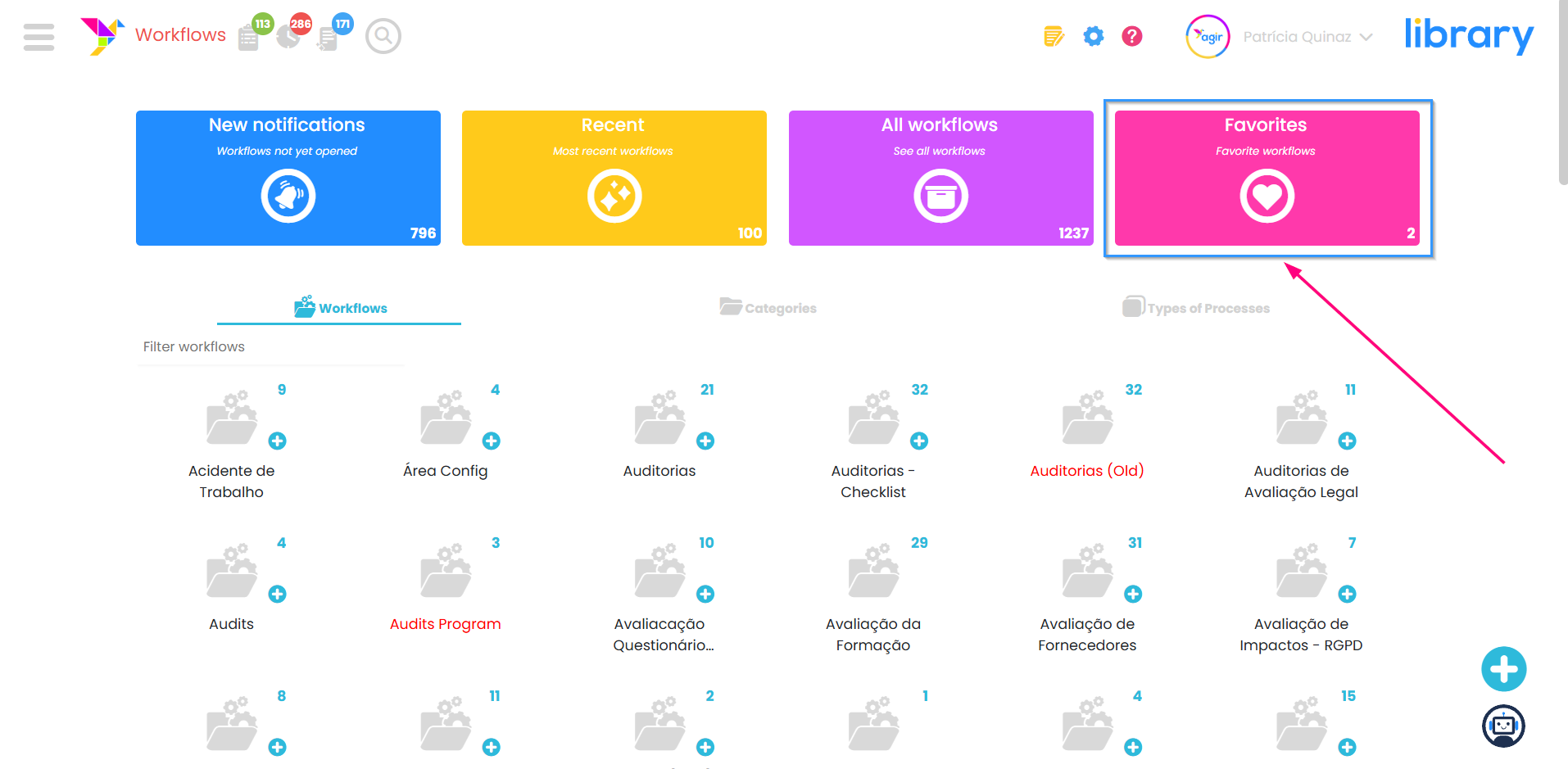
To learn more about this feature, consult the article: Favorites in the Workflows Module – Your favorite records always at hand
Delete/recover records
Deleting or recovering records has become simpler and more intuitive in the new Workflows Datagrid. With a smoother user experience, it is now possible to send multiple records to the recycle bin or recover them at once, saving time and making management more efficient.
PERMISSIONS This feature is only accessible to AGIR Administrators or Workflow.
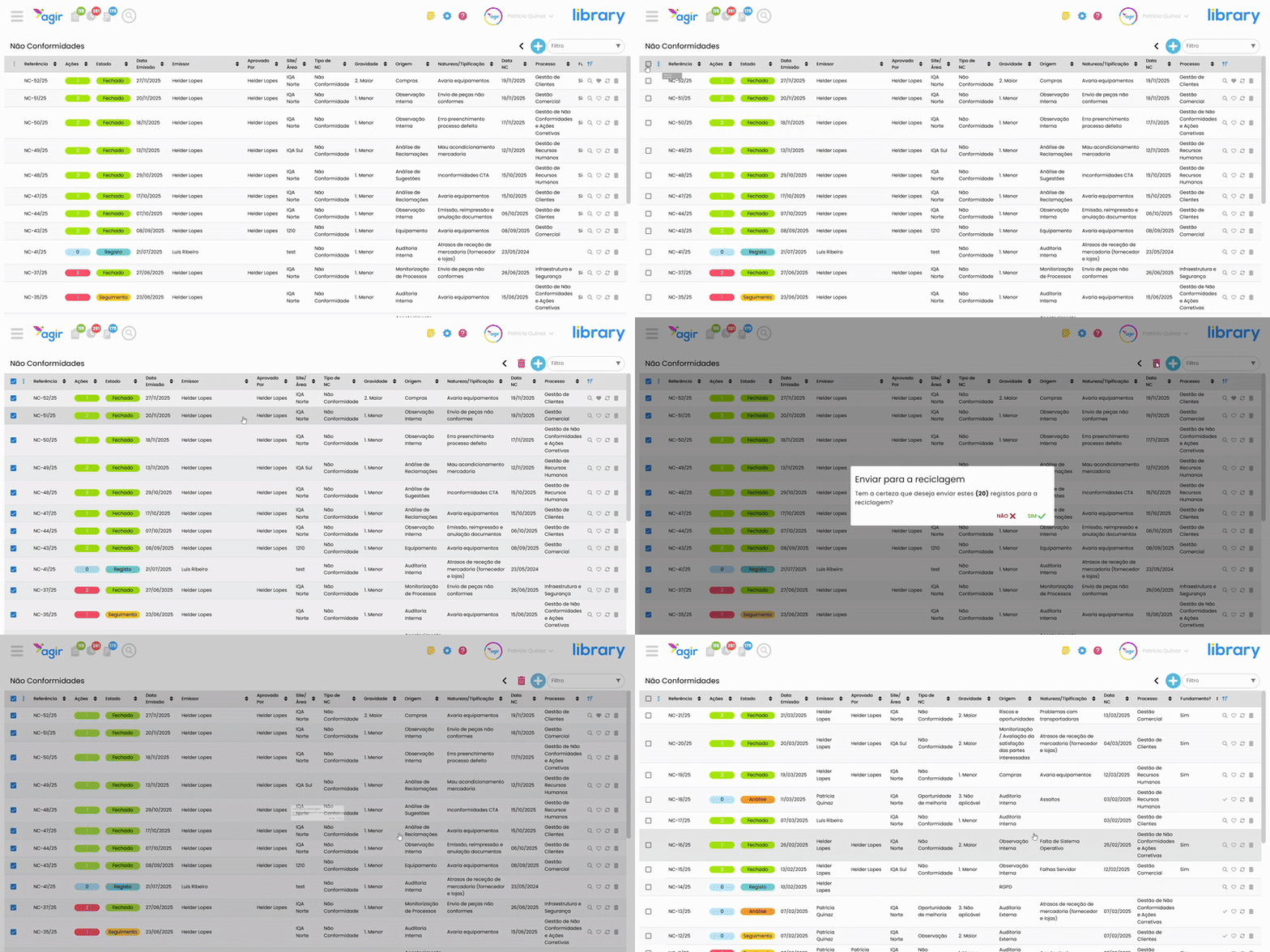
To learn more about deleting or recovering records using the new listing, consult the following articles:
- How to delete workflow records (Datagrid Version 3)
- How to recover workflow records (Datagrid Version 3)
ATTENTION To access the new AGIR pages/listings, you must request the platform update and proceed to activate them in Settings.
PERMISSIONS The activation of the new pages can only be done by AGIR Administrators.
Was this article helpful?
That’s Great!
Thank you for your feedback
Sorry! We couldn't be helpful
Thank you for your feedback
Feedback sent
We appreciate your effort and will try to fix the article