Version 3 of the Workflows datagrid is now available in the latest versions of AGIR. More intuitive, dynamic and full of personality!
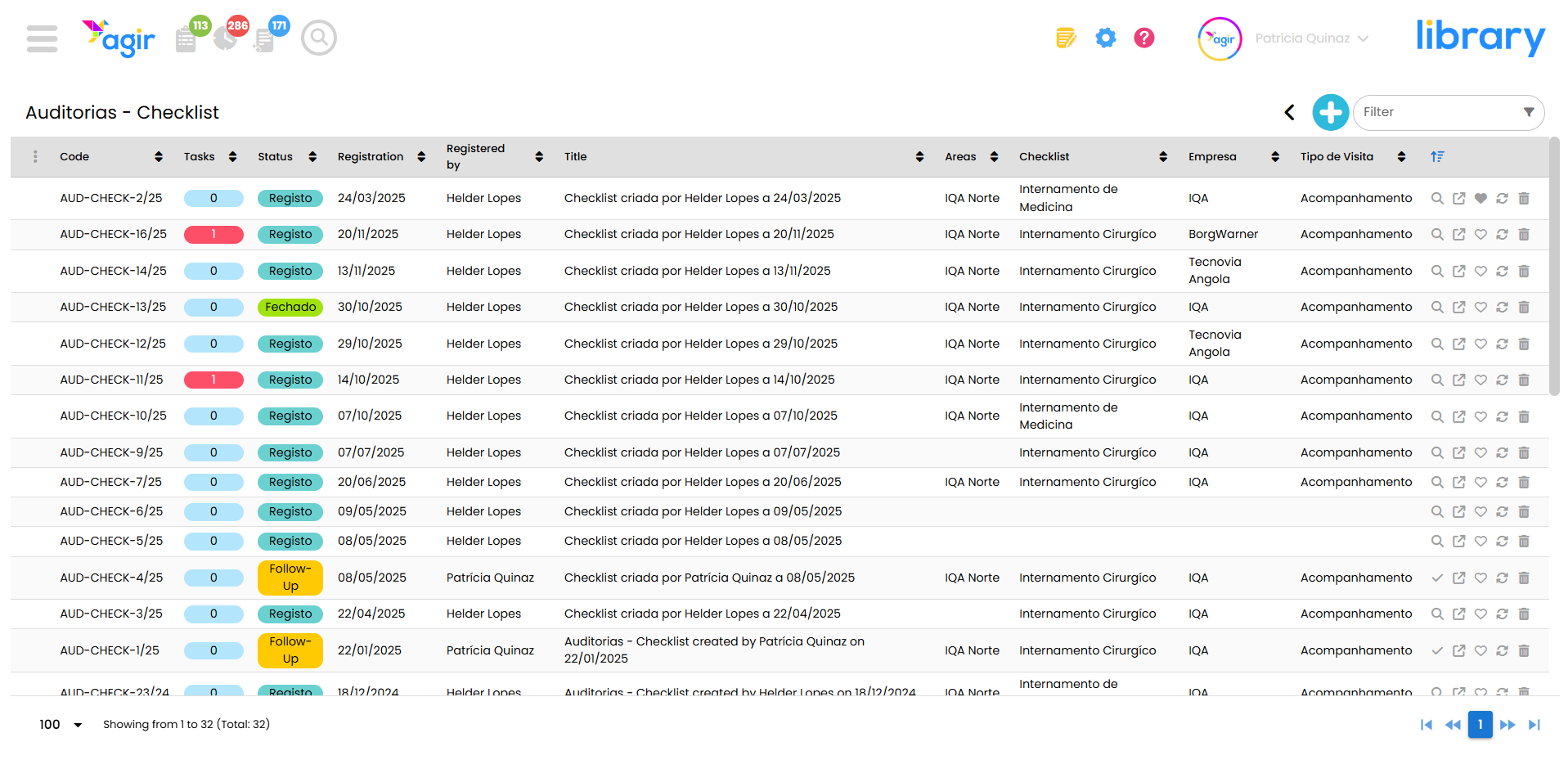
To access the features of this new datagrid, it must be activated for each Workflow. This way, activation becomes optional and will depend on the preferences of each AGIR Administrator.
Follow the steps below to learn how to activate version 3 of the Workflows datagrid.
PERMISSIONS Changing the workflows datagrid can only be done by AGIR Administrators.
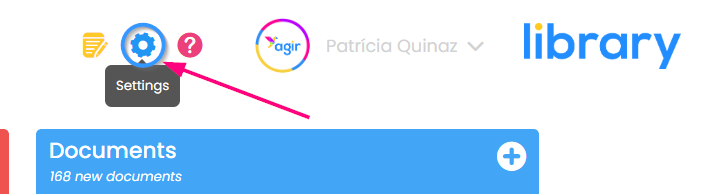
1. Go to the Settings of AGIR
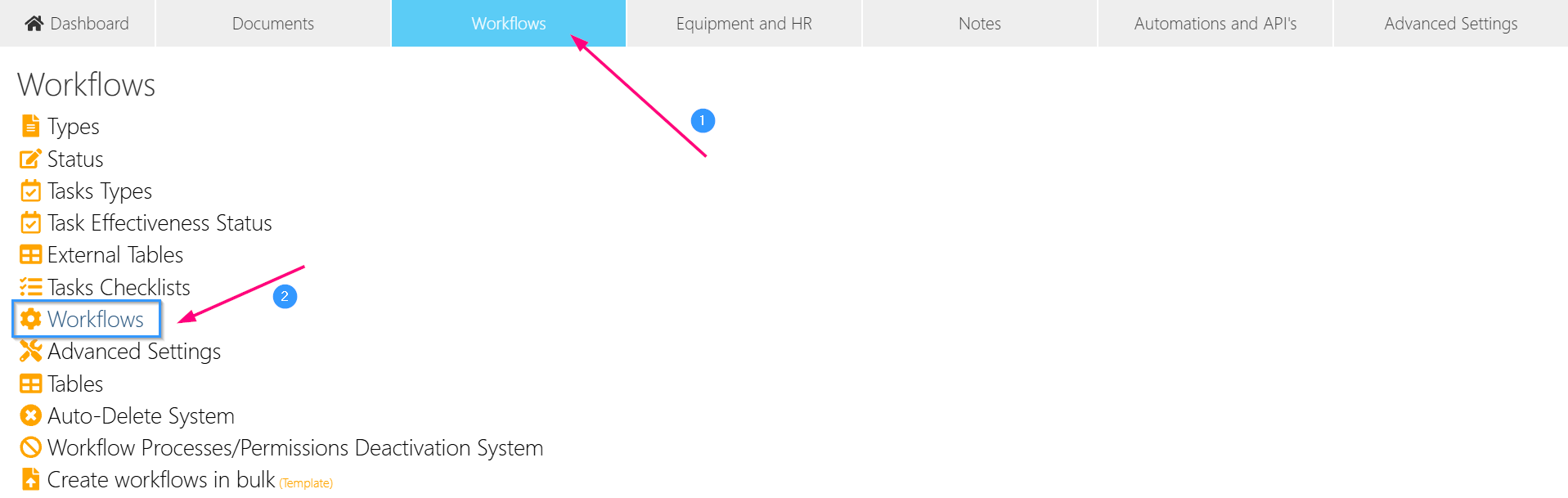
2. Select the Workflows tab, choose the option Workflows from the list.
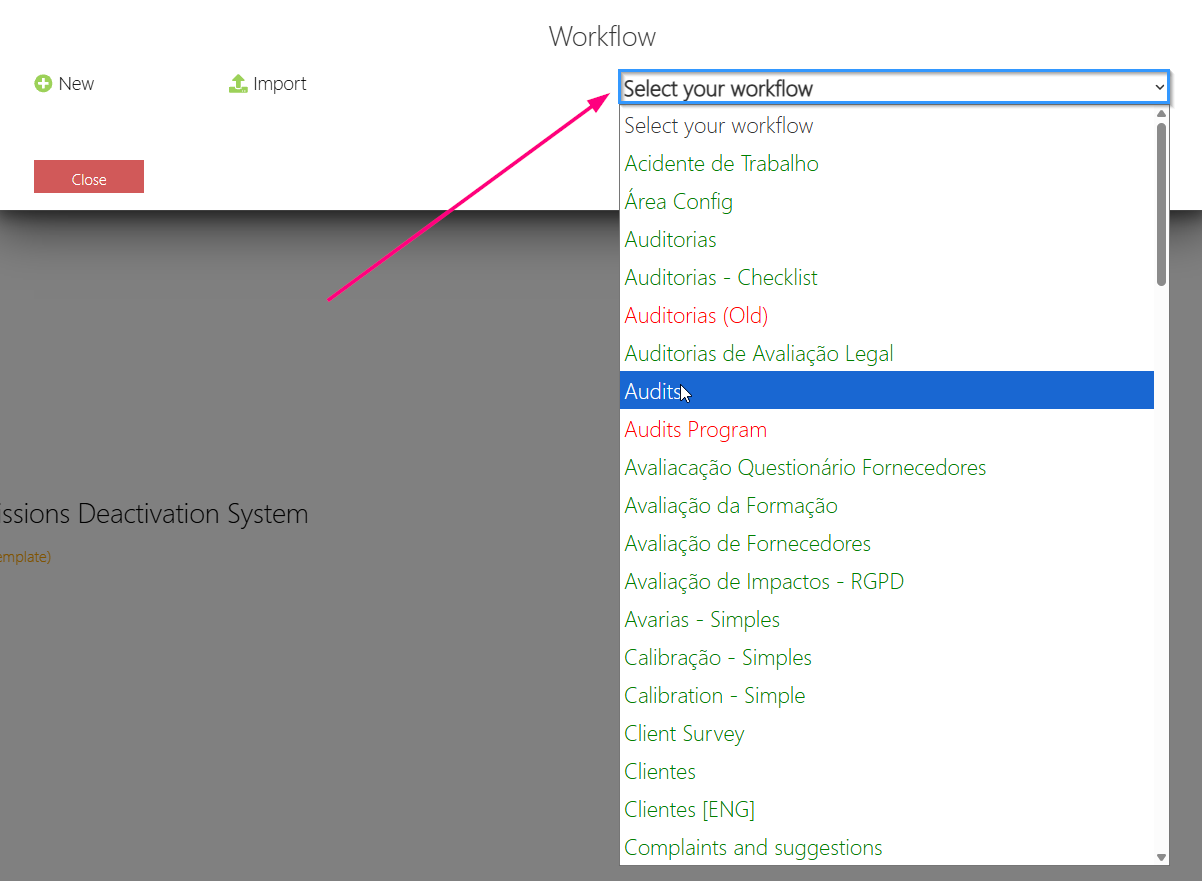
3. Select the Workflow in which you want to activate the new datagrid.
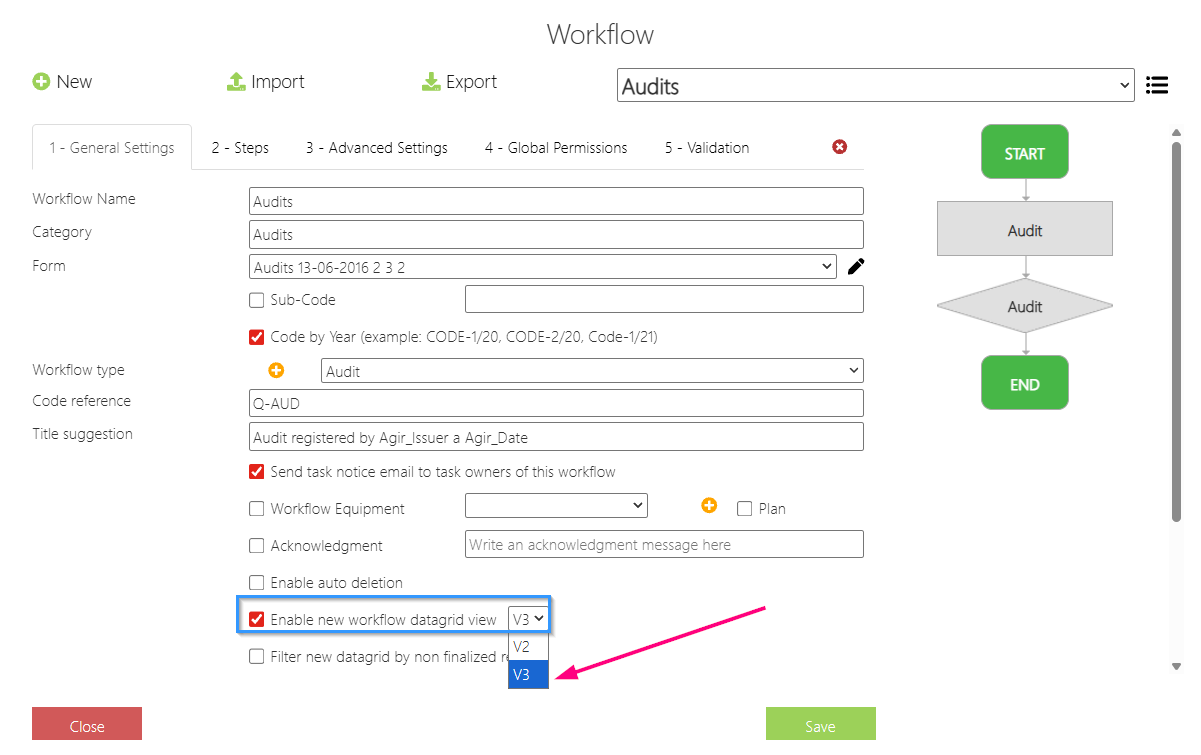
4. Scroll the page and select the option Enable new workflow datagrid view [V3].
Note: If a workflows datagrid is already active, change it to V3.
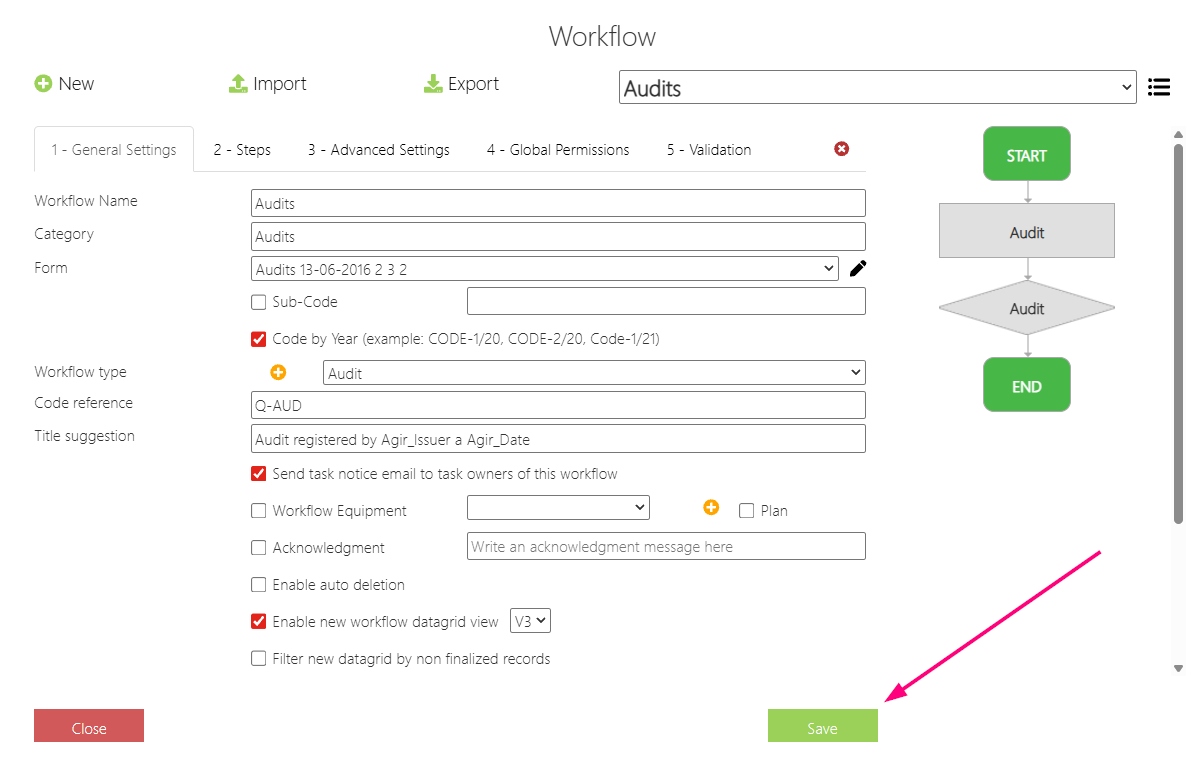
5. Finally, Save the changes.
The new datagrid is already applied :)
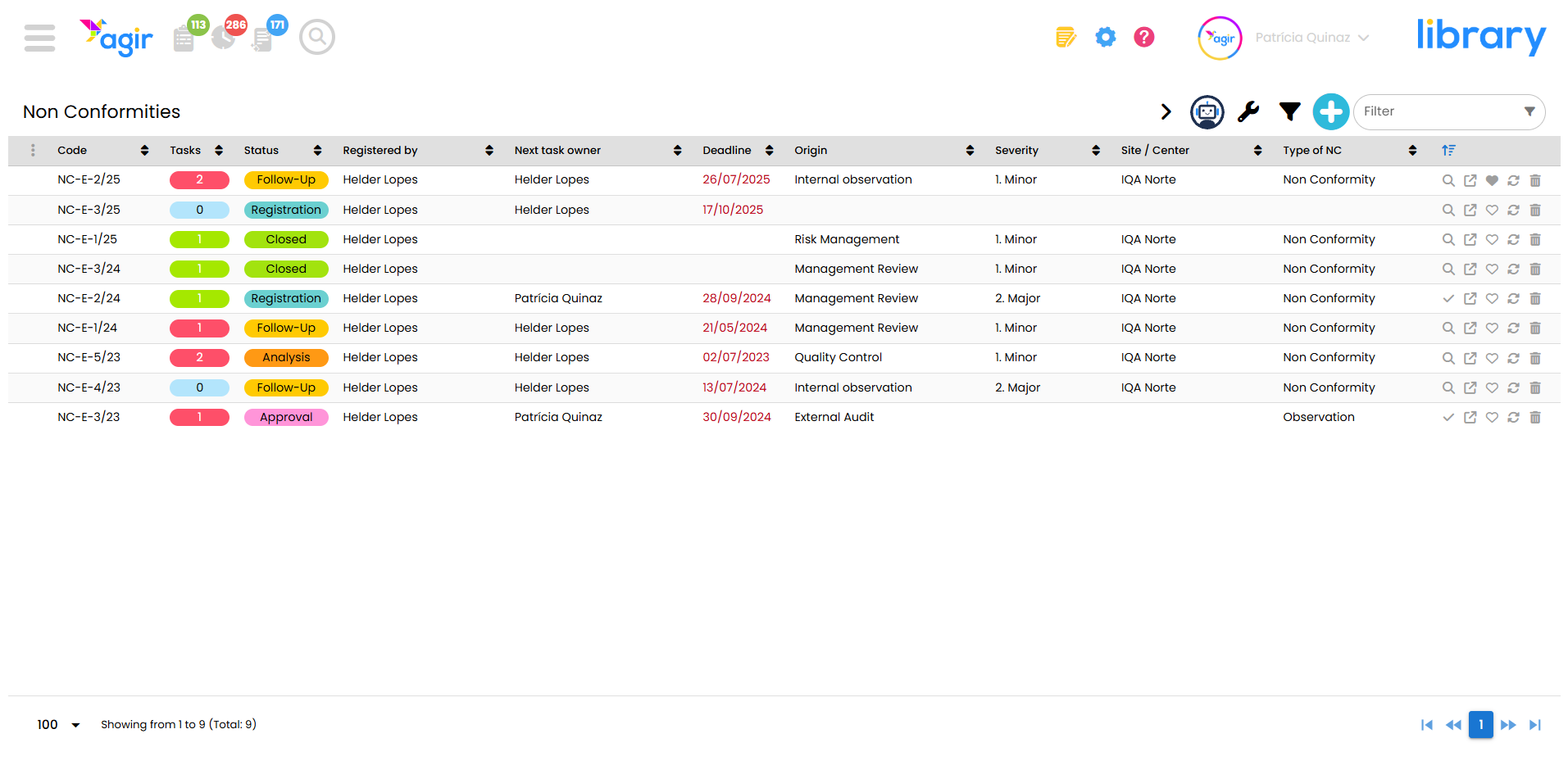
ATTENTION You may need to update your AGIR version to access the latest version of the workflows datagrid.
Was this article helpful?
That’s Great!
Thank you for your feedback
Sorry! We couldn't be helpful
Thank you for your feedback
Feedback sent
We appreciate your effort and will try to fix the article