The mark all documents as read feature allows users to quickly update the read status of documents in AGIR.
This option is especially useful when there are multiple unread documents, allowing you to speed up the process and ensure a more organized view of notifications and outstanding document items.
PERMISSIONS Activation of this feature must be performed by an AGIR Administrator.
IMPORTANT This action should be used judiciously, as it marks all documents as read regardless of whether they have actually been viewed.
How to activate the feature
Follow the steps below to enable the option to mark all documents as read:
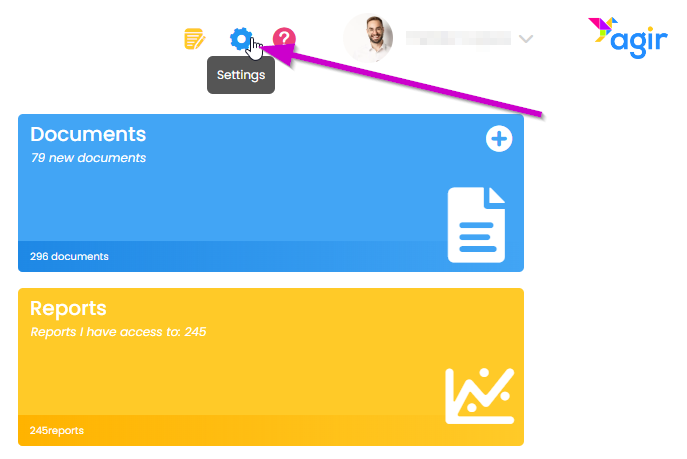
1. Go to AGIR Settings.
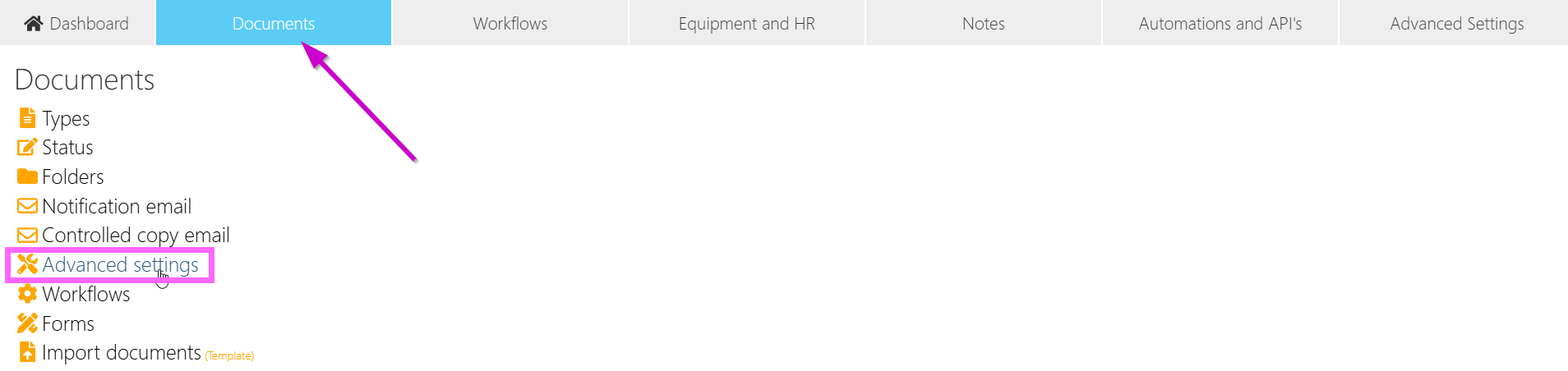
2. On the Documents tab, go to the Advanced settings menu.
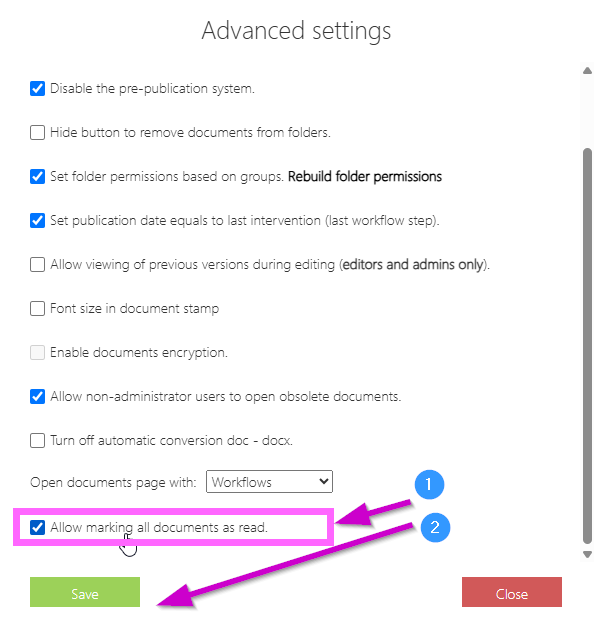
3. Scroll down, and enable the Allow marking all documents as read option. Save the changes.
How to use the feature
After activation, the feature becomes available to users.
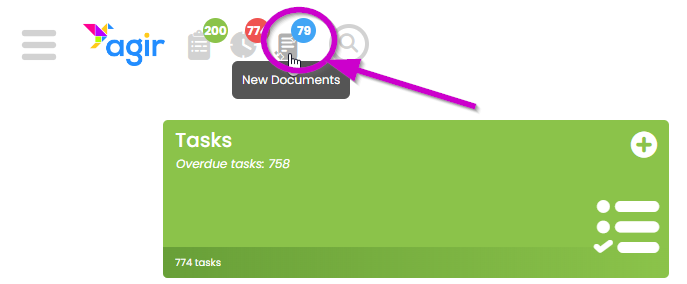
1. Access the notifications for new documents.
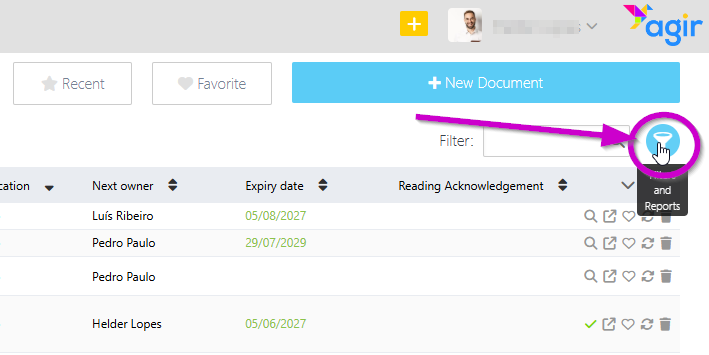
2. In the top right corner, go to Filters and Reports.
3. Click the option to update the read status of all documents on the current page.
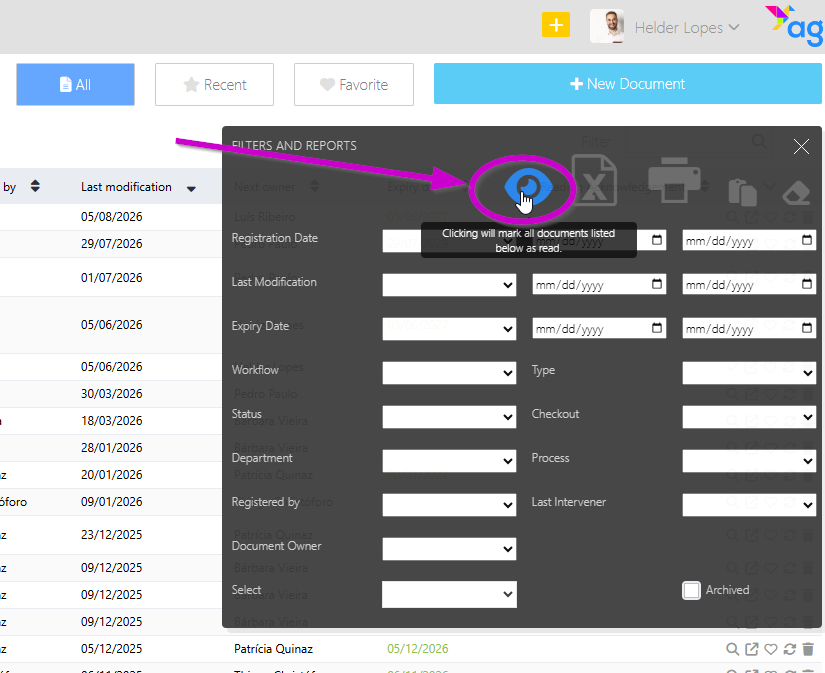
4. All documents on the current page will be marked as read.
TIP You can use the Filters and Reports menu to filter documents by a specific property, and mark only the filtered documents as read.
Was this article helpful?
That’s Great!
Thank you for your feedback
Sorry! We couldn't be helpful
Thank you for your feedback
Feedback sent
We appreciate your effort and will try to fix the article