Hi there,
We have exciting updates in AGIR that will make your experience even more intuitive, efficient, and secure. In this edition, we have gathered a range of new features and improvements designed to simplify the use of the platform and give you even greater control over your processes.
From a refreshed design in key areas to features that increase team autonomy and strengthen security, these updates make a real difference in day-to-day operations.
Discover the main highlights below:
- New User Page – Centralized access to employee information and functionality, providing greater control over data and documents.
- New External Tables Design – A more modern and intuitive interface for managing and linking external data.
- Record List Customization – Workflow Administrators can now configure record listings with greater flexibility.
- Enhanced Global Search – Quickly find information across the entire AGIR platform.
- Two-Factor Authentication (2FA) – Increased security when accessing the platform, with flexible configuration options.
- And much more!
To enable these features, please submit a support ticket and schedule your AGIR upgrade.
Thank you for your continued trust. We remain available through our usual support channels should you have any questions.
New User Page
New design and enhanced functionality
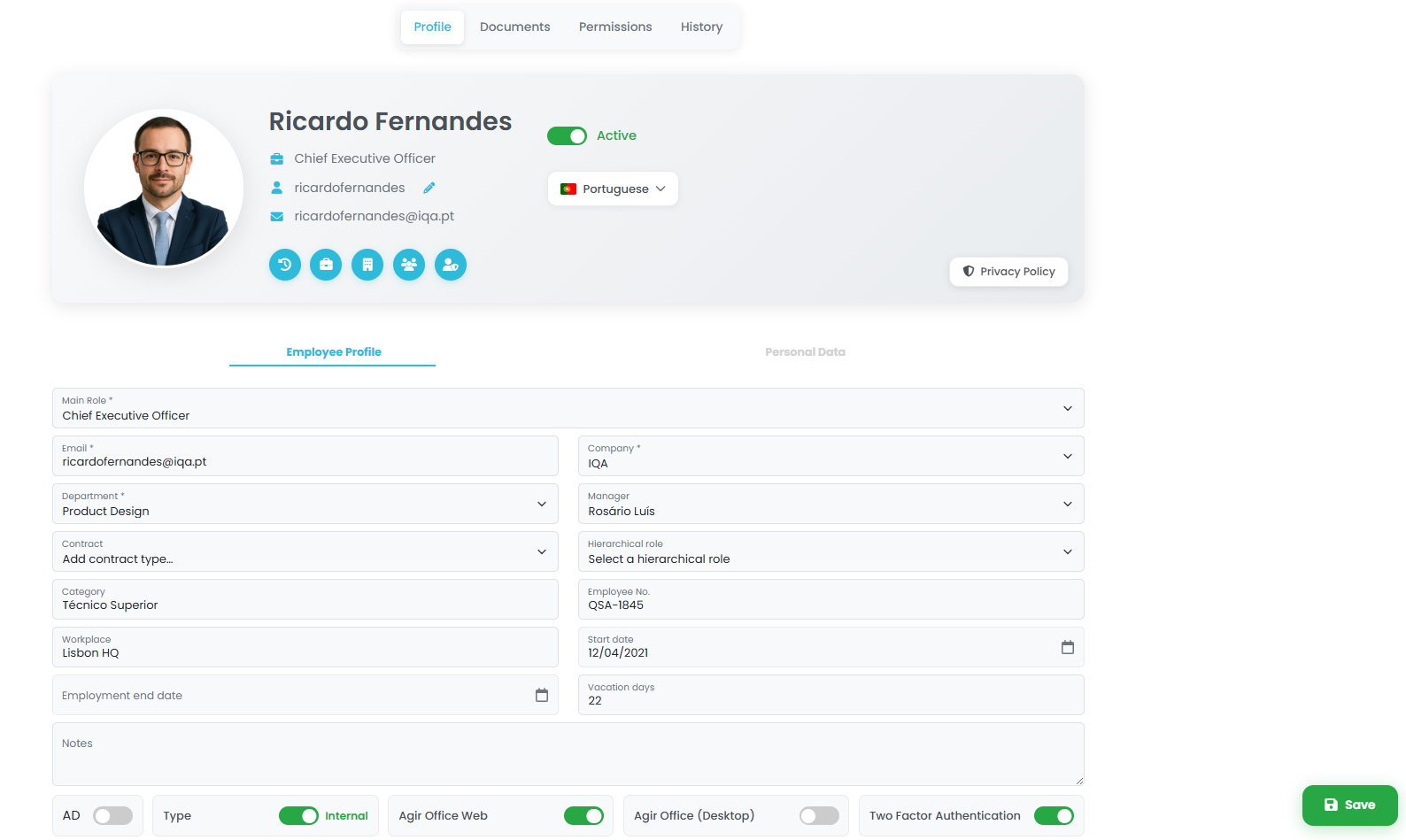
AGIR introduces a new User Page, featuring a modern design and a more intuitive organization of information.
With a clear structure organized into dedicated tabs — Profile, Documents, Permissions, and History — the new page simplifies user management and provides greater visibility and control over user information and access rights.
Existing features such as permission cloning have been retained, allowing administrators to quickly configure new users. Document management has also been enhanced, enabling the creation of documents, actions, and checklists directly from the employee record.
Read ArticleLearn How to Enable It
External Tables
New design and greater autonomy for Workflow Administrators
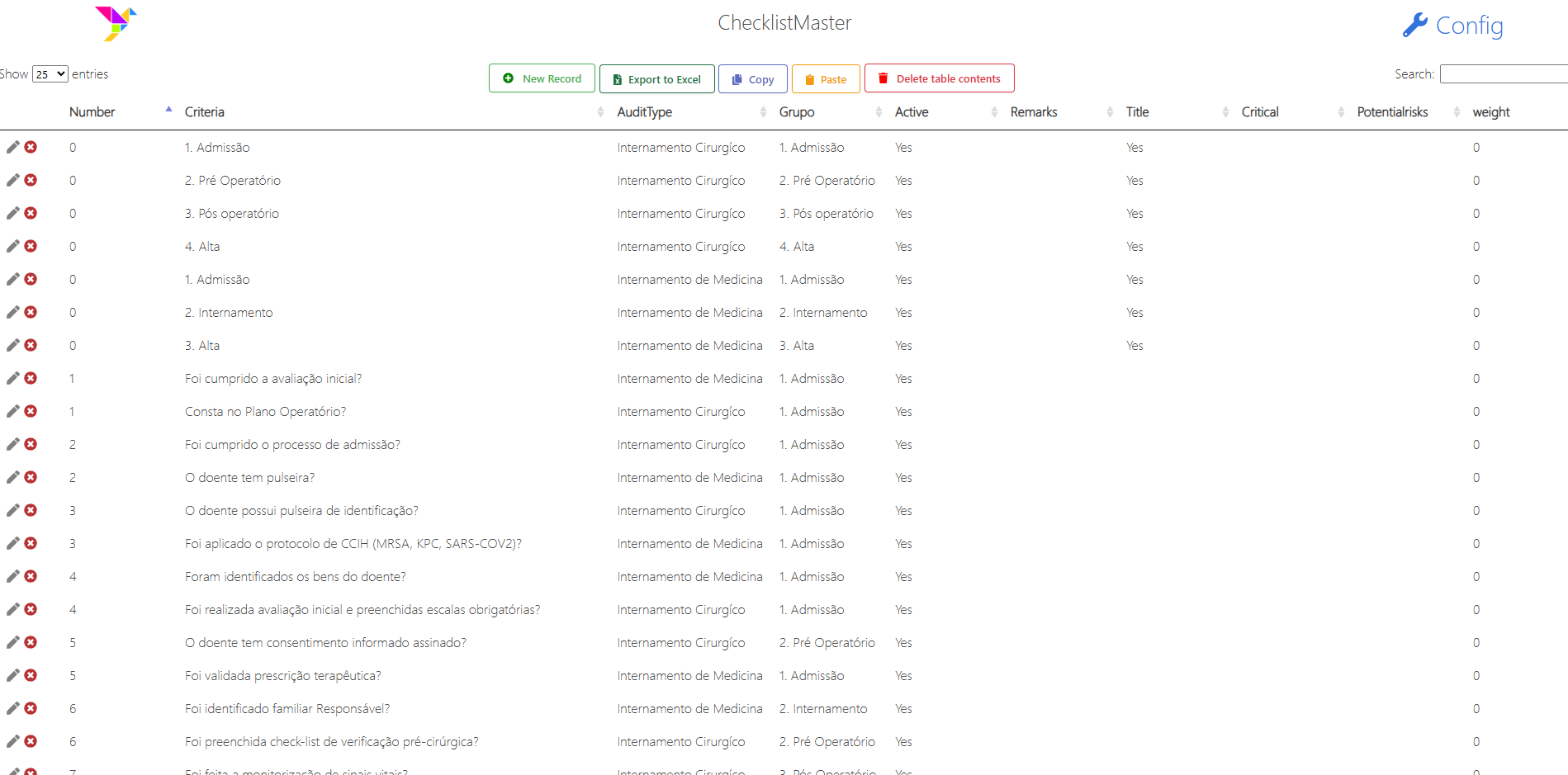
External Tables in AGIR now feature a refreshed design that is more modern, intuitive, and easier to use, making day-to-day data management clearer and more efficient.
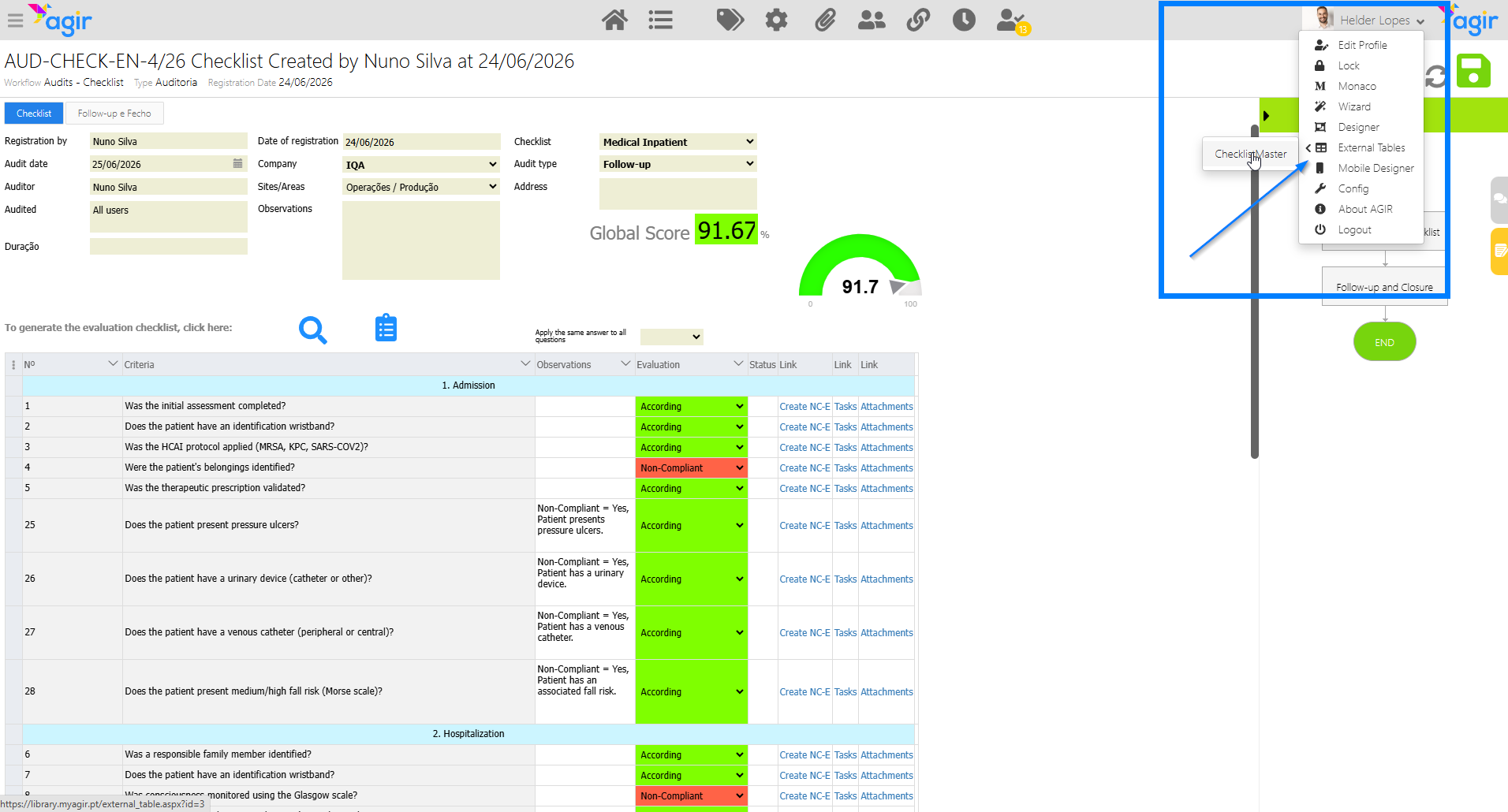
In addition to the new look and feel, External Tables can now be linked directly to workflows, allowing Workflow Administrators to manage and update data without relying on the AGIR Administrator.
With this enhancement, External Tables become directly connected to the processes in which they are used, providing convenient access from within workflow records.
Record List Customization
Now also available for Workflow Administrators
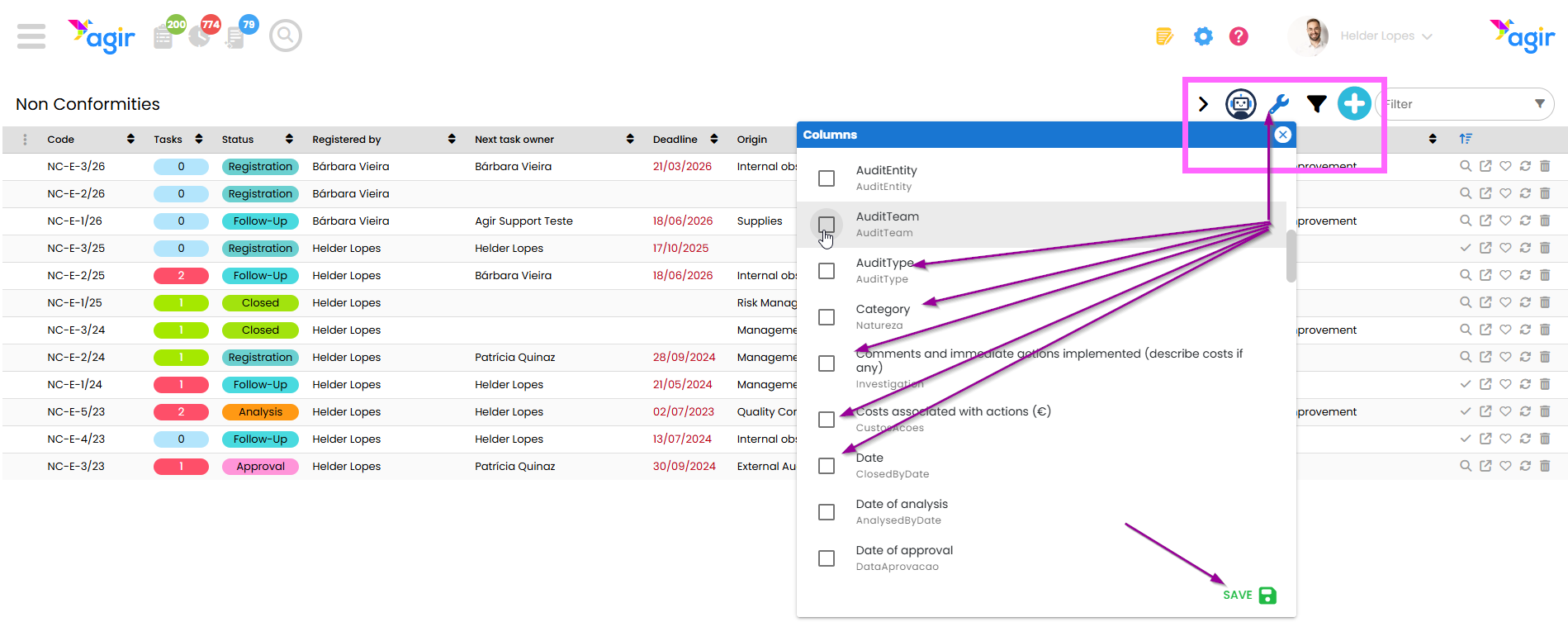
The customization of workflow record listings is no longer exclusive to AGIR Administrators.
Workflow Administrators can now also configure columns and tailor the listing to their needs, making record management more efficient and better adapted to each process.
To do so, the user must have Workflow Administrator permissions.
Read our tutorial to explore all the features of the new listing and learn how to customize your AGIR experience more efficiently and intuitively.
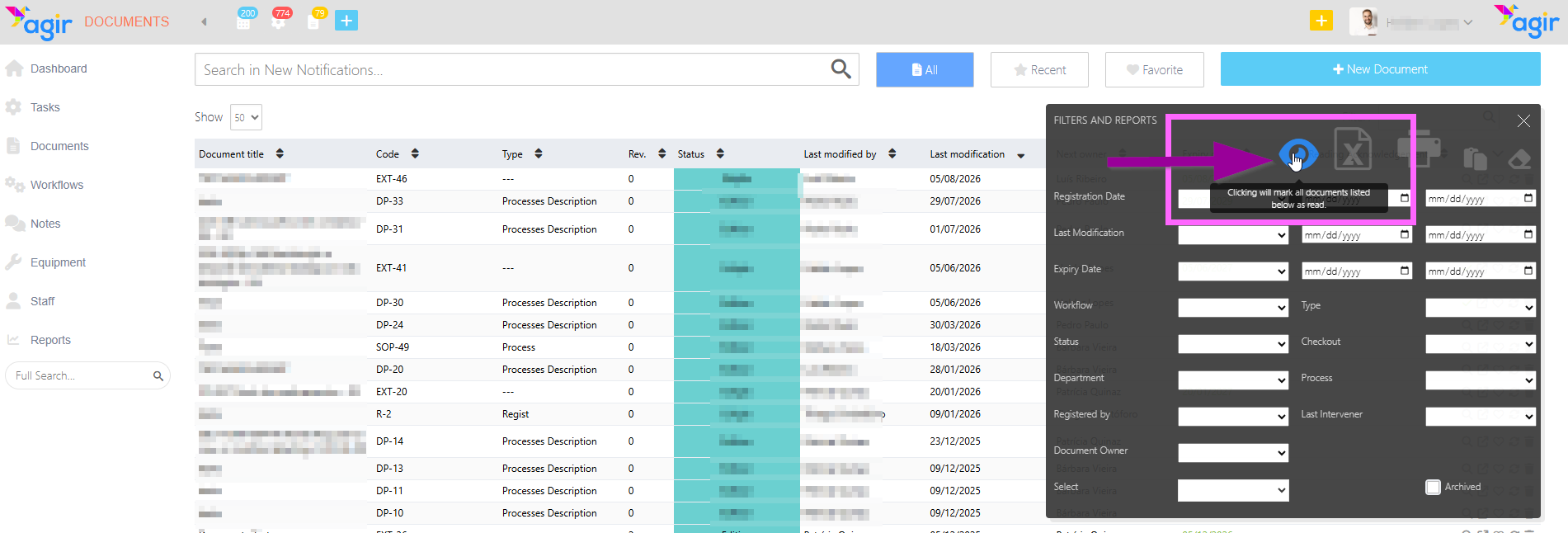
Mark All Documents as Read
Clear pending notifications in one action
It is now possible to mark all documents as read in AGIR.
This feature allows you to quickly clear pending notifications and maintain a more organized view of document read status.
It is ideal for situations where multiple documents need to be updated quickly, without requiring individual manual actions.
See the article below for more information about this feature.
New Global Search
Find everything in AGIR faster and more efficiently
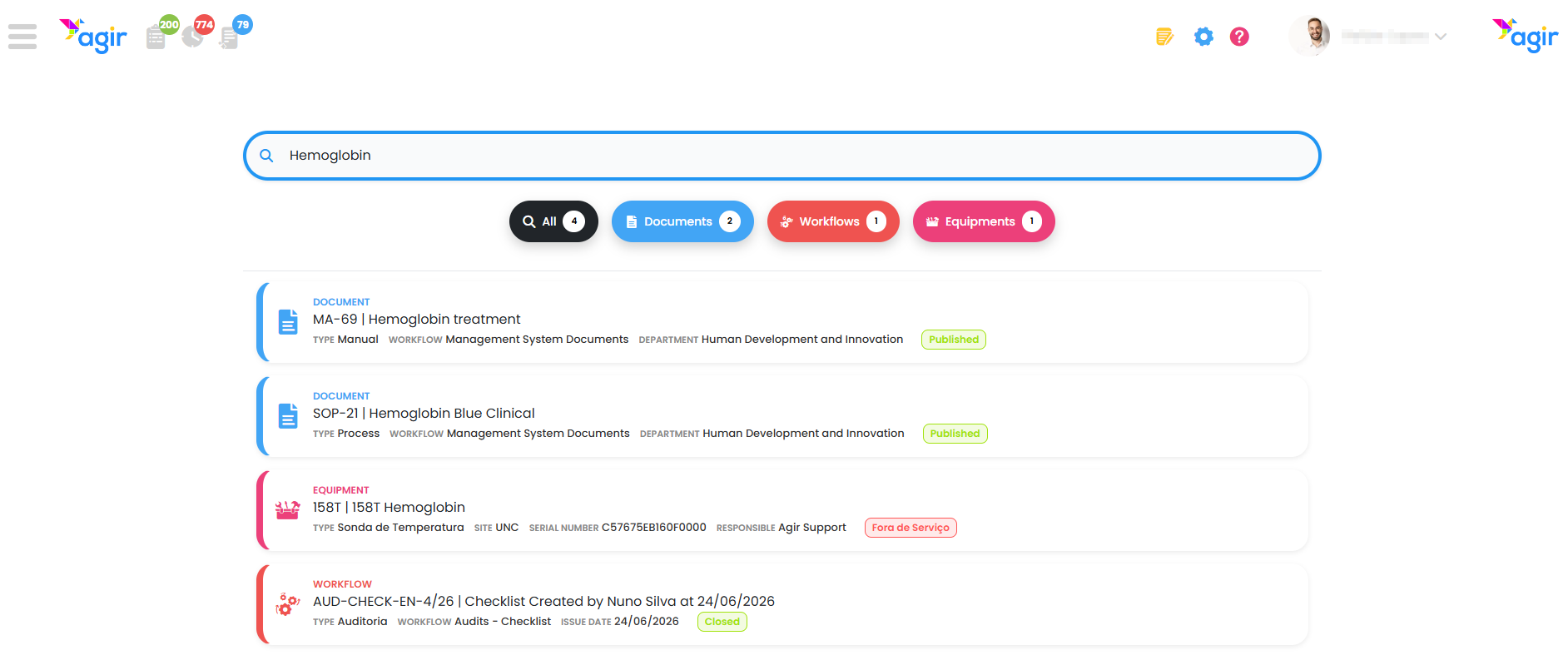
AGIR introduces a new version of Global Search, designed to make information retrieval faster, more intuitive, and centralized across the platform.
With this enhancement, it is now possible to search simultaneously across different modules, view results in an organized way, and directly access the desired records or documents. The new search engine is also smarter, offering greater tolerance for accents, special characters, and small variations in search terms.
See the article below to learn how to enable the new search and explore its features.
Two-Factor Authentication (2FA)
Enhanced security for accessing AGIR
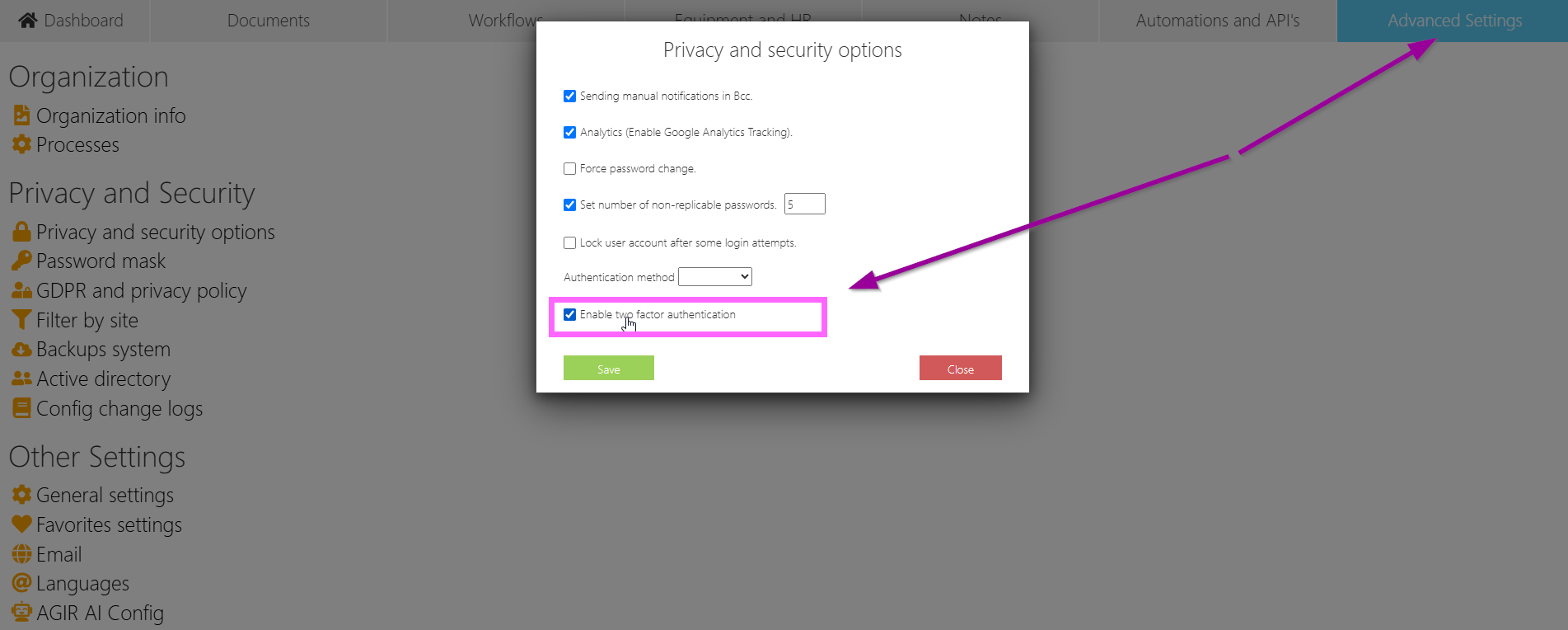
AGIR now offers two-factor authentication (2FA), strengthening platform access security and protecting your organization’s information.
With this feature enabled, users must verify their identity in addition to their password using a temporary code generated by an authenticator app. This additional layer of security significantly reduces the risk of unauthorized access, even if a password is compromised.
Two-factor authentication can be enabled globally for all users or configured individually in each user’s profile, providing flexibility in adoption and alignment with organizational security policies.
More security, greater control, and enhanced protection of your data.
See the article below to learn how to enable Two-Factor Authentication (2FA) in your AGIR system.
Like the new features?
Get these new features in your AGIR today. Contact our Helpdesk Team.
Was this article helpful?
That’s Great!
Thank you for your feedback
Sorry! We couldn't be helpful
Thank you for your feedback
Feedback sent
We appreciate your effort and will try to fix the article