Keep your tasks up to date.
With the new automatic task reminder, you can set exactly how many days before the deadline you want to receive a notification.
In addition to the notification sent at the time the task is created, it is now possible to receive an additional reminder n days before the due date.
This reminder applies both to tasks associated with Workflow steps (for example, approve complaint), and to any other task defined in the record actions menu (for example, a corrective action associated with that complaint).
This way, you organize your work with more peace of mind and efficiency, without relying on memory or manual actions.
How does it work?
The automatic task reminder sends a notification to the responsible person(s) before the defined deadline, as a prompt, helping you and your users not to forget tasks.
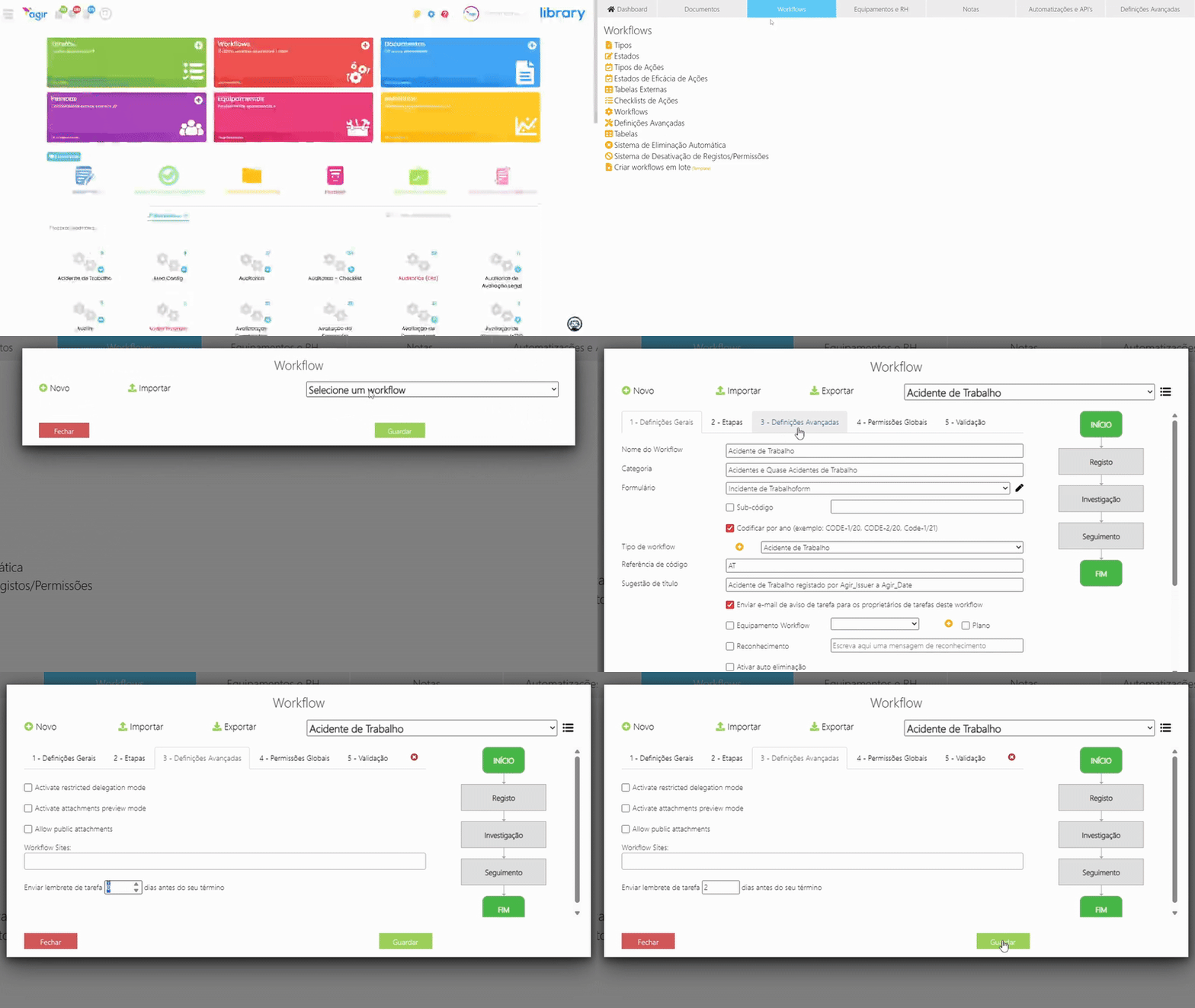
PERMISSIONS Only AGIR Administrators can enable this feature.
Follow the steps below to learn how to enable the task reminder for Process Workflows in AGIR:
Access the Workflow settings
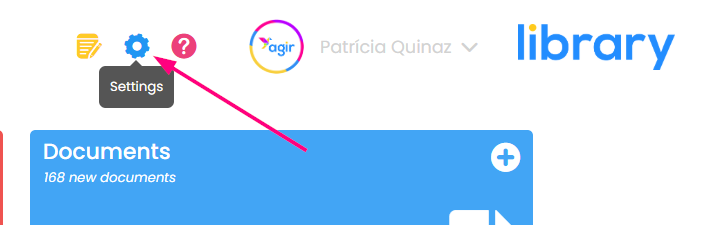
1. To access the Workflow settings, you must first go to the Settings menu of AGIR.
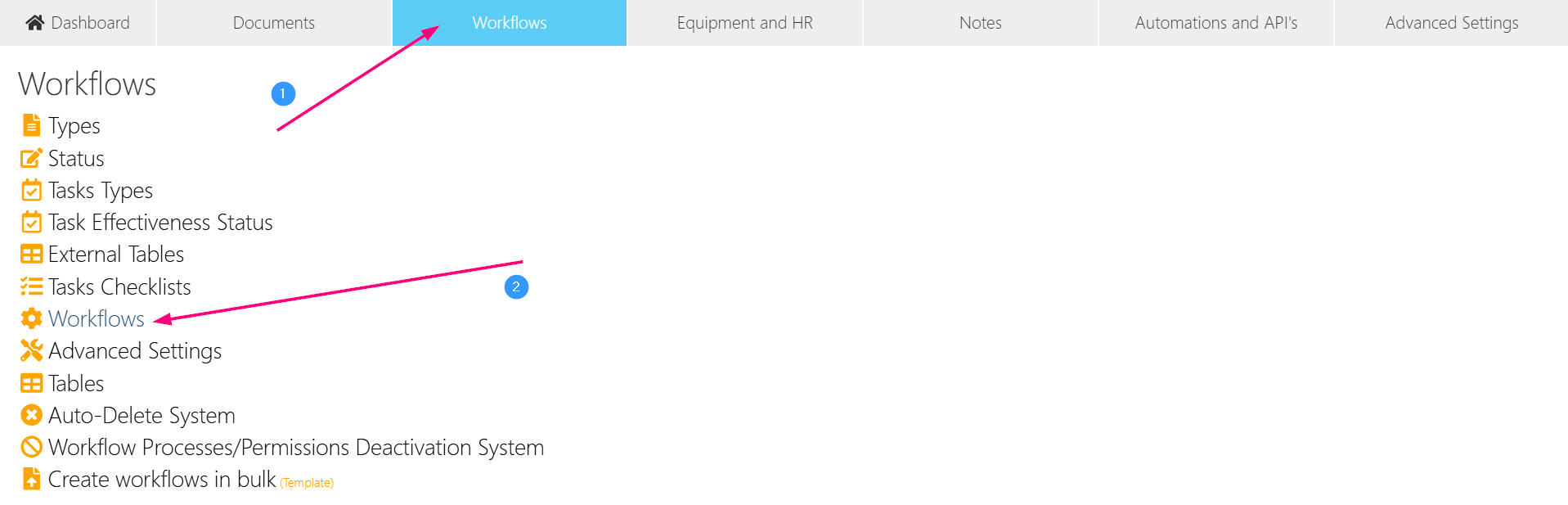
2. Select the Workflows tab and choose the Workflows option from the list.
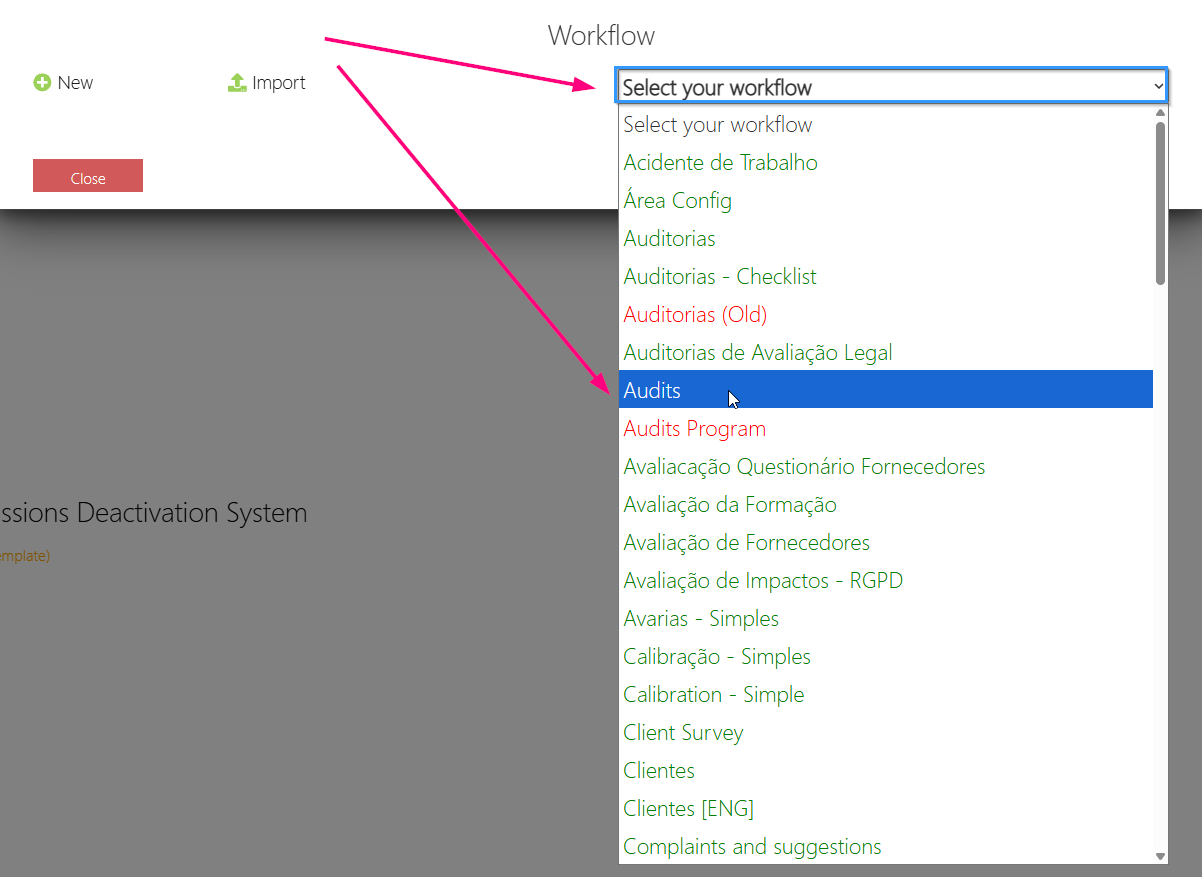
3. Select the Workflow for which you want to enable the task reminder.
4. Select the 3 - Advanced Settings tab and configure the number of days before the task deadline when the reminder should be sent.
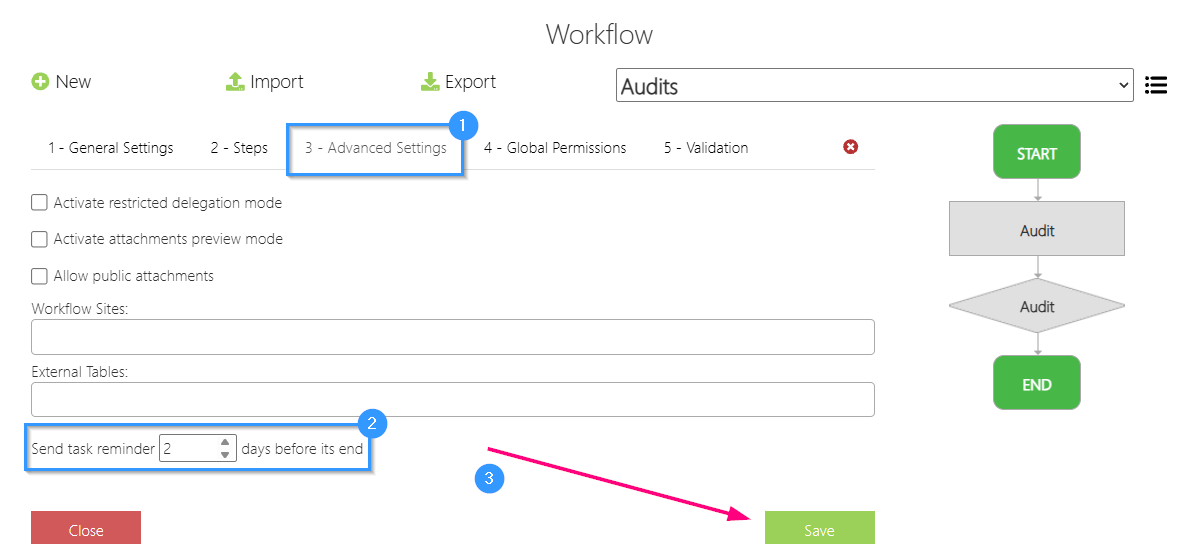
5. Save the changes. The reminder will be configured for the Workflow, both for step tasks and for actions created in different records.
If you want to apply task reminders to other Workflows, you will need to perform the same steps for each one. Reminders are configurable workflow-by-workflow, allowing the choice of days depending on the importance or urgency of completing tasks for that Workflow.
Was this article helpful?
That’s Great!
Thank you for your feedback
Sorry! We couldn't be helpful
Thank you for your feedback
Feedback sent
We appreciate your effort and will try to fix the article