You can now add notes to your Workflow records. With the new notes section, keep all information about your record centralized.
This feature will be available in all Process Workflows and can be used by all record participants. All record consultants can view notes entered by other users.
Keep reading to find out what this new feature has to offer you :)
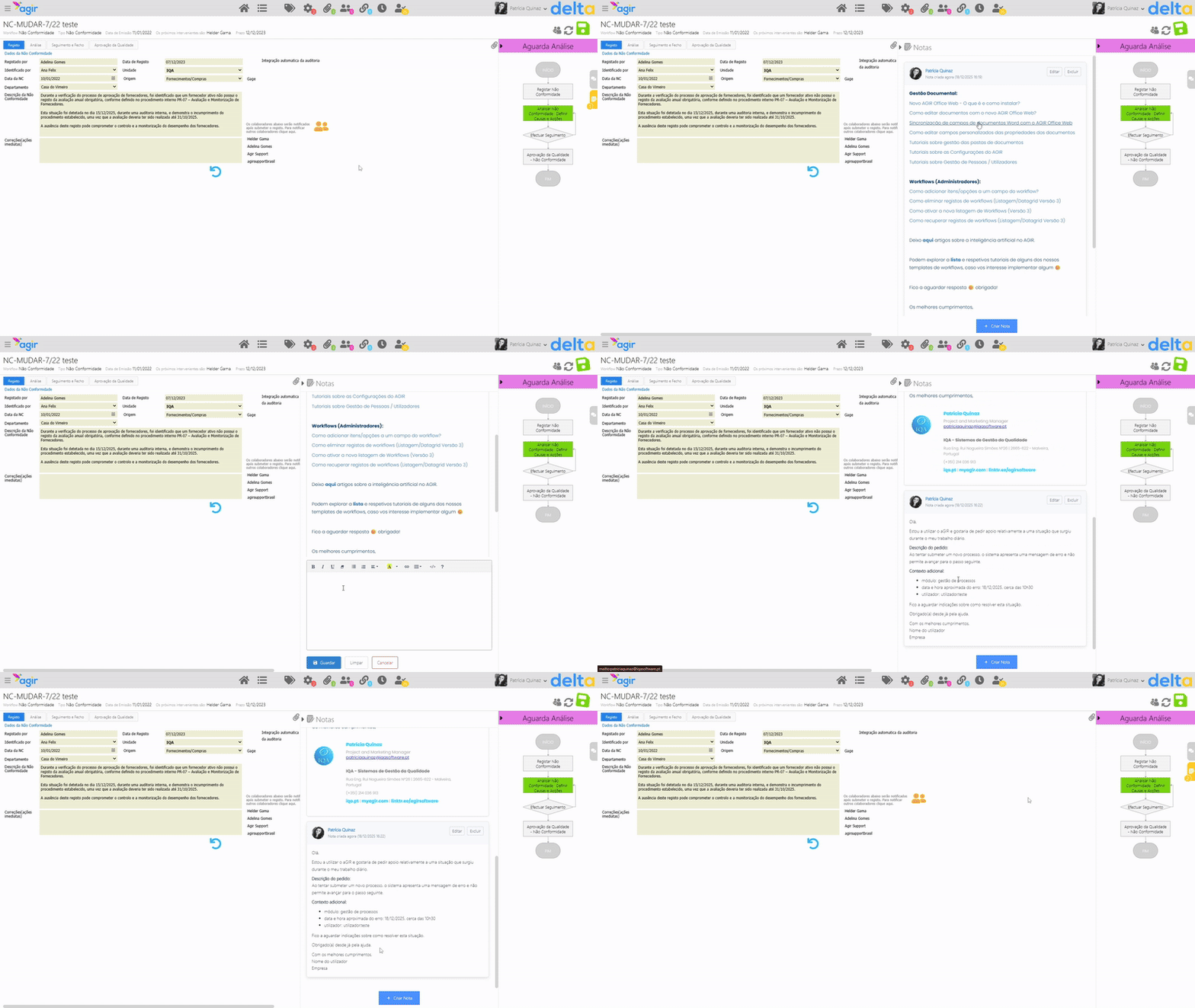
How to use the notes section in Workflow records
After updating AGIR to our latest version, the notes section will be available for use/activation in Workflow records.
Each record has its own notes section, and it can be populated by participants and AGIR or Workflow Administrators.
In the Process Workflows settings, you can determine whether this section will be maximized or minimized by default when accessing records of that Workflow (Settings > "Workflows" tab > Workflows > Select Workflow).
PERMISSIONS This feature can only be activated by an AGIR Administrator.
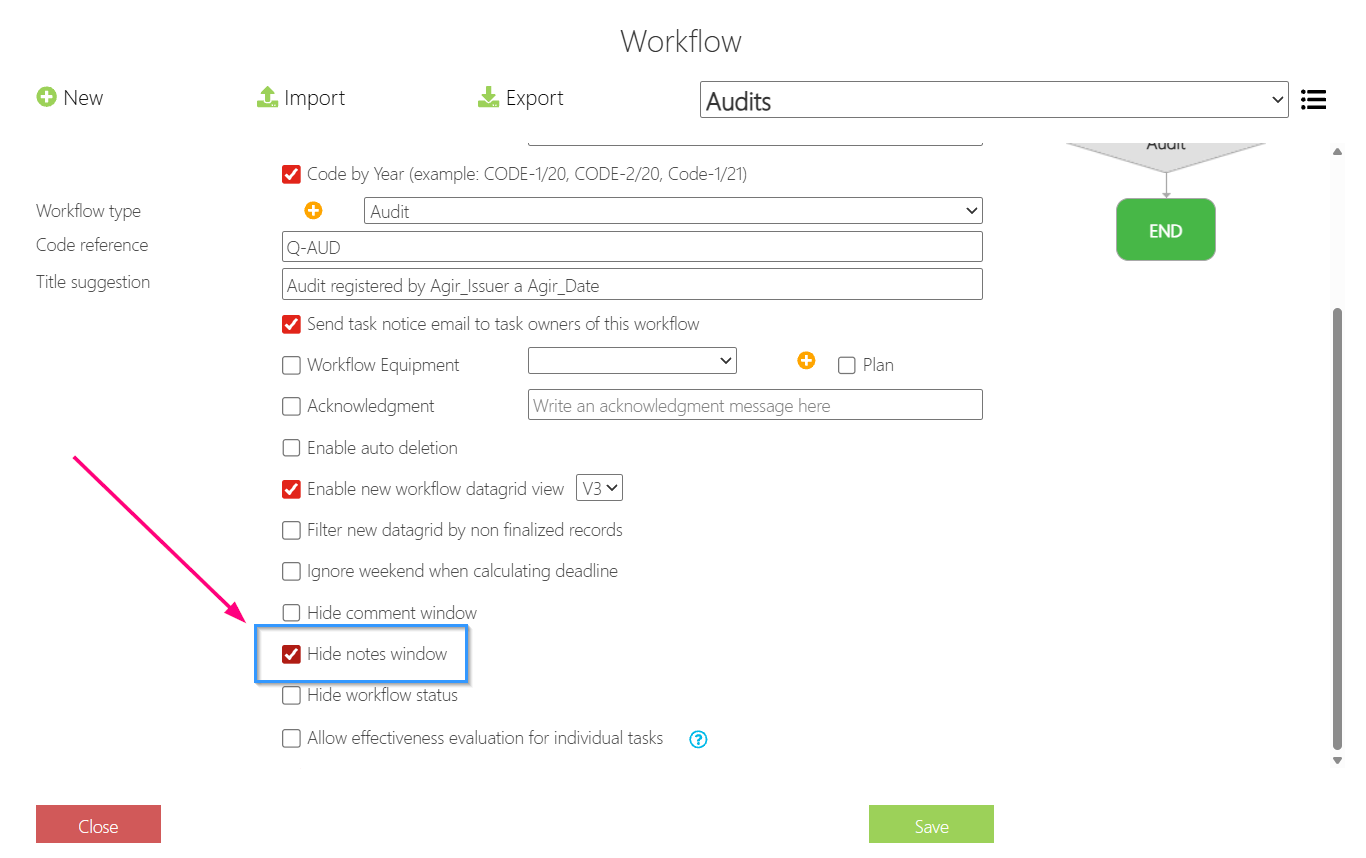
How to create a note
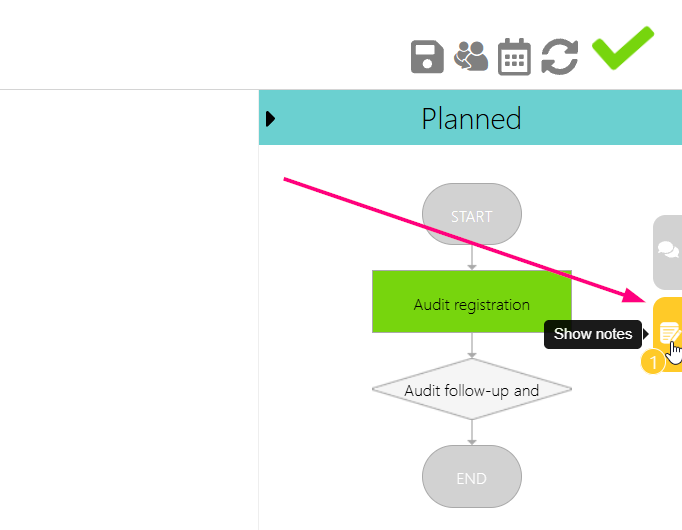
1. To create a note, access a Workflow record and expand the Notes section.
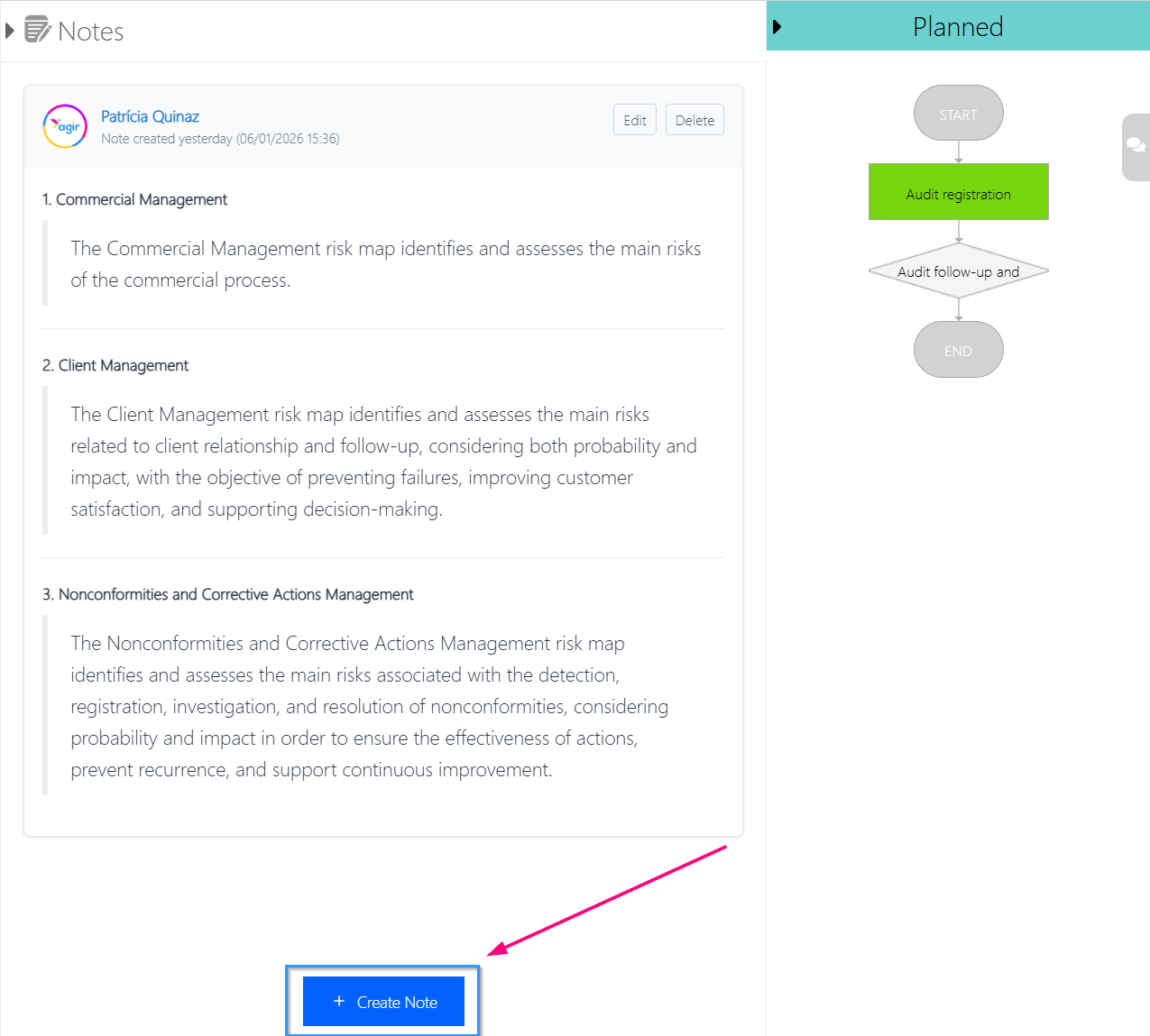
2. Click on Create Note.
3. Write or paste the content you want to insert as a note, and click Save.
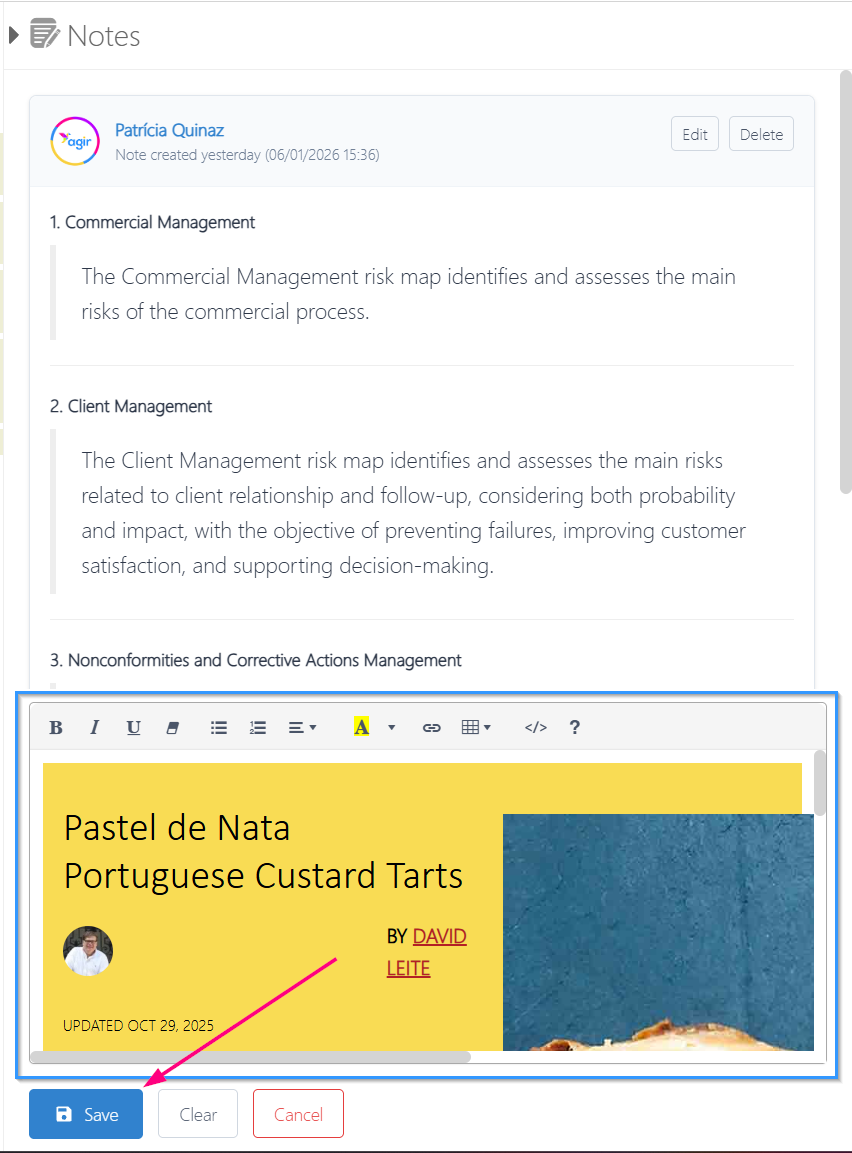
4. Your note will be created and visible to users with access to the record.

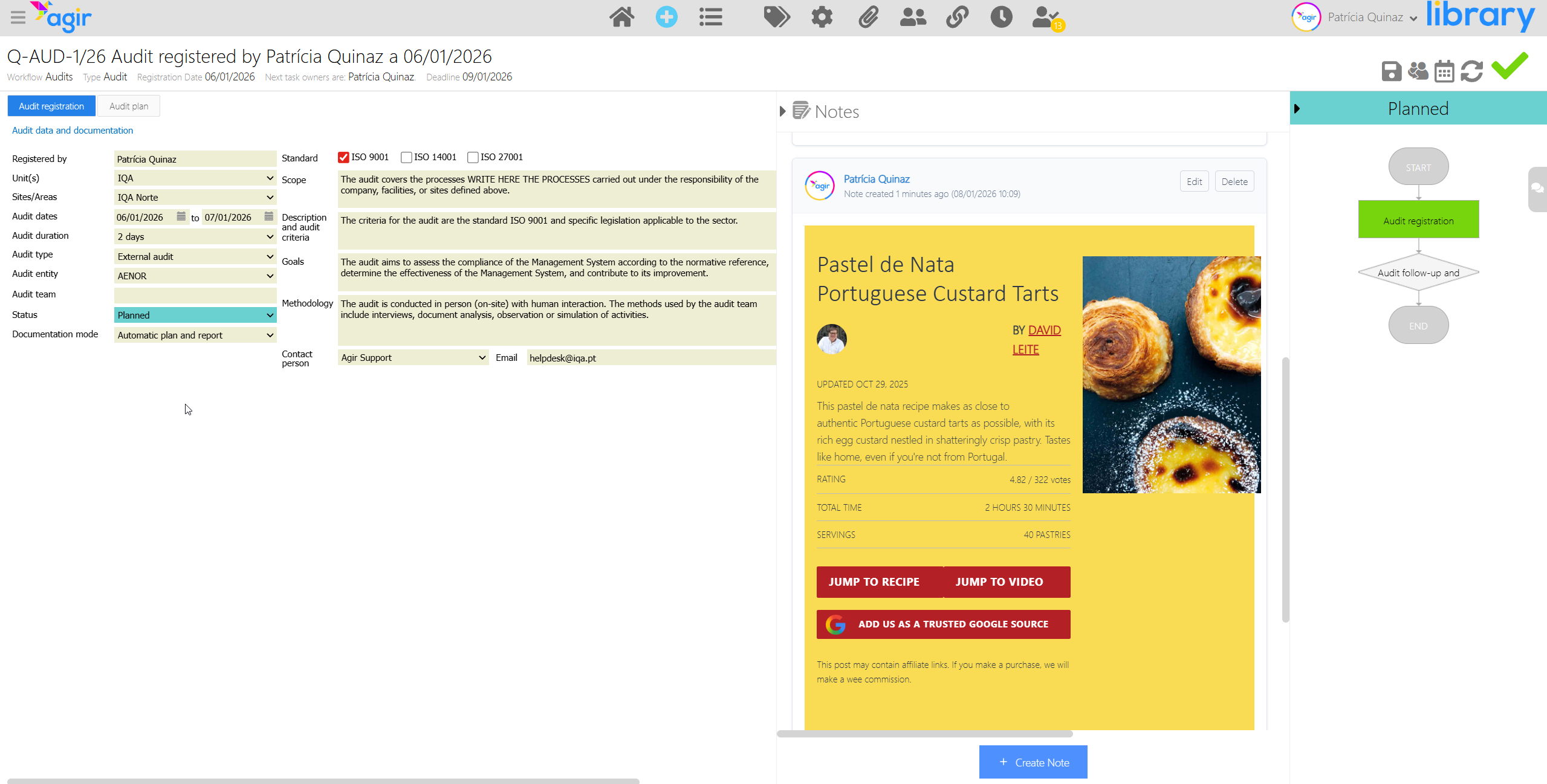
Other information
- AGIR Administrators can delete all notes
- Workflow Administrators can delete all notes created in records of the Workflow for which they are Administrators
- Taskowners can create, edit and delete their own notes
- Record Consultants/Readers can only view the notes
Was this article helpful?
That’s Great!
Thank you for your feedback
Sorry! We couldn't be helpful
Thank you for your feedback
Feedback sent
We appreciate your effort and will try to fix the article