Introduction
AGIR provides a new user page with a more modern design, intuitive layout and improved features for employee management.
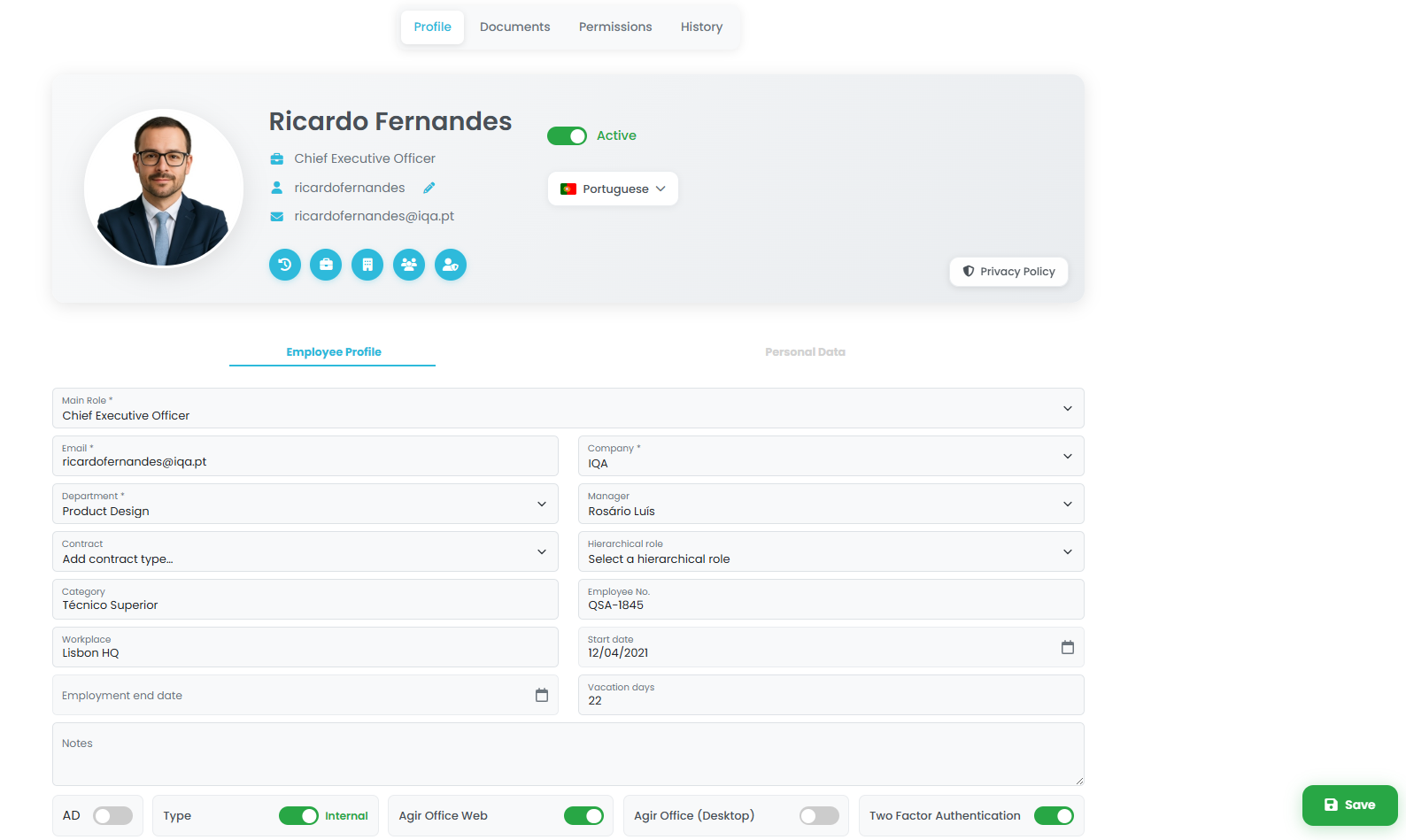
This new interface allows you to centralize all user information in a single place, including personal data, documents, permissions and history, providing greater organization, control and efficiency in Human Resources management.
To start using this new experience, it is necessary to enable it in the system settings.
PERMISSIONS The activation of the new user page can only be performed by an AGIR Administrator.
TIP If the activation options are not available, you should request an update of your AGIR in our Customer Support Portal.
Activate the new user page
Follow the steps below to activate the new user page in AGIR:
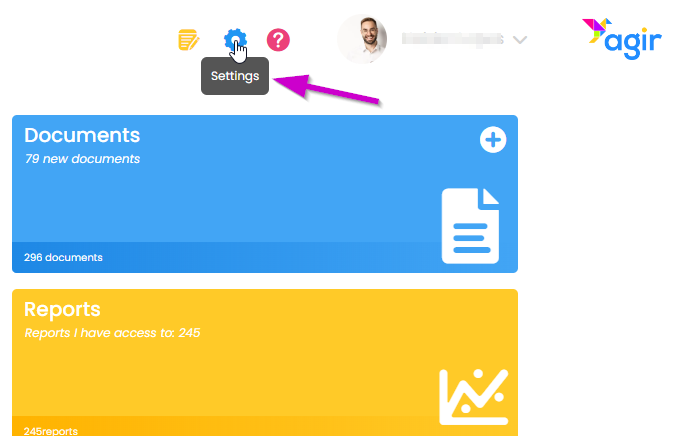
1. Go to AGIR Settings.
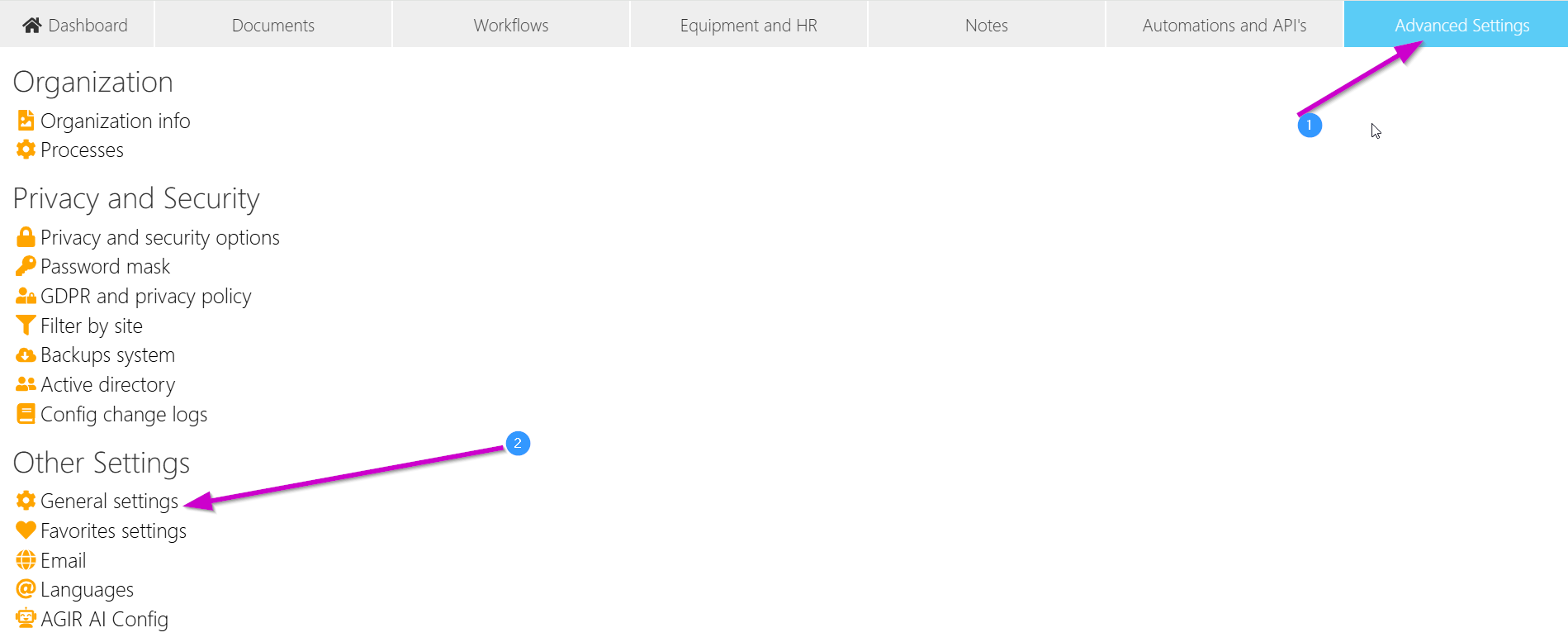
2. Select the Advanced Settings tab and click on General Settings.
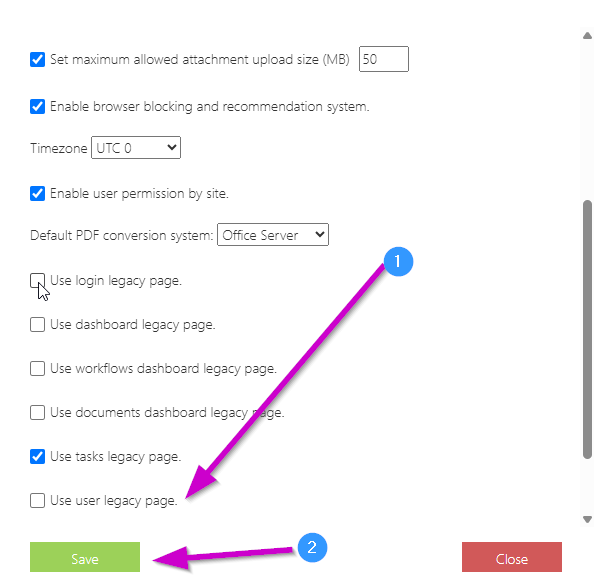
3. Scroll through the settings list, uncheck the option Use legacy user page. Click Save to apply the changes.
You can now enjoy the new user page :)
Was this article helpful?
That’s Great!
Thank you for your feedback
Sorry! We couldn't be helpful
Thank you for your feedback
Feedback sent
We appreciate your effort and will try to fix the article