To reinforce security when accessing the platform, AGIR provides the Two-Factor Authentication (2FA) feature.
With this feature active, in addition to the password, the user will have to enter a temporary code generated in an authenticator, providing an additional layer of protection against unauthorized access.
2FA can be configured in two ways:
- Globally, for the whole organization
- Individually, in each user's profile
PERMISSIONS Global activation of 2FA must be performed by an AGIR Administrator.
Individual activation can be done directly in the user profile, by an AGIR Administrator or People Manager.
IMPORTANT To gain access to this feature, submit a ticket and request an update to your AGIR.
How to enable 2FA
Global activation (all users)
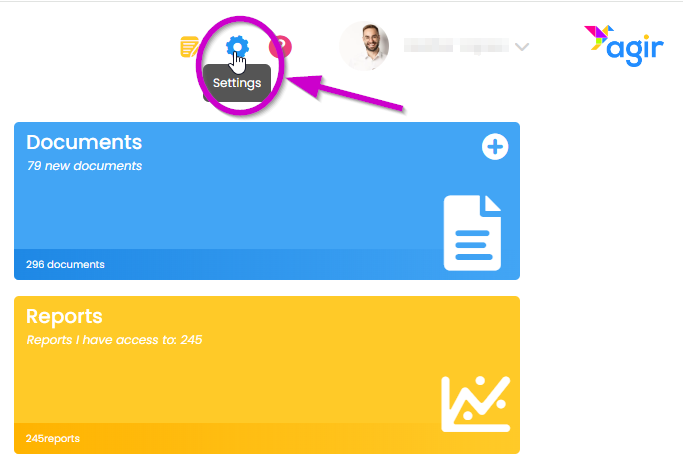
1. Go to AGIR Settings.
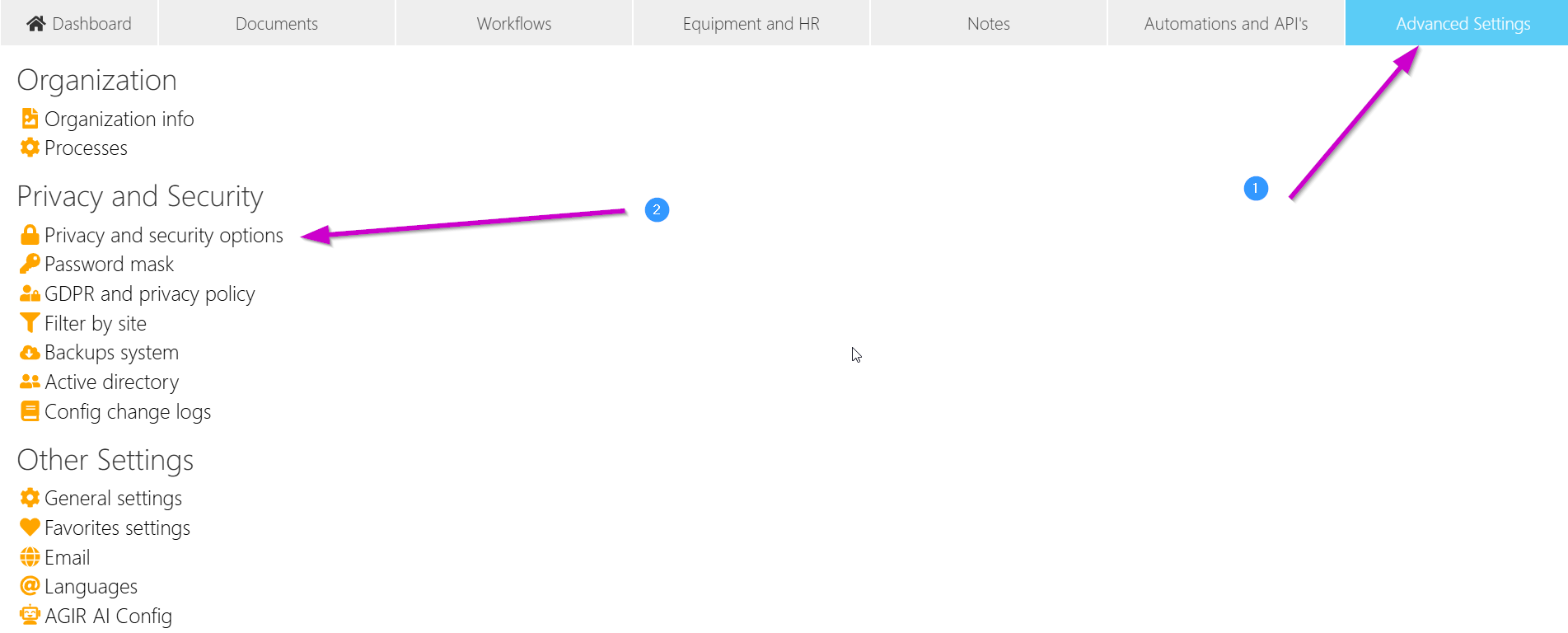
2. Go to the Advanced Settings tab and click on Security privacy options.
3. Enable the Enable two-factor authentication option and save the changes.
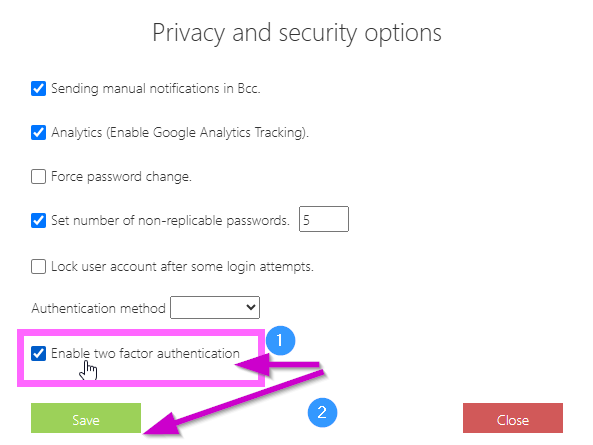
In this way, Two-Factor Authentication will be active for all active users of the system.
Individual activation (per user)
1. Access the user profile. In the lower right corner, enable the Two-Factor Authentication option. Save the changes.
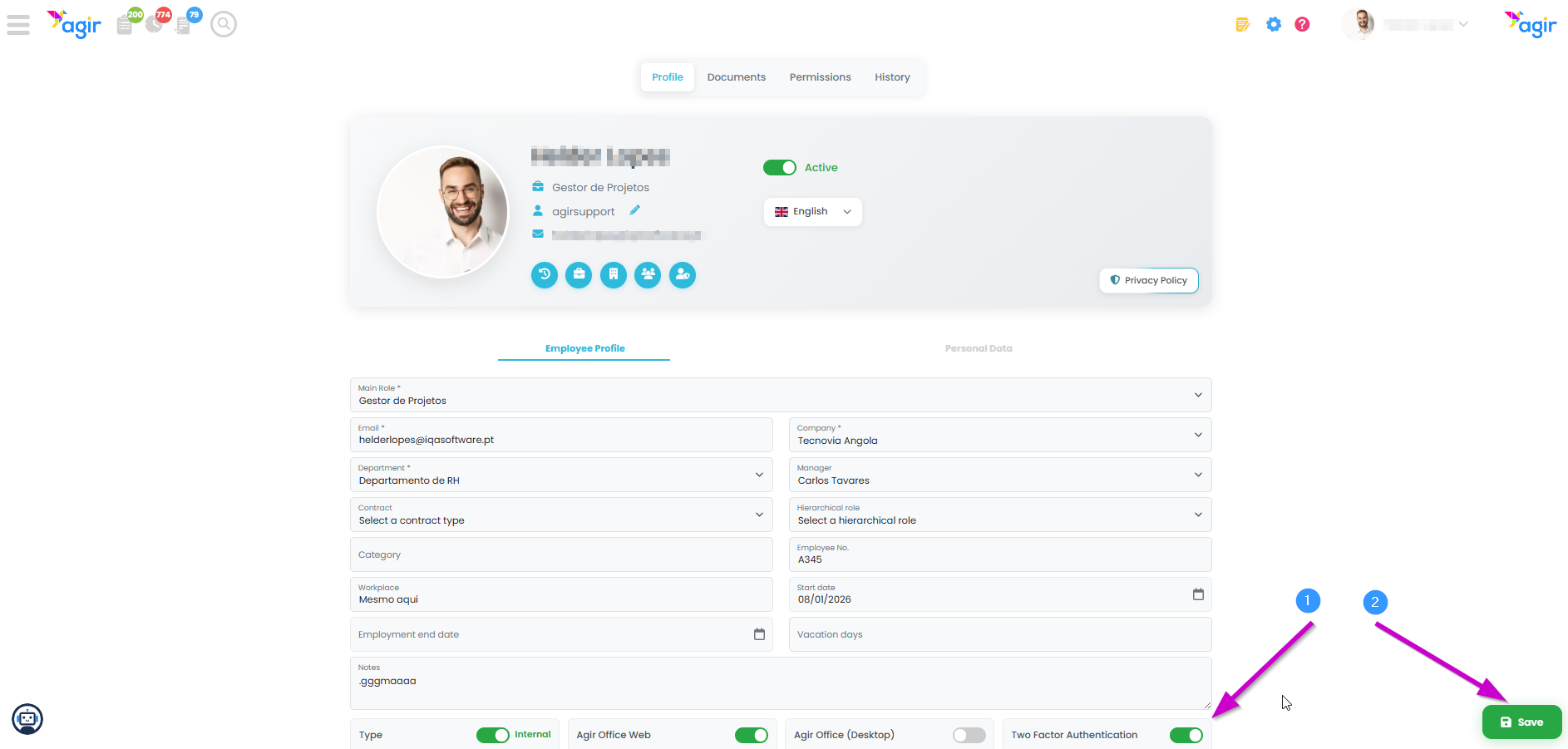
Two-Factor Authentication will be enabled/disabled individually per user.
How it works for the user
The first time the user logs in with 2FA active:
1. After entering the username and password, a QR Code is displayed on the screen.
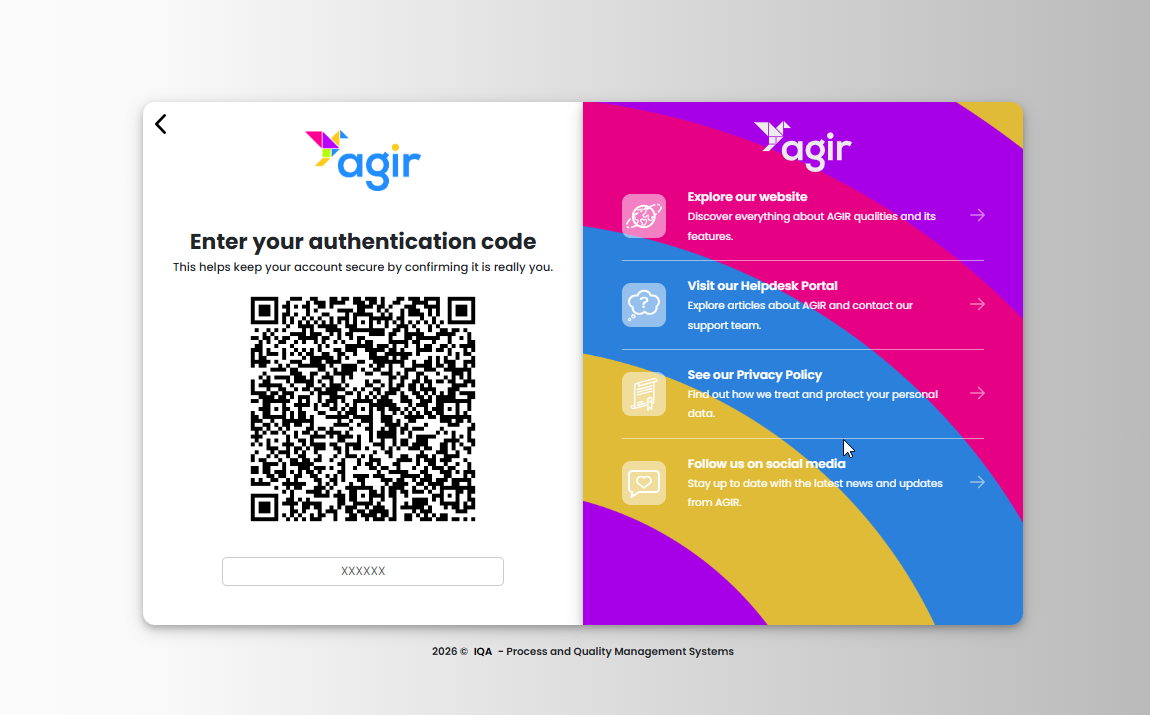
2. The user should scan that QR Code using an authenticator app on the phone:
- Microsoft Authenticator (recommended)
- Google Authenticator
- Other compatible apps
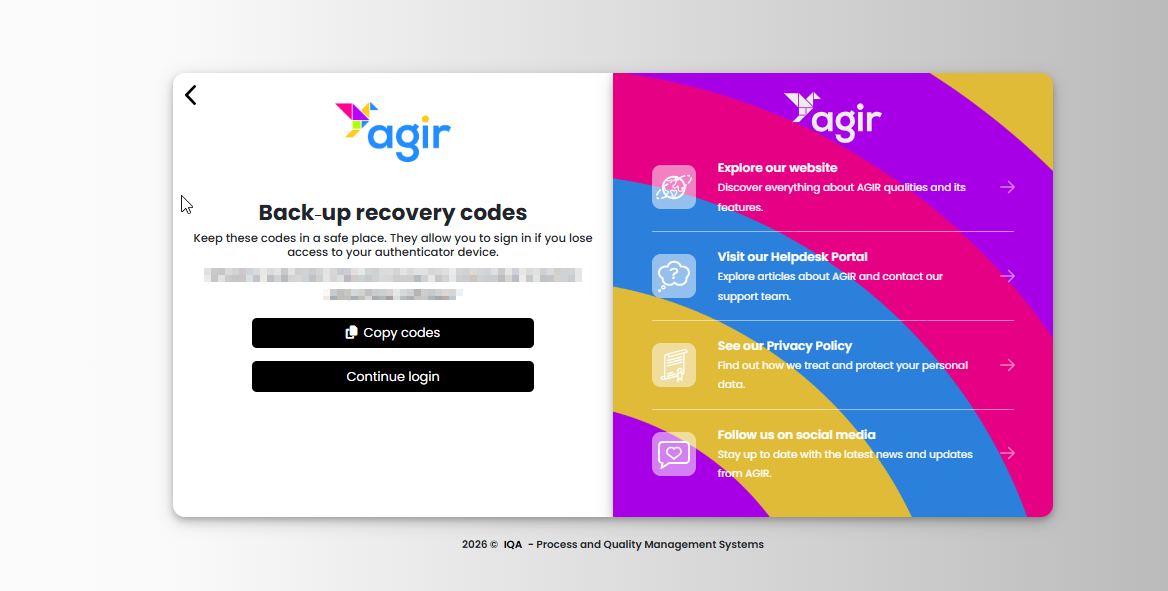
3. After the first scan, the app will start generating temporary codes. AGIR will also display recovery codes that you should store safely in case you lose access to the authentication app. These codes will only be shown on the screen at this 2FA configuration moment. Once you continue the login, you will no longer have access to them unless you saved them.
Subsequent sessions
After the initial configuration:
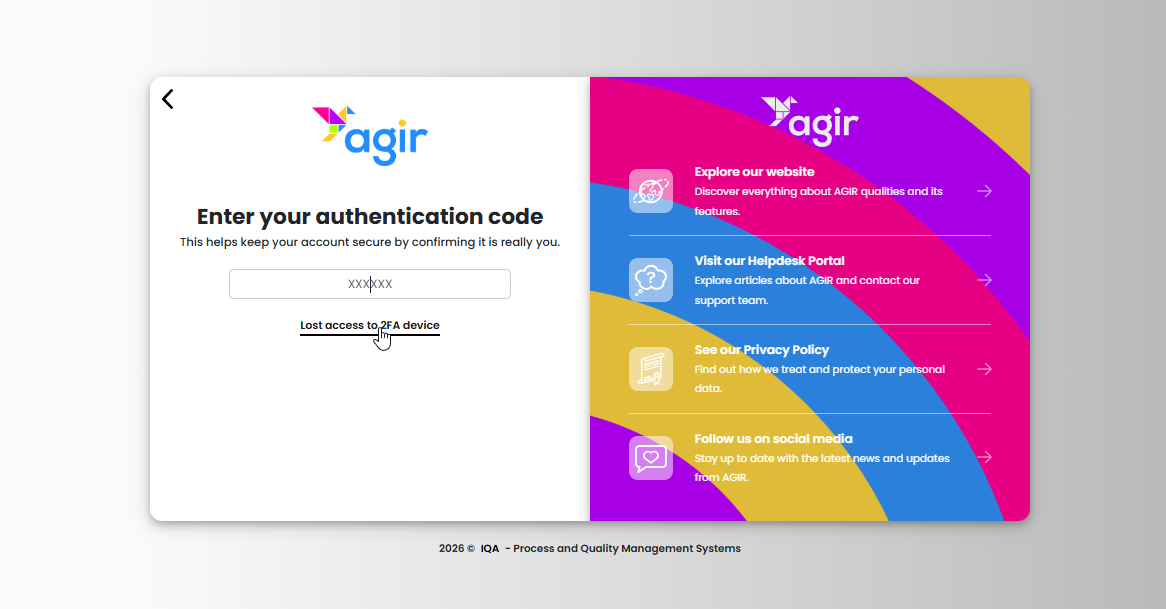
- At each new login, the user will only have to:
- Enter username and password
- Enter the code generated by the authenticator
Result
With 2FA active:
- Access to AGIR becomes more secure
- The risk of unauthorized access is reduced
- Each login now requires additional validation
Benefits
- Greater information security
- Protection against unauthorized access
- Enhanced control over user accounts
- Alignment with security best practices
Important notes
- The user must keep access to the authenticator, as it will be needed for all logins
- Deactivation can be done at an individual level, if necessary
Was this article helpful?
That’s Great!
Thank you for your feedback
Sorry! We couldn't be helpful
Thank you for your feedback
Feedback sent
We appreciate your effort and will try to fix the article