Not sure how to update your company's logo in AGIR? Follow the steps below to find out how you can do it:
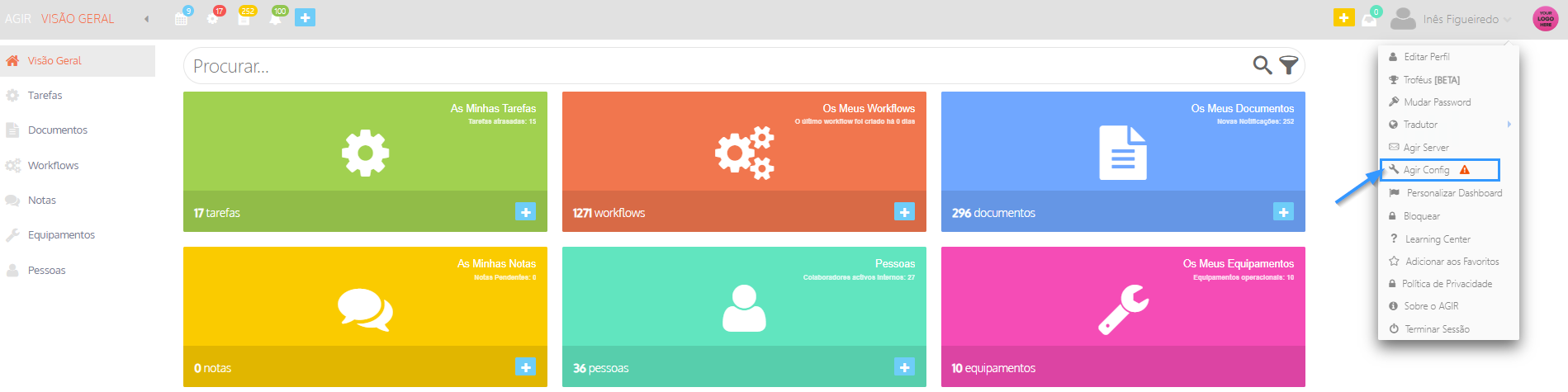
1. Click on your username and then on Agir Config.
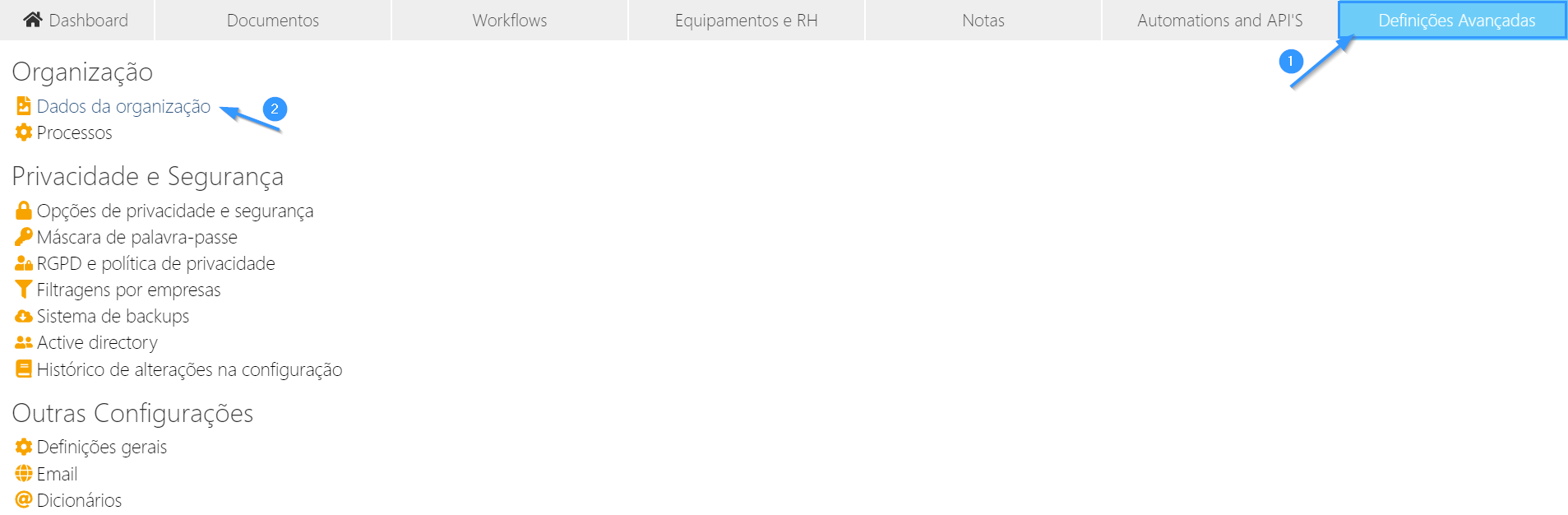
2. Select the Advanced Settings tab and choose the Organization Data option.
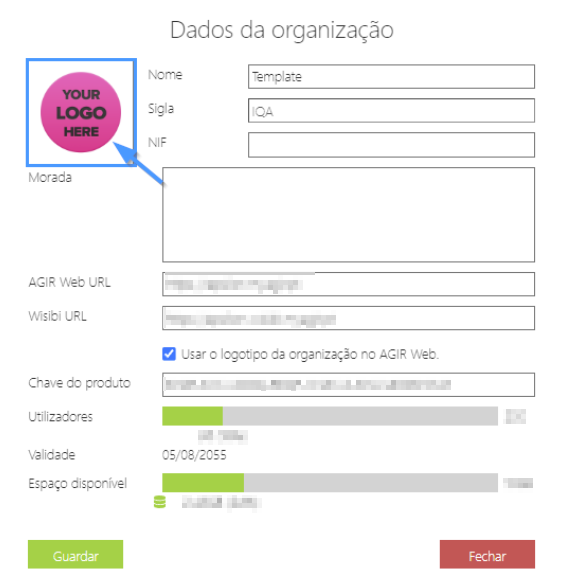
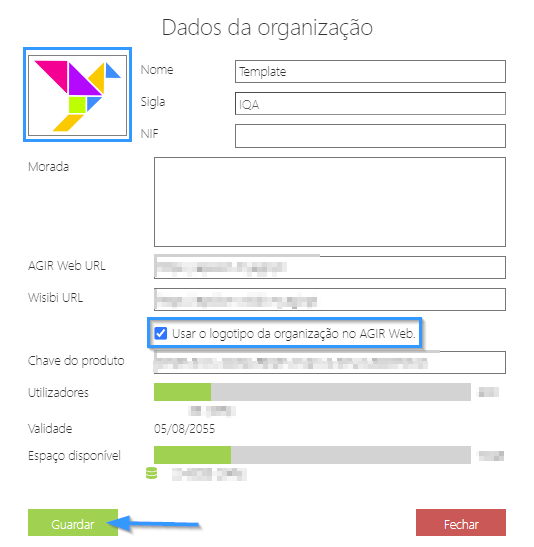
3. Click on the logo.
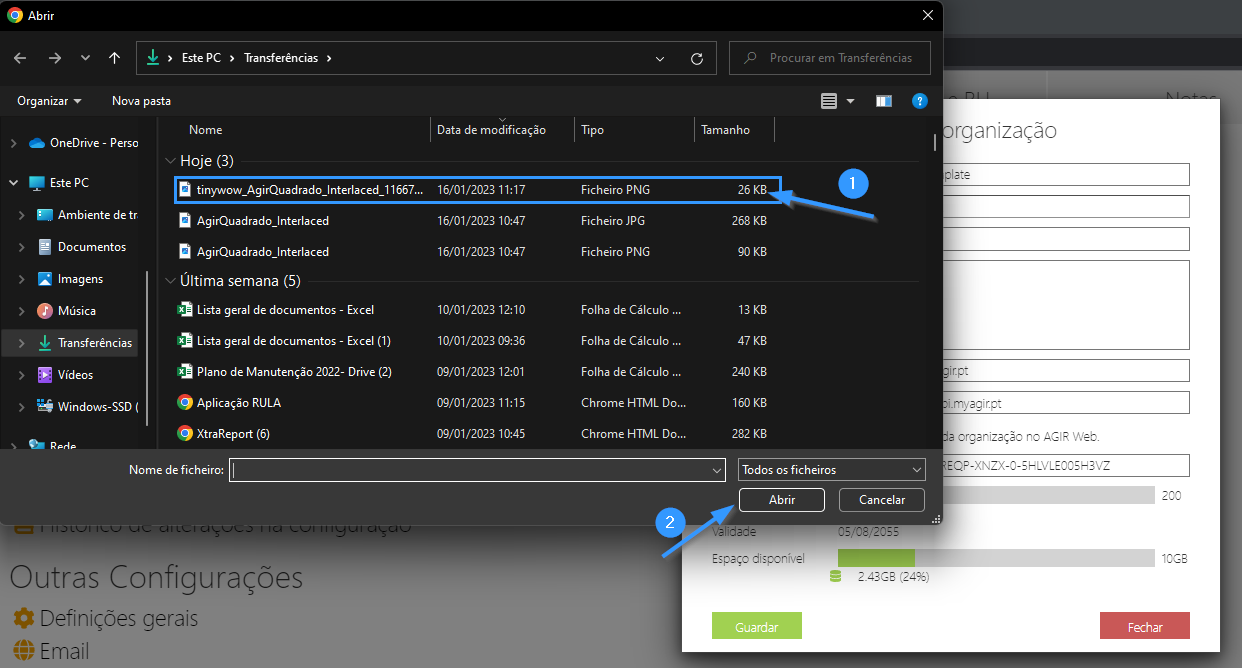
4. Select your organization's logo from your computer.
Note: The logo should ideally be in PNG format, with no background and smaller than 80 kB.
5. You're done! Your new logo is now in AGIR :)
In the Organization Data section you also have the options to change your company details such as Name, NIF, Address and URL. You can check the number of users, expiration date and available space.
TIP For the organization logo to appear in AGIR, for example: on the login page or next to your username, the option Use the organization's logo on AGIR Web must be selected.
After all changes are complete, click Save.
PERMISSIONS This functionality is only available to AGIR Administrators.
Was this article helpful?
That’s Great!
Thank you for your feedback
Sorry! We couldn't be helpful
Thank you for your feedback
Feedback sent
We appreciate your effort and will try to fix the article