AGIR provides a new version of the global search, more complete and efficient, allowing you to find information across the entire platform quickly and centrally.
With this improvement, it is now possible to search simultaneously in different modules, identify relevant results and navigate directly to the desired records or documents.
IMPORTANT Make sure your AGIR version is up to date to access the new global search. Submit a ticket through our Customer Support Portal and request the update of your version.
PERMISSIONS The activation of the new global search can only be performed by an AGIR Administrator.
How to activate the new search
Follow the steps below to activate the new search in AGIR:
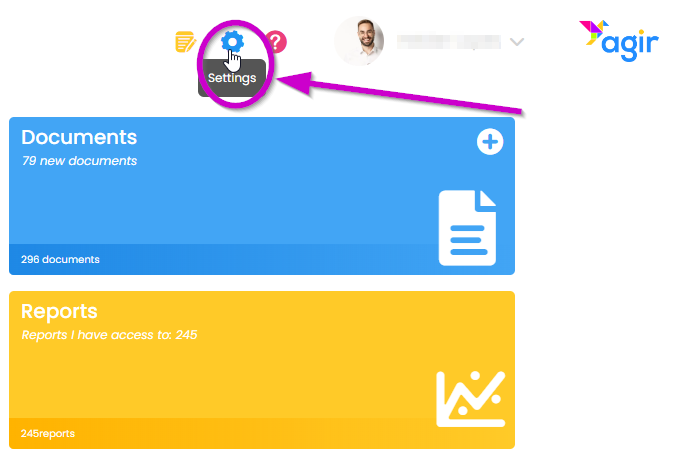
1. Go to the AGIR Settings.
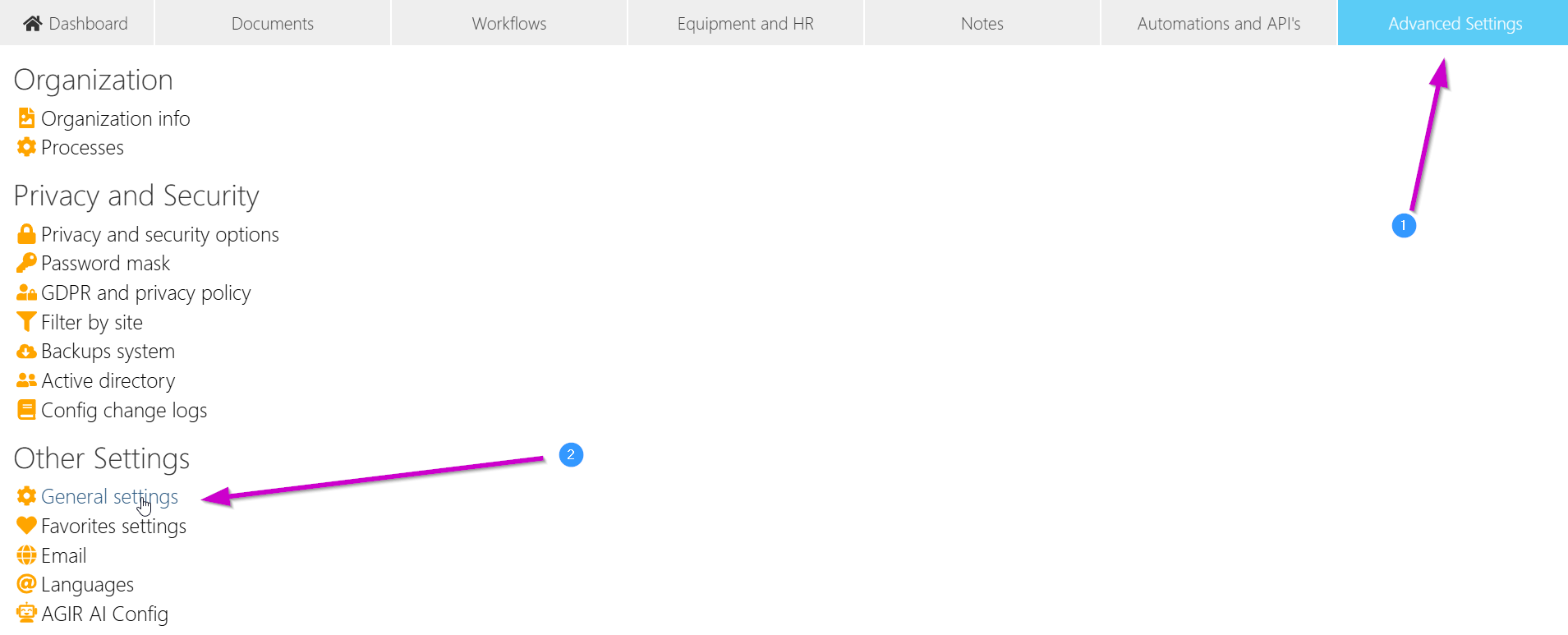
2. In the Advanced Settings tab, click on General Settings.
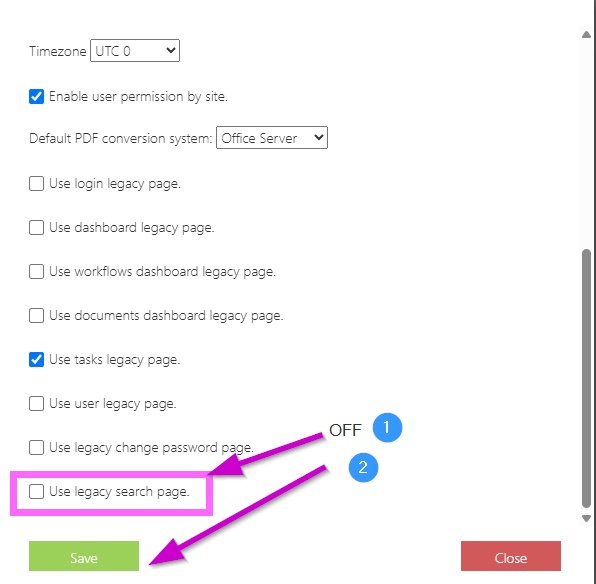
3. Scroll and turn off the option Use legacy search page. Save the changes.
How it works
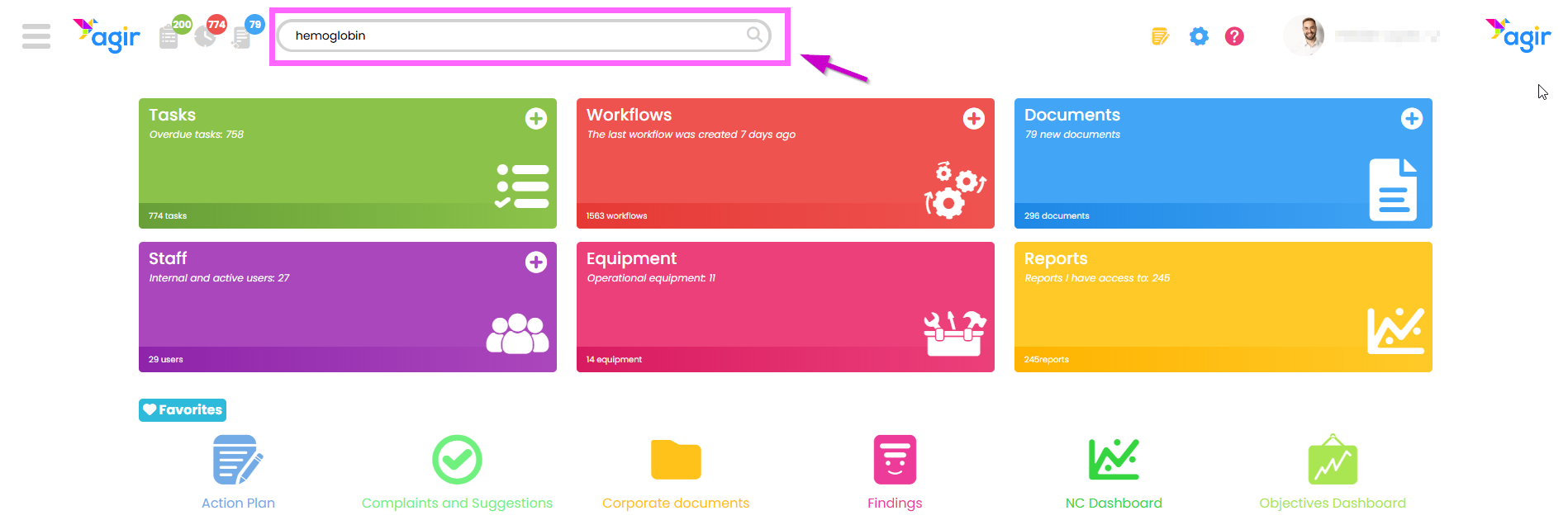
1. Use any AGIR search bar. Enter the term you want to search for. Press the Enter key to start the search.
Viewing results
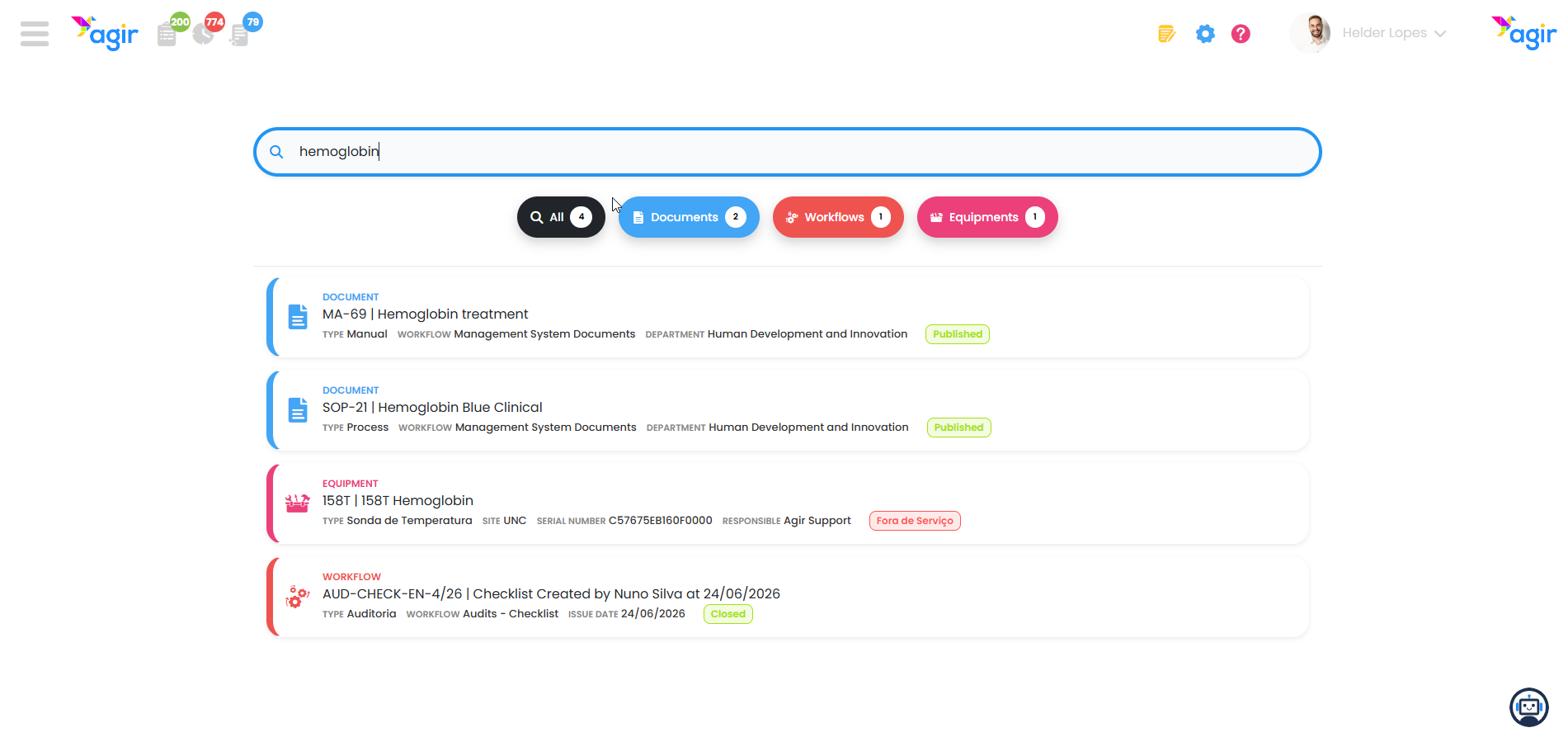
Results are presented in an aggregated manner, including matches in different modules of the platform.
Available features:
- Search across all modules
- Organized results view
- Identification of the source module and ability to filter results by module (1)
- Indication of the status of records (2)
TIP To quickly access a record or document, just click on the desired result.
If you wish to keep the search open, you can open the result in a new tab using the right-click/middle-click.
Benefits of the new search
- Faster and more efficient search
- Centralized access to information
- Better organization of results
- Increased day-to-day productivity
Was this article helpful?
That’s Great!
Thank you for your feedback
Sorry! We couldn't be helpful
Thank you for your feedback
Feedback sent
We appreciate your effort and will try to fix the article