Introduction
External tables allow centralizing and reusing structured data in AGIR, and are used in various workflows.
Until now, the management of these tables was limited to the AGIR Administrator, which implied a constant dependence for data updates.
With this new feature, it is now possible to:
- Associate external tables with specific workflows
- Allow Workflow Administrators to edit and maintain these tables directly
- Reduce dependencies and increase team autonomy
Associate external tables with a workflow
PERMISSIONS The association of external tables to workflows is performed by an AGIR Administrator.
Follow the steps below to learn how to associate external tables with a workflow:
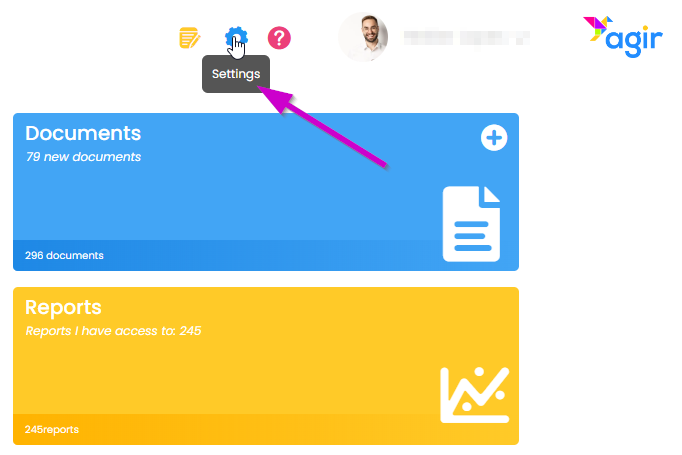
1. Go to AGIR Settings.
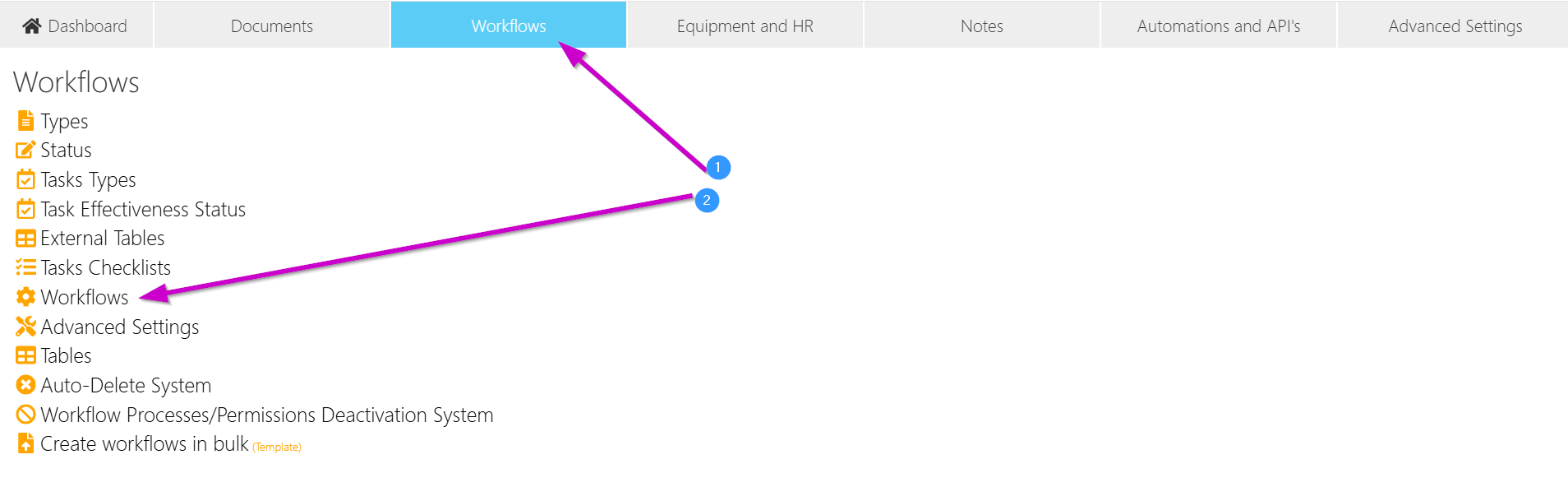
2. In the Workflows tab, select the option Workflows,.
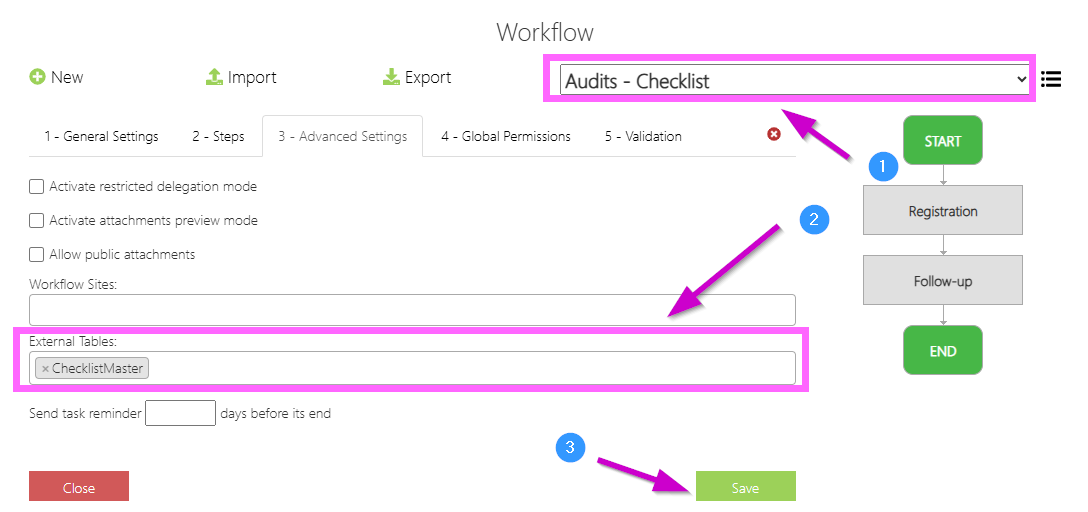
3. Choose the workflow where you want to associate the external table, go to the tab 3 - Advanced Settings.
In the External Tables field, associate the external tables relevant to that workflow. Save the changes.
 Result
After this configuration:
- The external tables become associated with the workflow
- Users with appropriate permissions will be able to access them directly
How to edit external tables from a workflow
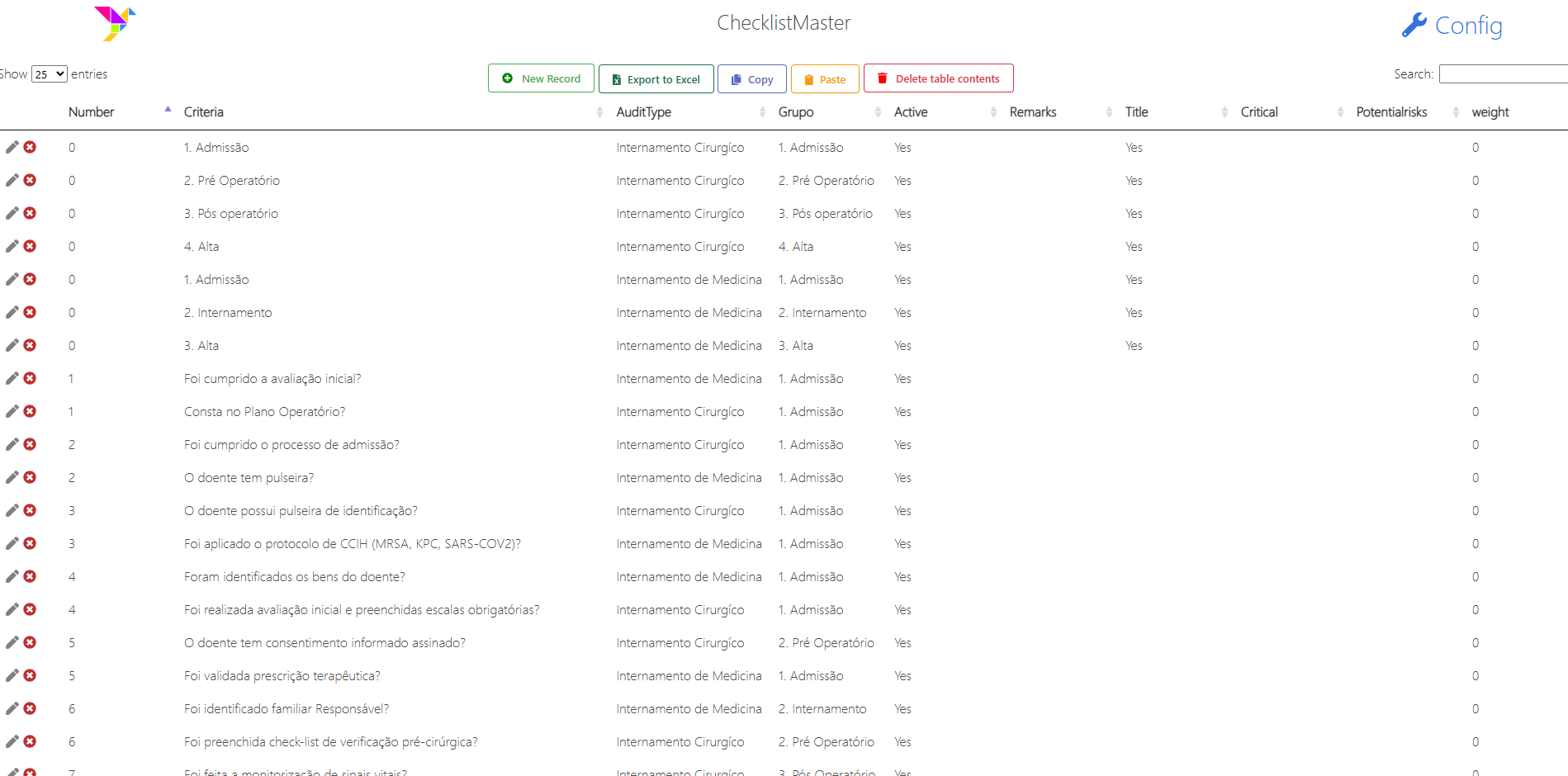
Once associated, AGIR Administrators or the respective Workflow Administrators will be able to edit the external tables directly from a record.
How to access
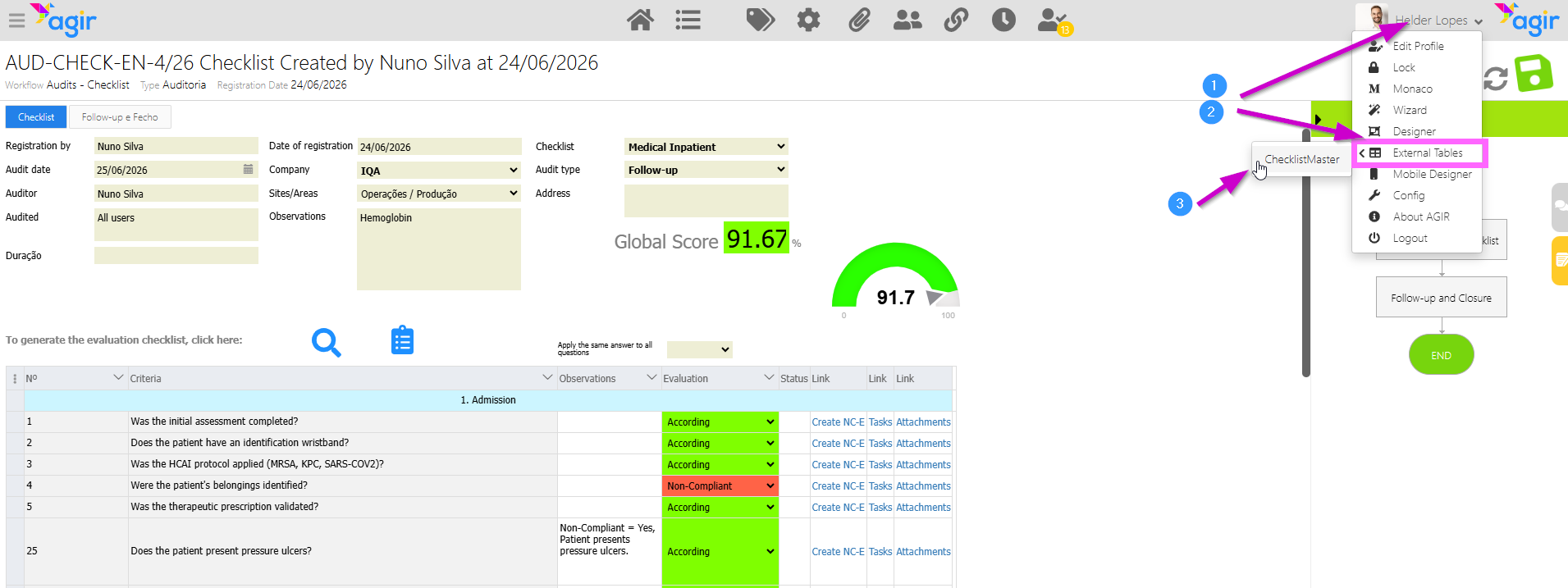
1. Enter a workflow record. In the user menu (top right corner), hover over the External Tables option and select the external table you want to edit.
Result
- The external table opens directly for editing
- The Workflow Administrator can add, edit, or remove data
- It is no longer necessary to rely on an AGIR Administrator
Benefits of this feature
- Greater autonomy for teams
- Reduced dependence on the AGIR Administrator
- Faster and more efficient data updates
- Better alignment between data and processes
- More agile and decentralized management
Important notes
- Only workflows with associated external tables show the option in the user menu
- Access depends on the user's permissions. You must be an AGIR Administrator or an Administrator of the relevant Workflow
- The association of the tables should be done in a controlled manner by the AGIR Administrator
Related article
To learn how to create and manage external tables, see this article:
Was this article helpful?
That’s Great!
Thank you for your feedback
Sorry! We couldn't be helpful
Thank you for your feedback
Feedback sent
We appreciate your effort and will try to fix the article